You know that feeling when you sit down to write, stare at a blinking cursor for twenty minutes, and realize you have ten other tasks screaming for your attention? We’ve all been there. The traditional way of creating content—researching, drafting, editing, formatting, and distributing—is a massive time sink. But what if you could build a system that handles the heavy lifting while you focus on the high-level strategy?
Building an automated content pipeline isn’t about letting a bot run your entire brand without supervision. It’s about creating a repeatable workflow where AI handles the repetitive, grunt-work stages of production. When done right, you aren’t just working harder; you are building a factory that turns raw ideas into polished posts across multiple platforms.
The Blueprint of an Automated Workflow
Before you start plugging tools into each other, you need to understand the stages of a functional pipeline. A solid system consists of four distinct phases: Ideation, Production, Optimization, and Distribution.
< p>First, the ideation phase uses data to decide what to write about. Next, the production phase turns those ideas into long-form text or scripts. Then, the optimization phase ensures the content is actually readable and SEO-friendly. Finally, distribution pushes that content out to your blog, newsletter, and social media feeds.
Phase 1: Intelligent Ideation
You shouldn’t start with a blank page. Instead, use tools that can analyze trending topics or scrape your existing high-performing content to suggest new angles. Tools like Perplexity AI are fantastic here because they can browse the live web to find current news, providing a factual foundation for your ideas. Instead of guessing, you are using real-time data to drive your editorial calendar.
Phase 2: Automated Drafting and Scaling
This is where most people get stuck. The goal is to use an LLM (Large Language Model) to generate a “first draft” that is roughly 70-80% complete. You shouldn’t expect perfection from a single prompt. A better way is to use a “chain of thought” method: one prompt for an outline, another for the introduction, and subsequent prompts for each section. This prevents the AI from getting lost in long-form generation and keeps the quality high.
Phase 03: Refining and Human Oversight
If you skip this, your content will eventually sound like a generic robot, and your audience will notice. This stage is your safety net. You need to check for factual accuracy, inject your unique brand voice, and ensure the formatting is correct. Think of the AI as your junior writer and yourself as the editor-in-chief.
AI Tool Comparison for Content Automation
Choosing the right stack depends on your budget and how much manual intervention you want. Below is an AI tool comparison to help you decide which parts of your pipeline to automate first.
| Tool Category | Recommended Tool | Key Feature | Pricing Tier (Approx.) |
|---|---|---|---|
| Research & Ideation | Perplexity AI | Live web searching & citations | Free / $20 per month |
| Long-form Writing | Claude 3.5 Sonnet | Natural, human-like prose | Free / $20 per month |
| Workflow Automation | Make.com | Connecting apps via API | Free / $9+ per month |
| SEO Optimization | SurferSEO | Content editor based on SERPs | $89+ per month |
If you are looking for a free trial, many of these tools offer limited access to their premium models. I suggest starting with the free versions of Claude or Perplexity to see if the output meets your standards before committing to a monthly subscription.
Connecting the Dots with Automation Platforms
The real magic happens when these tools talk to each other without you being the middleman. This is where platforms like Make.com or Zapier come in. An alternative to manually copying and pasting text from ChatGPT to WordPress is setting up a “scenario” in Make.com.
Here is a simple way to structure an automated loop:
- Trigger: You add a new topic to a Google Sheet.
- Action 1: Make.com sends that topic to Claude to generate an outline.
- Action 2: The outline is sent to an OpenAI module to expand it into a full draft.
- Action 3: The finished draft is automatically saved as a “Draft” in your WordPress or Ghost CMS.
- Action 4: A notification is sent to your Slack or Discord to let you know a new draft is ready for review.
By setting this up, you have turned a manual, multi-hour task into a simple “input and review” process. You are no longer a writer; you are a conductor managing an orchestra of digital assistants.
Common Pitfalls to Avoid
Automation is dangerous if you let it run wild. The biggest mistake is “set it and forget it.” If you stop reviewing the content, your brand authority will plummet. Always keep a human in the loop for the final approval. Another trap is relying on a single prompt. High-quality automation requires a series of interconnected, specific instructions that guide the AI through the nuances of your topic.
Lastly, watch out for “hallucinations.” AI can confidently state things that are completely untrue. Always verify any statistics, dates, or specific names generated by the system. A quick check against a reliable source can save you from a massive PR headache.
Ready to Scale Your Content?
Building an automated pipeline takes some initial effort. You’ll spend time setting up your prompts and connecting your APIs. However, once the foundation is laid, the ability to scale your output without increasing your workload is incredibly valuable. Start small. Automate your ideation first, then move to drafting, and slowly build your factory piece by piece.
If you found this helpful, try setting up a simple Make.com automation this week. Even if it’s just moving text from an email to a Google Doc, getting used to the logic of automation is the first step toward true content freedom.
Our Top Picks
Products we recommend:
1. How to Build an Insect

2. Leadership Pipeline: How to Build the Leadership Powered Company
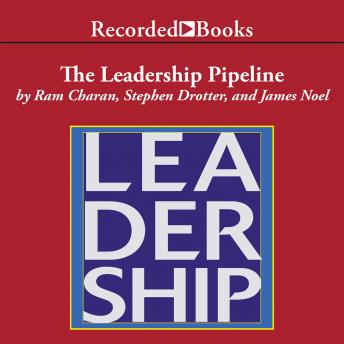
Leadership Pipeline: How to Build the Leadership Powered Company
by Audiobooks.com
$10.00
3. How to Build an Ancient Man
