
If you feel like your workday is just one long sequence of copying data from a spreadsheet to an email, you aren’t alone. Most business owners spend about 60% of their time on “work about work”—the repetitive, soul-crushing tasks that don’t actually grow the company but keep the lights on. The good news is that you don’t need to hire a massive team to fix this. You just need to stop doing the boring stuff yourself.

We are currently in a period where software can actually “think” through a workflow. Instead of just moving data from point A to point B, new tools can interpret instructions, summarize long threads, and even make decisions based on specific rules. This guide breaks down the actual software you can use right now to reclaim your calendar.
Automating your repetitive workflows and data movement
The biggest time sink in any office is the manual transfer of information between different apps. You get a lead in Typeform, then you manually add them to HubSpot, then you notify your team on Slack. This is a recipe for human error.
When looking at an AI tool comparison, the first two names you will see are Zapier and Make. These aren’t AI tools themselves, but they act as the glue that connects your entire tech stack. They have integrated AI features that allow you to build “Zaps” or scenarios using plain English instructions.
- Zapier: The most user-friendly option. It uses “Central,” an AI agent feature that can interact with 6,000+ apps. It is perfect if you hate complex logic.
- Make: Much more visual and powerful for complex, multi-step workflows. It is slightly harder to learn but much more flexible for data manipulation.
Here is a quick breakdown of how they stack up against each other:
| Feature | Zapier | Make | |
|---|---|---|---|
| Ease of Use | High (Natural Language) | Moderate (Visual Logic) | |
| Complexity | Simple Workflows | Advanced Data Mapping | |
| Pricing | Starts at ~$20/mo | Starts at ~$9/mo | |
| AI Capabilities | AI-driven builder & agents | AI-driven data parsing |
Managing your inbox and communication fatigue
Email is where productivity goes to die. Between sorting through newsletters, responding to basic customer inquiries, and flagging urgent requests, your inbox becomes a full-time job. AI-driven communication tools can act as a first line of defense.
Tools like Jasper or Copy.ai are great for drafting content, but if you want to automate the actual management of your messages, look at tools like Levity.ai or Shortwave. Levatory, for example, can look at incoming emails, decide if they are “spam,” “urgent,” or “billing related,” and then automatically route them to the right folder or person.
Smart email drafting and sorting
If you are constantly writing the same three types of replies, you are wasting energy. Shortwave uses AI to group your emails into meaningful categories and can draft replies based on your previous writing style. It’s not just about writing faster; it’s about never having to look at a “low priority” email until you actually have the time to deal with it.
If you want to test this out, most of these services offer a free trial so you can see if the AI actually understands your specific tone before you commit to a subscription.
Automating content creation and research
Researching competitors, summarizing long PDF reports, or keeping up with industry news is a manual task that eats up hours. Instead of reading every 50-page industry report, you can use AI to extract the core insights in seconds.
Claude (by Anthonomy) and ChatGPT are the obvious choices here, but the way you use them matters. Using them for “chatting” is fine, but using them for automated document analysis is where the real business value lies. You can upload five different competitor whitepapers and ask the AI to create a SWOT analysis table.
- Perplexity AI: Think of this as a search engine that gives you answers instead of links. It cites its sources, making it much more reliable for business research than standard chatbots.
- Claude: Known for having a much larger “context window.” This means you can feed it entire books or massive datasets, and it won’t “forget” the beginning of the document.
- Otter.ai: This replaces the manual task of taking meeting notes. It joins your Zoom or Google Meet calls, transcribes everything, and generates a list of action items automatically.
The cost of manual labor vs. automation
It is easy to look at a $30/month subscription and think it is an unnecessary expense. However, you should calculate the cost of your own time. If an automation saves you just two hours a month, and your hourly rate is $50, the tool has already paid for itself several times over.
When comparing Zapier vs Make or ChatGPT vs Claude, do not just look at the feature list. Look at how much “manual friction” each tool removes from your specific daily routine. If your business relies on heavy data processing, the extra complexity of Make is worth the investment. If you just need to connect a few simple apps, Zapier is the better, faster route.
Stop being the middleman in your own business. Pick one repetitive task this week—just one—and find a tool to handle it. Once you see the relief of a cleared task list, you won’t want to go back to the old way of doing things.
Ready to scale your operations without increasing your headcount? Start by auditing your weekly calendar and identifying your most repetitive tasks. If you found this guide helpful, subscribe to our newsletter for more deep dives into practical automation.
Our Top Picks
Products we recommend:
1. Untangling AI Driving Business Success Through Enterprise Automation and AI Agents
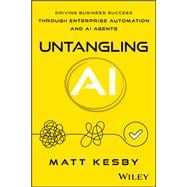
Untangling AI Driving Business Success Through Enterprise Automation and AI Agents
by Knetbooks.com
$35.64
2. Hyper-Automation AI and Business Processes – 1st Edition (eBook)
Hyper-Automation AI and Business Processes – 1st Edition (eBook)
by VitalSource
$54.99
3. Untangling AI : Driving Business Success Through Enterprise Automation and AI Agents, by Matt Kesby

Untangling AI : Driving Business Success Through Enterprise Automation and AI Agents, by Matt Kesby
by BOOKSAMILLION.COM
$40.00