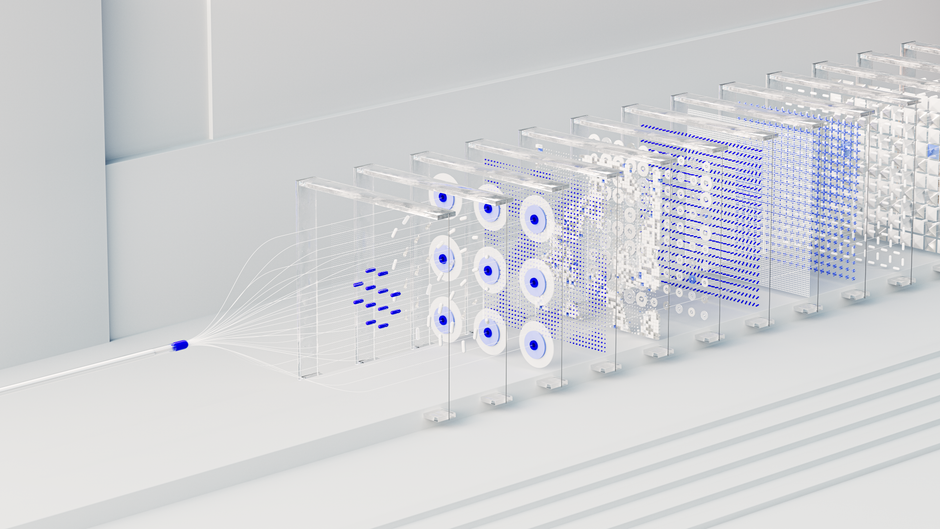
Imagine you have a brilliant idea for a t-shirt design—something featuring a neon cyberpunk cat wearing sunglasses. In the past, you would have had to spend hours learning Photoshop or hunting through expensive stock photo sites to find something even remotely close to your vision. Now, you can simply type that exact sentence into a generator and watch it appear on your screen in seconds. This isn’t just a neat trick; it is fundamentally changing how people run print on demand (POD) businesses.
Using AI image generation allows you to experiment with hundreds of different concepts without spending a dime on a professional illustrator. However, moving from a cool image on your screen to a high-quality product that customers actually want to buy requires more than just clicking “generate.” You need a strategy to handle resolution, copyright, and design composition.
How AI changes the POD workflow
The traditional way of creating designs usually involves a lot of trial and error. You either spend weeks mastering digital art tools or you pay someone else to do it for you. AI flips this script by acting as your personal concept artist. Instead of starting with a blank canvas, you start with a finished (or near-finished) visual.
This speed allows you to test niches much faster. If you notice that “vintage botanical illustrations” are trending on Etsy, you can generate twenty different floral designs in an afternoon. This rapid prototyping means you can populate your store with a diverse catalog of products without the traditional overhead costs associated with design production.
The role of prompting in design quality
Your results are only as good as your instructions. In the world of AI, we call these “prompts.” If you provide a vague prompt like “a cool dog,” you will likely get a generic, uninspired image that won’t stand out in a crowded marketplace. To create winning POD products, you need to think like an art director.
Good prompts usually include specific details about:
- Art style (e.g., watercolor, vector art, 3D render, oil painting)
- Lighting conditions (e.g., cinematic lighting, soft glow, high contrast)
- Composition (e.g., centered, close-up, wide shot)
- Color palettes (e.g., pastel colors, monochromatic, vibrant neons)
Technical hurdles you need to clear
Generating a pretty picture is the easy part. Making that picture printable is where most beginners stumble. Most AI generators produce images in low resolution, which looks blurry and unprofessional when printed on a large canvas or a hoodie. If your print comes out pixelated, you will deal with refunds and bad reviews immediately.
To fix this, you must use an AI upscaler. Tools like Gigapixel AI or free online alternatives can take a small, low-res image and mathematically increase the pixel count while adding detail. Your goal should be to reach at least 300 DPI (dots per inch) at the actual size of your product.
Vectorizing for versatility
While high-resolution rasters (pixels) are great for photos, vector graphics are often better for apparel. Vectors are mathematical paths that can be scaled to any size without losing quality. If you want to create logos or simple sticker designs, consider using a tool to convert your AI pixels into vectors. This makes it much easier to change colors or isolate specific parts of the design later in software like Adobe Illustrator or Inkscape.
Navigating the legal and ethical landscape
I cannot stress this enough: you need to understand the terms of service for whichever tool you use. Some AI platforms allow commercial use only if you have a paid subscription. Others might have murky rules about who actually owns the copyright to the output. Always check if your plan includes commercial rights before you upload a design to your Shopify or Redbubble store.
Beyond the software terms, be careful about generating images of existing characters or celebrities. Even if the AI created it, using Mickey Mouse or a famous actor’s likeness on a t-shirt is a fast track to a cease-and-desist letter. Stick to original concepts and generic subjects to keep your business safe.
Building a cohesive brand with AI
The biggest mistake I see new sellers making is treating their store like a junk drawer. They upload a random assortment of anime characters, vintage landscapes, and minimalist quotes all in one place. This makes your store look untrustworthy.
Instead, use AI to build a cohesive design language. Use the same art style or color palette across an entire collection. For example, you could create a “Retro National Parks” collection where every design uses the same distressed, 1970s-style aesthetic. This encourages customers to browse your entire shop because the products feel like they belong together.
A step-by-step launch strategy
- Identify a specific niche (e.g., “Astronomy lovers” or “Cute Cottagecore aesthetics”).
- Generate 50-100 variations using detailed, style-specific prompts.
- Select the top 10 designs that look most professional and unique.
- Upscale these images to at least 4000×4000 pixels.
- Remove backgrounds using a tool like Remove.bg or Photoshop if you are placing the art on colored apparel.
- Apply these designs to your chosen POD provider (Printful, Printify, etc.).
Success in print on demand isn’t about having the most designs; it is about having the right designs. AI gives you a massive head start in the creative process, but your ability to curate, refine, and market those images is what will actually drive sales.
Ready to start creating? Pick one niche today, open up an AI generator, and try to create five distinct styles of art for that topic. The more you experiment with prompts, the better your eye for great design will become.