Ever feel like your to-do list is actually just a collection of chores that don’t require a human brain? We’ve all been there—staring at a spreadsheet, manually copying data from an email into a CRM, or trying to summarize a one-hour meeting transcript while your actual work sits untouched. It is draining, repetitive, and frankly, a waste of your talent.
The good news is that you don’t have to do this anymore. A new wave of software is moving beyond simple “if-this-than-that” logic and actually performing cognitive work. We aren’t just talking about simple bots; we are talking about tools that can read, write, analyze, and decide. If you are looking for an alternative to manual data entry or tedious scheduling, there is likely a tool ready to take that weight off your shoulders.
Where automation actually saves you time
Before we look at specific software, let’s identify where the real friction exists in most small to medium businesses. Automation works best when the task is predictable and follows a pattern. If you can describe the task to a junior intern in three steps, you can probably automate it.
- Data moving: Transferring info between apps like Shopify, Google Sheets, and Salesforce.
- Content drafting: Writing first drafts of emails, product descriptions, or social posts.
- Meeting management: Summarizing calls, extracting action items, and updating calendars.
- Customer support: Answering repetitive FAQs without a human typing every response.
Top tools for automating workflow and logic
If your main problem is “App A doesn’t talk to App B,” you need a workflow orchestrator. These tools act as the glue for your entire business stack.
Zapier: The industry standard
Zapier is the most famous name here for a reason. It connects thousands of different apps. While it started as a simple way to move data, its new “Central” feature allows you to create AI agents that can actually interact with your apps using natural language. You can tell it, “Whenever I get a new lead in Typeform, research their company on LinkedIn and add a summary to Slack,” and it just does it.
Pricing: They offer a free tier for basic tasks, but for complex multi-step workflows, you’ll likely need the Professional plan, which starts around $20-$30 per month.
Make.com: The advanced alternative to Zapier
If Zapier feels a bit too “linear” for you, Make is the way to go. It uses a visual canvas where you can see the flow of data. It is much more powerful for complex logic, such as iterating through a list of items or using conditional branching. It is a bit harder to learn, but the AI tool comparison usually favors Make for users who need deep customization.
Pricing: Their Core plan starts at roughly $9/month, making it a very budget-friendly option for small operations.
AI tools for content and communication
Writing is often the biggest bottleneck in marketing and operations. These tools handle the heavy lifting of drafting and editing.
Jasper: For high-volume marketing
Unlike a simple chatbot, Jasper is built specifically for marketing teams. It understands brand voice and can generate entire campaigns—from blog posts to ad copy—that stay consistent. It’s great if you need to scale your content production without hiring five new writers.
Pricing: Jasper is a premium tool, with plans typically starting around $39/month per user.
Otter.ai: Eliminating meeting notes
Stop trying to take notes during Zoom calls. Otter joins your meetings, records the audio, and provides a real-time transcript. More importantly, it uses AI to generate a summary of the most important points and assigns tasks to participants. It effectively replaces the manual task of “recap email” after every client call.
Pricing: They have a free version, but the Pro plan (around $10/month) is necessary for longer meeting recordings and advanced searches.
Comparing the heavy hitters
To help you decide which direction to take, I’ve put together a quick AI tool comparison table focusing on their primary use case and cost.
| Tool Name | Primary Function | Complexity Level | Starting Price (Est.) |
|---|---|---|---|
| Zapier | App Connectivity | Low to Medium | Free / $20+ |
| Make.com | Complex Workflows | High | Free / $9+ |
| Jasper | Content Creation | Low | $39+ |
| Otter.ai | Meeting Transcription | Low | Free / $10+ |
How to start without breaking your budget
The biggest mistake people make is trying to automate everything on day one. This leads to “automation debt,” where you spend more time fixing broken bots than actually working. Instead, I recommend a “one-in, one-out” strategy.
- Identify one recurring headache: Pick the task you hate most.
- Audit the steps: Write down exactly what you do to complete it.
- Find a single tool: Don’t buy a suite; just buy one tool that solves that one specific problem.
- Test and refine: Run the automation alongside your manual process for a week to ensure the pricing investment is actually paying off in saved hours.
Automating your business isn’t about replacing humans; it’s about replacing the parts of your job that don’t require a human. When you get these repetitive tasks off your plate, you finally have the headspace to focus on the strategy and creativity that actually grows your revenue.
Ready to reclaim your calendar? Pick one task today and start looking for its automated replacement. Your future, less-stressed self will thank you.
Our Top Picks
Products we recommend:
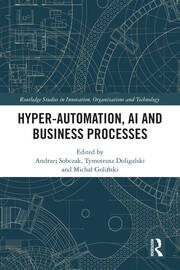
1. Hyper-Automation AI And Business Processes

2. Untangling AI Driving Business Success Through Enterprise Automation and AI Agents
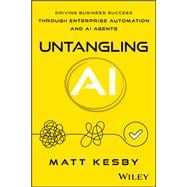
Untangling AI Driving Business Success Through Enterprise Automation and AI Agents
by Knetbooks.com
$39.76
3. Hyper-Automation AI and Business Processes – 1st Edition (eBook)
Hyper-Automation AI and Business Processes – 1st Edition (eBook)
by VitalSource
$54.99