Tag: 2026 Tech Trends

  • Best Ai Image Generators For Content Creators In 2026

    Best Ai Image Generators For Content Creators In 2026

    I remember when “editing an image” meant spending four hours masking hair strands in Photoshop and praying your computer didn’t crash. Fast forward to 2026, and the landscape has completely transformed. If you are a creator, you aren’t just managing pixels anymore; you are managing prompts. The tools available right now allow us to move from a vague idea in our heads to a high-resolution asset in seconds, but the sheer number of options makes it hard to know where to spend your monthly subscription budget.
    Independent Content Creators Online

    Finding the right fit depends entirely on your workflow. Are you a YouTuber needing quick thumbnails, or a brand designer requiring pixel-perfect control over lighting and texture? I’ve spent the last few months testing the current heavy hitters to see which ones actually deliver on their promises and which ones are just flashy wrappers for older models.

    The Top Contenders for Creative Workflows

    Not all generators are built for the same purpose. Some excel at artistic abstraction, while others are strictly built for commercial utility. To help you decide, I’ve broken down the current leaders into categories that actually matter for your daily grind.

    Midjourney v7: The Artist’s Choice

    Midjourney remains the gold standard for sheer aesthetic quality. The latest v7 update has finally solved the “uncanny valley” issue with human skin textures, making it much harder to tell what is real and what is generated. It is incredibly intuitive if you want something that looks “cinematic” without much effort. However, the interface—even with the new web-based editor—can still feel a bit disconnected from a traditional design suite.

    The real strength here is the lighting engine. If you need an image that looks like it was shot on 35mm film, this is your tool. The downside? It lacks the precise structural control found in other platforms, making it difficult to place specific objects in exact coordinates.

    Adobe Firefly Pro: The Professional’s Safety Net

    For anyone working in a professional agency setting, Firefly is the most practical choice. Because Adobe trains its models on licensed content, the legal anxiety surrounding copyright is significantly lower. The integration within Photoshop means you can use generative fill to extend backgrounds or swap out clothing with a single click. It isn’t as “creative” or experimental as Midjourney, but its utility in a professional pipeline is unmatched.

    Stable Diffusion Ultra: The Control Freak’s Dream

    If you are someone who needs to dictate exactly where every shadow falls, Stable Diffusion is the only way to go. With the advent of advanced ControlNet modules in 2026, you can feed the AI a rough sketch or a depth map, and it will follow your structural instructions to the letter. It requires a steeper learning curve and a decent GPU (or a cloud subscription), but the level of customization is infinite.

    Comparing Features and Costs

    Choosing between these tools often comes down to a pricing vs. control debate. You need to weigh how much time you want to spend prompting versus how much you want to pay for a streamlined experience.

    Tool Name Best For Key Feature Starting Price
    Midjourney v7 Aesthetics & Texture Hyper-realistic lighting $30/month
    Adobe Firefly Commercial Work Copyright-safe training Included w/ Creative Cloud
    Stable Diffusion Precision Control Structural guidance (ControlNet) Free (Local) / $20 (Cloud)
    DALL-E 4 Speed & Simplicity Natural language understanding $20/month

    Deep look at Tool Capabilities

    Let’s look closer at the nuances that separate the best AI tools from the mediocre ones. When you are comparing Midjourney vs. Stable Diffusion, you aren’t just comparing image quality; you are comparing different philosophies of creation.

    Prompt Adherence and Logic

    DALL-E 4 has made massive strides in understanding complex instructions. You can now use long, conversational sentences, and the model actually follows the logic. If you tell it “a blue cat sitting on a red chair, but the chair is melting into a puddle of milk,” it understands the relationship between those objects. Midjourney, while beautiful, often ignores specific prepositional instructions in favor of what it thinks looks “pretty.”

    Consistency Across Frames

    A massive headache for content creators is character consistency. If you are making a graphic novel or a series of social media posts featuring the same mascot, you need the tool to remember what that character looks like. Stable Diffusion leads the pack here with “LoRA” training, allowing you to train a mini-model on a specific face or style. Midjourney has introduced “Character Reference” tags, which are great for beginners, but they still lack the surgical precision of a custom-trained Stable Diffusion setup.

    The Workflow Integration Factor

    How much time does the tool add to your existing process?

    • Adobe Firefly: Zero friction. It is already inside your canvas.
    • Midjourney: Moderate friction. Requires jumping between a browser/Discord and your design software.
    • Stable Diffusion: High friction. Requires setup, nodes, or complex cloud interfaces.

    How to Choose Your Setup for 2026

    Deciding on your stack should be based on your specific output. I recommend a multi-tool approach rather than relying on just one. Most successful creators I know use a combination of at least two of these platforms.

    1. The “Fast Content” Setup: DALL-E 4 + Canva. Perfect for social media managers who need quick, high-quality visuals for Instagram stories or Twitter posts without much tweaking.
    2. The “High-End Brand” Setup: Adobe Firefly + Midjourney. Use Midjourney to generate the “hero” imagery that captures the mood, then bring it into Photoshop/Firefly to clean up the edges and integrate it into layouts.
    3. The “Technical Artist” Setup: Stable Diffusion + ComfyUI. This is for those creating complex digital art, 3D textures, or highly specific character-driven content.

    Ultimately, the best AI image generators are the ones that disappear into your workflow. You shouldn’t be fighting the tool; you should be directing it. If you find yourself spending more time fixing AI errors than actually creating, it might be time to switch your primary engine.

    Are you struggling to keep up with the rapid changes in generative AI? Start by picking one tool from the list above and committing to it for one full project. The real learning happens when you move past the “wow” factor and start using these tools to solve actual creative bottlenecks. If you found this breakdown helpful, subscribe to our newsletter for weekly deep dives into the latest creator tech.

    Our Top Picks

    Products we recommend:

    1. AI Automation Agents for Content Creators – Audiobook, by Sarah Mitchell
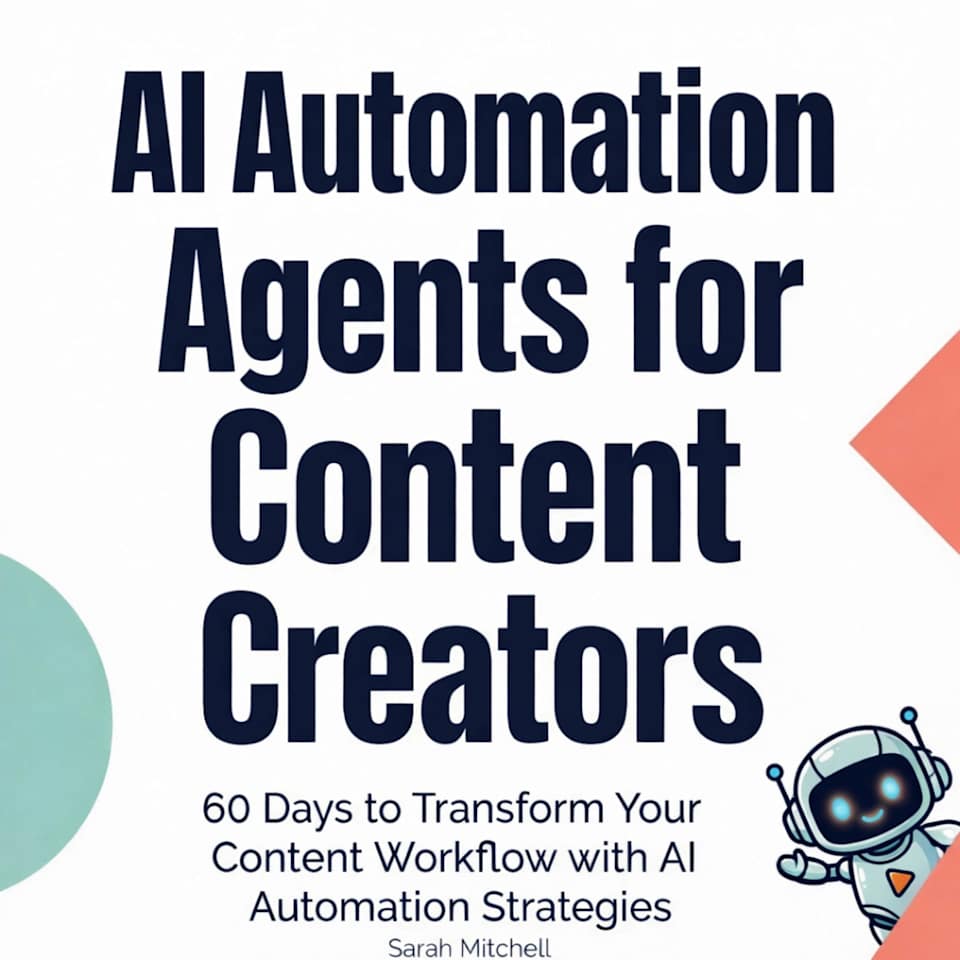
    AI Automation Agents for Content Creators - Audiobook, by Sarah Mitchell

    AI Automation Agents for Content Creators – Audiobook, by Sarah Mitchell

    by Chirp Books

    $8.99

    Check Price →

    2. Independent Content Creators Online

    Independent Content Creators Online

    Independent Content Creators Online

    by SpringerLink Shop INT

    $139.09

    Check Price →

    3. Independent Content Creators Online

    Independent Content Creators Online
    Independent Content Creators Online

    by Springer Nature Author

    $139.09

    Check Price →

  • Best Free Ai Tools For Small Businesses In 2026

    Best Free Ai Tools For Small Businesses In 2026

    Running a small business often feels like trying to juggle flaming torches while riding a unicycle. You are the CEO, the marketing department, the accountant, and the customer service rep all at once. By 2026, the sheer volume of tasks can become overwhelming if you are doing everything manually. Luckily, we have reached a point where you don’t need a massive payroll to handle repetitive tasks. A handful of smart, free resources can act as your virtual staff, helping you reclaim hours of your week without touching your budget.

    Free Money for Small Businesses and Entrepreneurs

    Finding the right software is tricky because the market is flooded with “free” tools that secretly charge you the moment you try to download a file. I have spent time testing various options to find the best AI tools that actually provide real value through their free tiers. This guide focuses on practical utility—tools that solve specific problems like writing, scheduling, and design.

    Streamlining your content creation and writing

    Writing blog posts, emails, and social media captions is perhaps the biggest time sink for most entrepreneurs. You don’t need to hire a full-time copywriter to maintain a professional presence. Instead, look for tools that act as an intelligent drafting partner.

    ChatGPT (OpenAI)

    Even in 2026, ChatGPT remains the most versatile tool in the kit. The free version has evolved significantly, offering much higher reasoning capabilities than in previous years. It is a great alternative to hiring a junior writer for first drafts. You can use it to brainstorm product names, draft long-form articles, or even write basic Python scripts to automate your spreadsheets.

    • Best for: Brainstorming, drafting, and summarizing long documents.
    • Free Tier: Unlimited basic chat and access to standard intelligence models.
    • Key Feature: Natural language understanding that handles complex instructions.

    Copy.ai

    While ChatGPT is a generalist, Copy.ai is built specifically for marketing. If you struggle with “blank page syndrome” when trying to write Instagram captions or Facebook ads, this is your go-to. It provides templates that guide you through the process of creating high-converting marketing copy.

    • Best for: Social media posts and product descriptions.
    • Free Tier: Limited number of monthly words/credits.
    • Key Feature: Template-driven workflows for specific marketing channels.

    Visual design without the designer price tag

    First impressions matter. If your social media graphics look amateur, customers might doubt the quality of your actual services. You don’t need to master Photoshop to create stunning visuals anymore.

    Canva Magic Studio

    Canva has moved far beyond simple templates. Their integrated AI features allow you to expand images, remove backgrounds, and even generate entire layouts from a text prompt. It is the most user-friendly way to keep your brand looking consistent across all platforms.

    • Best for: Social media graphics, flyers, and presentations.
    • Free Tier: Access to thousands of templates and basic AI editing tools.
    • Key Feature: “Magic Edit” which lets you swap objects in a photo using text.

    Adobe Express

    If you want something slightly more polished, Adobe Express offers a fantastic middle ground. It uses Firefly technology to generate high-quality images from scratch. It is a brilliant alternative to expensive stock photo subscriptions because you can create exactly what you need for a specific campaign.

    • Best for: High-fidelity brand assets and quick photo manipulations.
    • Free Tier: Generative AI credits and basic design tools.
    • Key Feature: Text-to-image generation that follows strict brand styles.

    Organizing your operations and meetings

    Productivity dies in messy inboxes and forgotten meeting notes. Automating the “admin” side of your business is where you will see the most significant return on your time.

    Otter.ai

    Stop trying to take notes during client calls. Otter.ai listens to your meetings and provides a real-time transcript. By the time you hang up, you already have a summary of the action items and key decisions. This ensures nothing falls through the cracks.

    • Best for: Meeting transcription and automated minutes.
    • Free Tier: Limited monthly transcription minutes and basic search.
    • Key Feature: Automatic identification of different speakers in a conversation.

    Tally.so

    Collecting feedback or leads requires clean, professional forms. Tally feels like a much simpler, cleaner alternative to Typeform. It uses a “notion-like” interface that makes building complex forms incredibly easy. You can use it to gather customer testimonials or run surveys without any coding knowledge.

    • Best for: Lead generation forms and customer surveys.
    • Free Tier: Unlimited forms and unlimited responses.
    • Key Feature: Clean, minimalist design that looks great on mobile.

    AI tool comparison: Quick reference guide

    To help you decide where to start, I have put together this AI tool comparison to see how these options stack up against each other based on their primary use case.

    Tool Name Primary Function Best Use Case Complexity Level
    ChatGPT Text Generation Drafting emails and blogs Very Low
    Canva Graphic Design Social media posts Low
    Otter.ai Transcription Meeting notes Low
    Adobe Express Visual Assets Professional branding Medium
    Tally.so Data Collection Customer feedback Low

    How to implement these tools without burning out

    The biggest mistake I see business owners make is trying to adopt five new tools in a single week. This usually leads to a “tool graveyard” where you have ten different subscriptions you never use. Instead, I recommend a phased approach.

    1. Identify your biggest bottleneck: Is it writing? Is it design? Pick one area that frustrates you most.
    2. Master one tool first: Spend two weeks using only one tool (like ChatGPT) to automate a single recurring task.
    3. Audit your workflow: Once you are comfortable, look for the next gap. Perhaps you need a better way to capture meeting notes.

    Remember, these tools are meant to support your workflow, not replace your unique human touch. The goal is to automate the boring stuff so you can focus on the parts of your business that actually require your expertise and creativity.

    If you found this breakdown helpful, subscribe to our newsletter for more weekly tips on growing your business with smart, budget-friendly technology.

    Our Top Picks

    Products we recommend:

    1. Free Money for Small Businesses and Entrepreneurs

    Free Money for Small Businesses and Entrepreneurs

    Free Money for Small Businesses and Entrepreneurs

    by eCampus.com

    $42.91

    Check Price →

    2. Free Money for Small Businesses and Entrepreneurs

    Free Money for Small Businesses and Entrepreneurs

    Free Money for Small Businesses and Entrepreneurs

    by Knetbooks.com

    $42.70

    Check Price →

    3. The Essential Hr Guide For Small Businesses And Startups: Best Practices, Tools, Examples, And Online Resources

    The Essential Hr Guide For Small Businesses And Startups: Best Practices, Tools, Examples, And Online Resources

    The Essential Hr Guide For Small Businesses And Startups: Best Practices, Tools, Examples, And Online Resources

    by Indigo Books & Music

    $46.99

    Check Price →