
Running a small business often feels like trying to juggle flaming torches while riding a unicycle. You are the CEO, the marketing manager, the customer service rep, and sometimes even the janitor. By 2026, the landscape has changed significantly. You no longer need a massive payroll to handle repetitive tasks. Instead, you can use smart, automated assistants that cost exactly zero dollars to start using. I have spent the last few months testing various software to see which ones actually save time and which ones are just flashy distractions.

The goal here isn’t to overwhelm you with every new app on the market. We are looking for practical, reliable, and completely free options that help you reclaim your weekends. Whether you need help drafting emails, designing logos, or managing your messy schedule, there is an AI-driven solution ready to step in.
Smart Assistants for Content and Copywriting
Writing is usually the biggest bottleneck for small business owners. You need blog posts for SEO, captions for Instagram, and professional replies to angry customers. Luckily, Large Language Models (LLMs) have matured to the point where they can mimic your brand voice with minimal effort.
ChatGPT (OpenAI)
ChatGPT remains the gold standard for general-purpose writing. The free version available in 2026 is incredibly capable, offering much faster processing than its predecessors. It is excellent for brainstorming product names or summarizing long meeting transcripts. While the free tier has usage limits on the most advanced models, the standard version is more than enough for daily drafting.
Claude (Anthropic)
If you find ChatGPT a bit too “robette” or robotic, Claude is your best friend. It tends to write in a much more human, conversational tone. Many of my peers prefer Claude for long-form storytelling or when they need to upload a PDF and ask questions about it. It handles nuance and complex instructions better than almost any other free tool I have tested.
Copy.ai
This tool is specifically built for marketing. Instead of a blank chat box, you get templates for specific tasks like “Product Descriptions” or “Email Subject Lines.” It takes the guesswork out of prompting. If you struggle with knowing what to ask an AI, Copy.ai provides the structure you need.
Visual Design and Branding Without the Designer Price Tag
You don’t need a degree in graphic design to have a professional-looking storefront or social media presence. A few clever tools can handle the heavy lifting of image generation and layout design.
Canva has integrated deep AI features into its free tier that are hard to ignore. You can use “Magic Edit” to swap out objects in a photo or “Magic Design” to generate a full presentation template just by typing a sentence. It is the most user-friendly option for anyone who isn’t a pro.
For more unique, artistic needs, Midjourney (via web interface) or Adobe Firefly offer impressive results. While these often move into paid territory for high-resolution downloads, their free daily credits are perfect for creating social media posts or website banners. If you are doing an AI tool comparison for branding, look closely at how much control you have over the final output.
Automating Operations and Customer Support
Efficiency is where the real money is saved. If you can automate your scheduling or your initial customer inquiries, you free up hours of mental energy every week.
- Tidio: This is a fantastic way to implement a free chatbot on your website. It handles basic FAQs like “What are your hours?” or “Do you ship to Canada?” so you don’t have to.
- Zapier (Free Tier): Think of this as the glue that holds your business together. It connects different apps. For example, when you get a new lead via a Google Form, Zapier can automatically send you a Slack message or add them to a Mailchimp list.
- Otter.ai: Never take meeting notes again. Otter joins your video calls, transcribes everything said, and even generates a summary of the action items.
Quick Feature Comparison Table
To help you decide where to spend your time, I have put together this quick breakdown of the top contenders.
| Tool Name | Primary Use Case | Best Free Feature | Pricing Tier Note |
|---|---|---|---|
| ChatGPT | General Writing/Brainstorming | Unlimited basic chat | Paid for GPT-5 access |
| Claude | Nuanced, Human-like Copy | Large context window | Usage limits apply |
| Canva | Graphic Design | AI-powered templates | Premium assets cost extra |
| Tidio | Customer Service | Automated FAQ bots | Limited number of chats |
How to Choose the Right Tool for Your Workflow
It is easy to fall into the trap of “shiny object syndrome,” where you spend more time playing with new apps than actually running your business. Before you sign up for a free trial of any premium service, ask yourself one question: Does this solve a problem I have every single day?
Start small. Pick one area—maybe it’s your social media captions—and master one tool. Once you have integrated that into your routine, move on to the next. You don’t need a massive tech stack; you just need a few tools that work reliably.
If you are weighing a ChatGPT vs Claude situation, try giving both the exact same prompt. See which response feels more like your brand. This trial-and-error approach is the best way to build a customized toolkit that fits your specific needs without breaking your budget.
Ready to reclaim your time? Pick one tool from this list and use it for your next marketing task. You might be surprised at how much lighter your workload feels by the end of the week.
Our Top Picks
Products we recommend:
1. Free Money for Small Businesses and Entrepreneurs
2. Free Money for Small Businesses and Entrepreneurs
3. The Essential Hr Guide For Small Businesses And Startups: Best Practices, Tools, Examples, And Online Resources
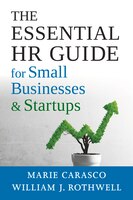
The Essential Hr Guide For Small Businesses And Startups: Best Practices, Tools, Examples, And Online Resources
by Indigo Books & Music
$46.99