Tag: AI marketing

  • Best Free Ai Tools For Small Businesses In 2026

    Best Free Ai Tools For Small Businesses In 2026

    Running a small business often feels like trying to juggle chainsaws while riding a unicycle. You are the marketing department, the accountant, the customer service rep, and the janitor all at once. By 2026, the sheer volume of tasks has only increased, but luckily, we aren’t doing it alone anymore. Artificial intelligence has moved past the “gimmick” phase and is now a practical assistant that actually works.

    Free Money for Small Businesses and Entrepreneurs

    The best part? You don’t need a massive enterprise budget to use these technologies. Many of the most effective tools offer generous free tiers that can handle everything from drafting emails to managing your social media calendar. I’ve spent a lot of time testing these platforms to see which ones actually save time and which ones are just expensive distractions.

    Where to Start: Content Creation and Copywriting

    Writing is usually the first bottleneck for any founder. Whether it’s a weekly newsletter or a product description, staring at a blank cursor is a waste of your limited energy. A few years ago, AI writing felt robotic, but the 2026 landscape is much more natural.

    ChatGPT (OpenAI)

    ChatGPT remains the heavy hitter for general brainstorming. The free version now includes access to much more advanced reasoning models that can analyze uploaded spreadsheets or help you draft complex business plans. It’s great for brainstorming marketing slogans or summarizing long meeting transcripts.

    Copy.ai

    If you find ChatGPT a bit too “chatty” and want something more focused on marketing, Copy.ai is a fantastic alternative. It provides structured templates specifically for social media captions and email subject lines. This helps you avoid that generic AI tone that customers are starting to recognize.

    When doing an AI tool comparison for writing, consider how much manual editing you want to do. ChatGPT gives you raw material, while Copy.ai gives you more finished products.

    Visuals and Branding Without a Designer

    High-quality imagery is non-negotiable for building trust online. However, hiring a professional photographer for every social media post isn’t sustainable. These tools allow you to create professional-grade visuals for $0.

    Canva has integrated deeply with generative AI, making it easy to expand a photo’s background or swap out objects in a scene. It’s become the Swiss Army knife for small business owners who need to maintain a consistent brand aesthetic without a design degree.

    • Adobe Express: Great for quick, high-quality templates and removing backgrounds instantly.
    • Microsoft Designer: Excellent for generating entire social media posts from a single text prompt.
    • Leonardo.ai: Best for creating unique, high-fidelity artistic assets that don’t look like stock photos.

    Streamlining Operations and Productivity

    Efficiency is about reclaiming your time. AI tools can now handle the repetitive “admin” work that eats up your afternoons, such as scheduling, note-taking, and data entry.

    Automating Meetings with Otter.ai

    Never manually type up meeting minutes again. Otter.ai joins your video calls, transcribes everything said, and generates a summary of action items. For a small team, this ensures that no client request or internal decision gets lost in the shuffle.

    Project Management with Notion AI

    Notion has evolved into a central brain for many small businesses. Their built-in AI can help you organize tasks, summarize project notes, and even draft project timelines. It’s particularly useful if you are already using Notion to track your business wiki or CRM.

    Quick Comparison of Top Free Tiers

    Deciding which tool to adopt depends heavily on your pricing needs and specific use cases. Here is a breakdown of how the top contenders stack up against each other.

    Tool Name Primary Use Best Free Feature Limitation of Free Tier
    ChatGPT Brainstorming & Text Advanced reasoning & data analysis Usage limits on newest models
    Canva Graphic Design Massive template library Limited premium elements/fonts
    Otter.ai Transcription Real-time meeting notes Monthly minute cap
    Copy.ai Marketing Copy Structured marketing templates Limited number of monthly credits

    Managing Your Social Media Presence

    Social media is a full-time job in itself. To avoid burnout, you need a system that allows you to create and schedule content in bulk. The goal is to stay visible without being glued to your phone 24/7.

    Buffer and Hootsuite offer entry-level free versions that allow you to schedule posts across multiple platforms. When you pair these with the generative tools mentioned above, you can essentially “batch” an entire month of content in a single afternoon. This strategic workflow keeps your brand active while you focus on actual operations.

    One tip: Don’t just automate the posting; use AI to analyze when your audience is most active. Many of these tools now include basic analytics that tell you exactly when to hit “publish” for maximum engagement.

    Final Thoughts on Implementing AI

    The biggest mistake you can make is trying to adopt every new tool at once. It will lead to “tool fatigue” and more confusion than clarity. Instead, pick one area of your business that feels the most disorganized—perhaps it’s your social media or your client follow-ups—and find one tool to help you fix it.

    AI is a teammate, not a replacement for your unique business intuition. Use it to handle the heavy lifting, but always add your personal touch before anything goes live to a customer. If you found this guide helpful, consider subscribing to our newsletter for monthly updates on new tools that can help your business grow.

    Our Top Picks

    Products we recommend:

    1. Free Money for Small Businesses and Entrepreneurs

    Free Money for Small Businesses and Entrepreneurs

    Free Money for Small Businesses and Entrepreneurs

    by eCampus.com

    $42.91

    Check Price →

    2. Free Money for Small Businesses and Entrepreneurs

    Free Money for Small Businesses and Entrepreneurs

    Free Money for Small Businesses and Entrepreneurs

    by Knetbooks.com

    $42.70

    Check Price →

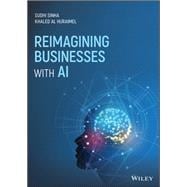
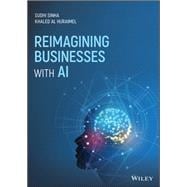
    3. Reimagining Businesses with AI

    Reimagining Businesses with AI

    Reimagining Businesses with AI

    by BiggerBooks.com

    $39.11

    Check Price →

  • Best Free Ai Tools For Small Businesses In 2026

    Best Free Ai Tools For Small Businesses In 2026

    Running a small business often feels like trying to juggle flaming torches while riding a unicycle. You are the CEO, the marketing manager, the customer service rep, and sometimes even the janitor. By 2026, the landscape has changed significantly. You no longer need a massive payroll to handle repetitive tasks. Instead, you can use smart, automated assistants that cost exactly zero dollars to start using. I have spent the last few months testing various software to see which ones actually save time and which ones are just flashy distractions.

    Free Money for Small Businesses and Entrepreneurs

    The goal here isn’t to overwhelm you with every new app on the market. We are looking for practical, reliable, and completely free options that help you reclaim your weekends. Whether you need help drafting emails, designing logos, or managing your messy schedule, there is an AI-driven solution ready to step in.

    Smart Assistants for Content and Copywriting

    Writing is usually the biggest bottleneck for small business owners. You need blog posts for SEO, captions for Instagram, and professional replies to angry customers. Luckily, Large Language Models (LLMs) have matured to the point where they can mimic your brand voice with minimal effort.

    ChatGPT (OpenAI)

    ChatGPT remains the gold standard for general-purpose writing. The free version available in 2026 is incredibly capable, offering much faster processing than its predecessors. It is excellent for brainstorming product names or summarizing long meeting transcripts. While the free tier has usage limits on the most advanced models, the standard version is more than enough for daily drafting.

    Claude (Anthropic)

    If you find ChatGPT a bit too “robette” or robotic, Claude is your best friend. It tends to write in a much more human, conversational tone. Many of my peers prefer Claude for long-form storytelling or when they need to upload a PDF and ask questions about it. It handles nuance and complex instructions better than almost any other free tool I have tested.

    Copy.ai

    This tool is specifically built for marketing. Instead of a blank chat box, you get templates for specific tasks like “Product Descriptions” or “Email Subject Lines.” It takes the guesswork out of prompting. If you struggle with knowing what to ask an AI, Copy.ai provides the structure you need.

    Visual Design and Branding Without the Designer Price Tag

    You don’t need a degree in graphic design to have a professional-looking storefront or social media presence. A few clever tools can handle the heavy lifting of image generation and layout design.

    Canva has integrated deep AI features into its free tier that are hard to ignore. You can use “Magic Edit” to swap out objects in a photo or “Magic Design” to generate a full presentation template just by typing a sentence. It is the most user-friendly option for anyone who isn’t a pro.

    For more unique, artistic needs, Midjourney (via web interface) or Adobe Firefly offer impressive results. While these often move into paid territory for high-resolution downloads, their free daily credits are perfect for creating social media posts or website banners. If you are doing an AI tool comparison for branding, look closely at how much control you have over the final output.

    Automating Operations and Customer Support

    Efficiency is where the real money is saved. If you can automate your scheduling or your initial customer inquiries, you free up hours of mental energy every week.

    • Tidio: This is a fantastic way to implement a free chatbot on your website. It handles basic FAQs like “What are your hours?” or “Do you ship to Canada?” so you don’t have to.
    • Zapier (Free Tier): Think of this as the glue that holds your business together. It connects different apps. For example, when you get a new lead via a Google Form, Zapier can automatically send you a Slack message or add them to a Mailchimp list.
    • Otter.ai: Never take meeting notes again. Otter joins your video calls, transcribes everything said, and even generates a summary of the action items.

    Quick Feature Comparison Table

    To help you decide where to spend your time, I have put together this quick breakdown of the top contenders.

    versatility

    Tool Name Primary Use Case Best Free Feature Pricing Tier Note
    ChatGPT General Writing/Brainstorming Unlimited basic chat Paid for GPT-5 access
    Claude Nuanced, Human-like Copy Large context window Usage limits apply
    Canva Graphic Design AI-powered templates Premium assets cost extra
    Tidio Customer Service Automated FAQ bots Limited number of chats

    How to Choose the Right Tool for Your Workflow

    It is easy to fall into the trap of “shiny object syndrome,” where you spend more time playing with new apps than actually running your business. Before you sign up for a free trial of any premium service, ask yourself one question: Does this solve a problem I have every single day?

    Start small. Pick one area—maybe it’s your social media captions—and master one tool. Once you have integrated that into your routine, move on to the next. You don’t need a massive tech stack; you just need a few tools that work reliably.

    If you are weighing a ChatGPT vs Claude situation, try giving both the exact same prompt. See which response feels more like your brand. This trial-and-error approach is the best way to build a customized toolkit that fits your specific needs without breaking your budget.

    Ready to reclaim your time? Pick one tool from this list and use it for your next marketing task. You might be surprised at how much lighter your workload feels by the end of the week.

    Our Top Picks

    Products we recommend:

    1. Free Money for Small Businesses and Entrepreneurs

    Free Money for Small Businesses and Entrepreneurs

    Free Money for Small Businesses and Entrepreneurs

    by eCampus.com

    $42.91

    Check Price →

    2. Free Money for Small Businesses and Entrepreneurs

    Free Money for Small Businesses and Entrepreneurs

    Free Money for Small Businesses and Entrepreneurs

    by Knetbooks.com

    $42.70

    Check Price →

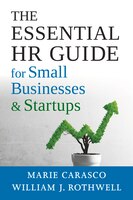
    3. The Essential Hr Guide For Small Businesses And Startups: Best Practices, Tools, Examples, And Online Resources

    The Essential Hr Guide For Small Businesses And Startups: Best Practices, Tools, Examples, And Online Resources

    The Essential Hr Guide For Small Businesses And Startups: Best Practices, Tools, Examples, And Online Resources

    by Indigo Books & Music

    $46.99

    Check Price →

  • Best Free Ai Tools For Small Businesses In 2026

    Best Free Ai Tools For Small Businesses In 2026

    Running a small business often feels like you’re trying to juggle flaming torches while riding a unicycle. Between managing inventory, handling customer service, and trying to keep your social media active, there simply aren’t enough hours in the day. A few years ago, you would have needed to hire a massive team to handle these tasks, but things look different in 2026. Artificial intelligence has moved past the “hype” phase and into the “actually useful” phase, specifically for those of us operating on a tight budget.

    The good news is that you don’t need a massive enterprise budget to access high-quality automation. Many of the most effective tools now offer generous free tiers that can handle the heavy lifting for a solo founder or a small team. I’ve spent a lot of time testing these lately to see which ones actually save time and which ones just add more noise to your workflow. Here is my breakdown of the best free AI tools you can use right now to scale your operations without increasing your payroll.

    Content Creation and Copywriting

    Writing blog posts, product descriptions, and email newsletters is perhaps the most time-consuming part of digital marketing. Instead of staring at a blank cursor, you can use generative models to build out your first drafts. This isn’t about letting a machine do all the thinking, but rather using it to overcome that initial creative block.

    ChatGPT (OpenAI)

    ChatGPT remains the gold standard for general-purpose writing. In 2026, the free version provides access to highly sophisticated reasoning models that can help you brainstorm marketing slogans or draft complex customer service responses. It excels at taking a messy list of notes and turning them into a structured email.

    • Best for: Brainstorming, drafting, and summarizing long documents.
    • Free Tier: Unlimited basic chat and limited access to advanced reasoning models.
    • Pricing: Free; Plus version starts at $20/month for higher usage limits.

    Copy.ai

    While ChatGPT is a generalist, Copy.ai is built specifically for marketing workflows. It uses specialized templates for Instagram captions, LinkedIn posts, and even entire email sequences. If you find yourself struggling with a specific brand voice, this tool is much easier to steer than a general chatbot.

    • Best for: Social media captions and short-form marketing copy.
    • Free Tier: Limited number of monthly words/credits.
    • Pricing: Free tier available; Pro plans vary based on volume.

    Visual Design and Branding

    You don’t need a degree in graphic design to have a professional-looking brand anymore. Visual AI has reached a point where you can generate high-quality imagery and even edit complex layouts with simple text commands. This is a huge win for small businesses that need consistent social media graphics but can’t afford a full-time designer.

    Canva Magic Studio

    Canva has integrated AI so deeply into its interface that it feels like a natural part of the design process. Their “Magic Edit” feature allows you to swap out objects in a photo just by describing them, and “Magic Design” can generate a full presentation template based on a single prompt. It is the most user-friendly option for non-designers.

    • Best for: Social media graphics, presentations, and quick photo edits.
    • Free Tier: Extensive library of templates and basic AI tools.
    • Pricing: Free; Canva Pro offers more advanced AI features and premium assets.

    Adobe Express

    If you are looking for something a bit more polished, Adobe Express offers a great middle ground. It uses Firefly technology to generate images that look much more realistic and “photographic” than many other generators. It is particularly useful if you need to create high-end product advertisements without the Adobe Creative Cloud price tag.

    • Best for: High-quality image generation and text effects.
    • Free Tier: Access to generative AI credits and basic design tools.
    • Pricing: Free; Premium subscription for advanced features.

    Operations and Productivity

    Efficiency is where the real money is saved. Automating the “boring” stuff—like meeting notes, scheduling, and data entry—frees you up to focus on high-level strategy. This AI tool comparison focuses on the utilities that act as a virtual assistant for your daily operations.

    Otter.ai

    Never take meeting notes by hand again. Otter joins your Zoom or Google Meet calls, listens in, and provides a real-time transcript. By the time the meeting ends, you have a summary of the key action items. This is a massive time-saver for anyone managing remote teams or frequent client consultations.

    • Best for: Transcribing meetings and extracting action items.
    • Free Tier: Limited monthly transcription minutes.
    • Pricing: Free; Pro plans for more minutes and advanced search.

    Notion AI

    Notion is already a great place to organize your business wiki and project boards. Adding their AI layer allows you to automatically summarize project updates, fix grammar in your documentation, or even generate task lists from meeting notes. It keeps your “brain” and your “assistant” in the same app.

    • Best: Knowledge management and project organization.
    • Free Tier: Standard Notion features are free; AI is an add-on.
    • Pricing: AI features require a monthly subscription per user.

    Quick AI Tool Comparison Table

    To help you decide which tools to integrate first, I’ve put together this AI tool comparison of the most essential categories.

    How to Choose the Right Tools for Your Workflow

    When deciding between different options, such as ChatGPT vs Copy.ai, you should look at your specific daily friction points. Don’t try to adopt ten new tools at once. If your biggest headache is social media, start with Canva and Copy.ai. If your problem is losing track of client requests, look into Notion or Otter.

    Always keep an eye on the pricing tiers as you grow. A tool that is free for a solo founder might become prohibitively expensive once you have five employees. I recommend choosing tools that offer a clear upgrade path so you don’t have to migrate all your data every time your business scales.

    If you found this guide helpful, please share it with another small business owner. If you’re ready to start automating, pick one tool from this list and try to use it for one specific task this week. The best way to learn is by doing!

    Our Top Picks

    Products we recommend:

    1. Reimagining Businesses with AI

    Reimagining Businesses with AI

    Reimagining Businesses with AI

    by Knetbooks.com

    $39.71

    Check Price →

    2. Reimagining Businesses with AI

    Reimagining Businesses with AI

    Reimagining Businesses with AI

    by eCampus.com

    $29.96

    Check Price →

    3. Reimagining Businesses with AI

    Reimagining Businesses with AI

    Reimagining Businesses with AI

    by BiggerBooks.com

    $30.86

    Check Price →

    Category Top Free Tool Primary Use Case Pricing Structure
    Writing ChatGPT General text & logic Freemium
    Design Canva Social media graphics Freemium
    Transcription Otter.ai Meeting notes Usage-based free tier
    Organization Notion Project management Per-user subscription