
Running a small business often feels like trying to juggle flaming torches while riding a unicycle. You are the CEO, the marketing department, the accountant, and the customer service rep all at once. By 2026, the sheer volume of tasks can become overwhelming if you are doing everything manually. Luckily, we have reached a point where you don’t need a massive payroll to handle repetitive tasks. A handful of smart, free resources can act as your virtual staff, helping you reclaim hours of your week without touching your budget.

Finding the right software is tricky because the market is flooded with “free” tools that secretly charge you the moment you try to download a file. I have spent time testing various options to find the best AI tools that actually provide real value through their free tiers. This guide focuses on practical utility—tools that solve specific problems like writing, scheduling, and design.
Streamlining your content creation and writing
Writing blog posts, emails, and social media captions is perhaps the biggest time sink for most entrepreneurs. You don’t need to hire a full-time copywriter to maintain a professional presence. Instead, look for tools that act as an intelligent drafting partner.
ChatGPT (OpenAI)
Even in 2026, ChatGPT remains the most versatile tool in the kit. The free version has evolved significantly, offering much higher reasoning capabilities than in previous years. It is a great alternative to hiring a junior writer for first drafts. You can use it to brainstorm product names, draft long-form articles, or even write basic Python scripts to automate your spreadsheets.
- Best for: Brainstorming, drafting, and summarizing long documents.
- Free Tier: Unlimited basic chat and access to standard intelligence models.
- Key Feature: Natural language understanding that handles complex instructions.
Copy.ai
While ChatGPT is a generalist, Copy.ai is built specifically for marketing. If you struggle with “blank page syndrome” when trying to write Instagram captions or Facebook ads, this is your go-to. It provides templates that guide you through the process of creating high-converting marketing copy.
- Best for: Social media posts and product descriptions.
- Free Tier: Limited number of monthly words/credits.
- Key Feature: Template-driven workflows for specific marketing channels.
Visual design without the designer price tag
First impressions matter. If your social media graphics look amateur, customers might doubt the quality of your actual services. You don’t need to master Photoshop to create stunning visuals anymore.
Canva Magic Studio
Canva has moved far beyond simple templates. Their integrated AI features allow you to expand images, remove backgrounds, and even generate entire layouts from a text prompt. It is the most user-friendly way to keep your brand looking consistent across all platforms.
- Best for: Social media graphics, flyers, and presentations.
- Free Tier: Access to thousands of templates and basic AI editing tools.
- Key Feature: “Magic Edit” which lets you swap objects in a photo using text.
Adobe Express
If you want something slightly more polished, Adobe Express offers a fantastic middle ground. It uses Firefly technology to generate high-quality images from scratch. It is a brilliant alternative to expensive stock photo subscriptions because you can create exactly what you need for a specific campaign.
- Best for: High-fidelity brand assets and quick photo manipulations.
- Free Tier: Generative AI credits and basic design tools.
- Key Feature: Text-to-image generation that follows strict brand styles.
Organizing your operations and meetings
Productivity dies in messy inboxes and forgotten meeting notes. Automating the “admin” side of your business is where you will see the most significant return on your time.
Otter.ai
Stop trying to take notes during client calls. Otter.ai listens to your meetings and provides a real-time transcript. By the time you hang up, you already have a summary of the action items and key decisions. This ensures nothing falls through the cracks.
- Best for: Meeting transcription and automated minutes.
- Free Tier: Limited monthly transcription minutes and basic search.
- Key Feature: Automatic identification of different speakers in a conversation.
Tally.so
Collecting feedback or leads requires clean, professional forms. Tally feels like a much simpler, cleaner alternative to Typeform. It uses a “notion-like” interface that makes building complex forms incredibly easy. You can use it to gather customer testimonials or run surveys without any coding knowledge.
- Best for: Lead generation forms and customer surveys.
- Free Tier: Unlimited forms and unlimited responses.
- Key Feature: Clean, minimalist design that looks great on mobile.
AI tool comparison: Quick reference guide
To help you decide where to start, I have put together this AI tool comparison to see how these options stack up against each other based on their primary use case.
| Tool Name | Primary Function | Best Use Case | Complexity Level |
|---|---|---|---|
| ChatGPT | Text Generation | Drafting emails and blogs | Very Low |
| Canva | Graphic Design | Social media posts | Low |
| Otter.ai | Transcription | Meeting notes | Low |
| Adobe Express | Visual Assets | Professional branding | Medium |
| Tally.so | Data Collection | Customer feedback | Low |
How to implement these tools without burning out
The biggest mistake I see business owners make is trying to adopt five new tools in a single week. This usually leads to a “tool graveyard” where you have ten different subscriptions you never use. Instead, I recommend a phased approach.
- Identify your biggest bottleneck: Is it writing? Is it design? Pick one area that frustrates you most.
- Master one tool first: Spend two weeks using only one tool (like ChatGPT) to automate a single recurring task.
- Audit your workflow: Once you are comfortable, look for the next gap. Perhaps you need a better way to capture meeting notes.
Remember, these tools are meant to support your workflow, not replace your unique human touch. The goal is to automate the boring stuff so you can focus on the parts of your business that actually require your expertise and creativity.
If you found this breakdown helpful, subscribe to our newsletter for more weekly tips on growing your business with smart, budget-friendly technology.
Our Top Picks
Products we recommend:
1. Free Money for Small Businesses and Entrepreneurs
2. Free Money for Small Businesses and Entrepreneurs
3. The Essential Hr Guide For Small Businesses And Startups: Best Practices, Tools, Examples, And Online Resources
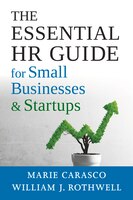
The Essential Hr Guide For Small Businesses And Startups: Best Practices, Tools, Examples, And Online Resources
by Indigo Books & Music
$46.99