Tag: AI for Business

  • Ai Automation Tools That Replace Manual Business Tasks

    Ai Automation Tools That Replace Manual Business Tasks

    I remember sitting at my desk last year, staring at a spreadsheet with 400 rows of unformatted data, wondering why I spent four hours on something a simple script could do. That feeling of being buried under “busy work” is exactly what kills productivity. We often think we’re working hard, but most of the time, we’re just performing repetitive tasks that don’t actually require our brains.

    The good news is that you don’t need to be a software engineer to fix this. A new wave of automation software can now handle the heavy lifting—from sorting emails to generating reports and managing customer queries. If you are looking for an alternative to manual data entry or constant follow-up emails, there are several reliable options available right now.

    Where AI Automation Actually Makes Sense

    Before jumping into a list of software, let’s be realistic about what these tools can and cannot do. You shouldn’t try to automate your entire business strategy overnight. Instead, look for “micro-tasks”—those repetitive actions that happen every single day without fail.

    Common candidates for automation include:

    • Data extraction from invoices or receipts.
    • <0xC2><0xA0> <0xC2><0xA0>

    • Scheduling meetings without the back-and-forth email chains.
    • Sorting and prioritizing incoming customer support tickets.
    • Generating initial drafts for social media posts or newsletters.
    • Updating CRM records based on email interactions.

    Top Tools for Workflow Automation

    If you want to connect different apps so they talk to each other, you need a “glue” tool. These are the best AI tools for creating automated workflows that trigger actions across your entire tech stack.

    Zapier: The Connectivity King

    Zapier is essentially the industry standard for anyone who wants to link apps like Gmail, Slack, and Trello. Its recent focus on “Central” allows you to create AI agents that can actually interact with your data, not just move it from point A to point B.

    The pricing structure varies depending on how many “tasks” you run per month:

    • Free Tier: Good for testing simple single-step automations.
    • Starter ($~20/mo): Allows for multi-step Zaps and more frequent updates.
    • Professional ($~70/mo): Includes advanced logic, paths, and formatter tools.

    Make (formerly Integromat): For Complex Logic

    If Zapier feels a bit too linear for you, Make is a great alternative to those simpler tools. It uses a visual canvas where you can map out complex, branching workflows. It’s much more powerful for handling large datasets or intricate conditional logic.

    Automating Content and Communication

    Writing emails, responding to reviews, and drafting documentation takes up a massive chunk of the workday. These tools help you get through the first draft in seconds.

    Jasper: For Brand-Consistent Copy

    While many people use ChatGPT for everything, Jasper is built specifically for marketing teams. It can learn your brand voice so that the output doesn’t sound like a generic robot. This is huge if you need to maintain a consistent tone across Twitter, LinkedIn, and your blog.

    Intercom: For Customer Support Automation

    Managing customer queries manually is impossible as you scale. Intercom uses “Fin,” an AI bot that can read your existing help center articles and answer customer questions instantly. It doesn’t just guess; it uses your actual documentation to provide accurate answers, reducing the need for human intervention in simple support tickets.

    Comparing Feature Sets and Costs

    Choosing the right tool depends on your specific pain points. I’ve put together a quick comparison to help you see how these options stack up against each other.

    Tool Name Primary Use Case Complexity Level Starting Pricing
    Zapier Connecting different apps Low to Medium Free / $20/mo
    Make Complex, multi-step logic High Free / $9/mo
    Jasper Marketing & Copywriting Low ~$39/mo
    Intercom (Fin) Customer Support Medium Usage-based

    How to Start Automating Without Breaking Things

    It is easy to get overwhelmed by the sheer number of options. My advice? Don’t try to automate everything at once. If you do, you’ll end up with a “spaghetti” workflow that is impossible to debug when something goes wrong.

    Follow this simple three-step process:

    1. Audit your week: Keep a log for five days. Every time you do a task that feels repetitive or boring, write it down.
    2. Identify the trigger: Ask yourself, “What starts this task?” (e.g., an email arriving, a new row in a spreadsheet).
    3. Pick one tool: Start with a simple Zapier connection. Once you see that working reliably, move on to more complex tools like Make or Jasper.

    The goal isn’t to remove the human element from your business; it’s to remove the robotic elements from your humans. By handing off the data entry and the scheduling to software, you free up your brain for the high-level thinking that actually grows a company.

    Are you ready to reclaim your time? Pick one repetitive task today and research at least two tools that can handle it for you. Your future, less-stressed self will thank you.


  • Best Free Ai Tools For Small Businesses In 2026

    Best Free Ai Tools For Small Businesses In 2026

    Running a small business often feels like you’re trying to win a marathon while carrying a heavy backpack of manual tasks. Between managing social media, answering customer emails, and tracking inventory, there simply aren’t enough hours in the day. As we move through 2026, the landscape has changed. You no longer need a massive budget or a dedicated IT department to automate the boring stuff. The latest wave of artificial intelligence has become incredibly accessible, offering high-level capabilities without the enterprise price tag.

    I’ve spent the last few months testing various platforms to see which ones actually provide value versus which ones are just flashy distractions. Most “free” tools come with limitations, but if you know where to look, you can build a pretty impressive tech stack using only zero-cost or low-cost software. This guide focuses on practical applications that help you reclaim your time.

    Smart ways to handle content and copywriting

    Content creation is usually the first area where small business owners feel the burn. You need blog posts, product descriptions, and captions, but staring at a blank screen is a productivity killer. Instead of hiring a full-time writer, you can use generative models to draft your initial ideas.

    ChatGPT (OpenAI)

    Even in 2026, ChatGPT remains the most versatile companion for brainstorming. The free tier provides access to much smarter reasoning models than we saw even two years ago. It is excellent for outlining articles, generating email subject lines, and even helping you draft difficult responses to unhappy customers.

    Copy.ai

    If your main focus is marketing copy, Copy.ai offers a more structured experience. While it has paid tiers, the free version allows you to use specific templates for Instagram captions or Facebook ads. This takes the guesswork out of tone and structure.

    Visuals and design without the designer fee

    A professional-looking brand is non-negotiable. However, hiring a graphic designer for every social media post isn’t sustainable for a growing company. Modern AI design tools allow you to create high-quality assets in minutes.

    Canva Magic Studio

    Canva has evolved far beyond simple templates. Their integrated AI features can now expand images, remove backgrounds instantly, and even generate entire layouts from a text prompt. For most small businesses, the free version of Canva is more than enough to maintain a consistent brand aesthetic.

    Adobe Express

    Adobe’s entry into the easy-design space is formidable. It uses Firefly technology to generate high-quality imagery that looks much less “artificial” than older models. If you need a single, stunning hero image for your website, this is a great place to start.

    Automating your daily operations

    Efficiency comes from reducing repetitive clicks. You can use AI to handle scheduling, meeting notes, and basic data organization so you can focus on high-level strategy.

    Otter.ai for meetings

    Stop trying to take notes while participating in a Zoom call. Otter attaches to your meetings, transcribes everything in real-time, and provides a summary of action items. This ensures that nothing discussed during client calls falls through the cracks.

    Tally.so for data collection

    Collecting feedback or orders requires clean forms. Tally uses an intuitive “notion-like” interface and includes AI features to help you build complex logic in your surveys. It is incredibly easy to set up a professional intake form without any coding knowledge.

    AI tool comparison: Feature and pricing breakdown

    Choosing the right software requires looking at the pricing structure and what you actually get for free. I’ve put together this table to help you compare the most popular options for small business workflows.

    Tool Name Primary Use Case Free Tier Capabilities Best For
    ChatGPT Writing & Brainstorming Text generation, basic analysis General productivity
    Canva Graphic Design Templates, basic AI editing Social media posts
    Otter.ai Transcription Limited monthly transcription minutes Meeting summaries
    Copy.ai Marketing Copy Template-based writing Ad campaigns

    When looking at this AI tool comparison, keep in mind that most of these services offer a free trial or a permanent free tier with usage caps. My advice is to start with the free versions and only upgrade once you hit a wall that is actively hindering your growth.

    How to implement these tools without getting overwhelmed

    The biggest mistake I see small business owners make is trying to adopt five new tools in a single week. This usually leads to “subscription fatigue” and zero actual productivity gains. Instead, follow this three-step approach:

    1. Identify one recurring bottleneck (e.g., writing weekly newsletters).
    2. Test exactly one tool for two weeks to solve that specific problem.
    3. Once you have mastered that workflow, move on to the next pain point.

    You don’t need a complex setup. You just need a few reliable digital assistants that handle the repetitive tasks. By integrating these much smarter workflows into your routine, you can scale your operations without scaling your stress levels.

    Are you struggling to find time for your most important business tasks? Start by picking one tool from this list and testing it out today. If you found this guide helpful, share it with another founder who might be drowning in manual work!

  • Best Free Ai Tools For Small Businesses In 2026

    Best Free Ai Tools For Small Businesses In 2026

    Running a small business often feels like you are trying to win a marathon while carrying your entire inventory on your back. You want to scale, but your budget is tight and your time is even tighter. A few years ago, staying competitive meant hiring a massive team or spending thousands on software subscriptions. Now, the landscape looks completely different.

    As we move through 2026, the barrier to entry for high-level productivity has dropped significantly. You no longer need a huge payroll to handle social media, customer service, or complex data analysis. Instead, you can use intelligent automation to fill those gaps. The trick isn’t finding the most expensive software; it is finding the right free versions that actually do the heavy lifting without draining your bank account.

    Smart ways to automate your daily operations

    Efficiency starts with removing repetitive tasks from your plate. If you spend two hours every morning responding to basic customer inquiries or organizing your inbox, you are losing money. Modern automation tools can act as a 24/7 assistant that never sleeps.

    ChatGPT remains a staple for many, but in 2026, its utility has expanded far beyond simple chat. The free tier now allows for advanced data processing and even basic image analysis. If you are looking for an alternative to manual spreadsheet management, the way this tool handles CSV uploads is incredibly helpful for tracking small business expenses or inventory shifts.

    For those managing complex workflows, Zapier offers a generous free plan that connects your favorite apps. You can set up “if this, then that” logic—like automatically saving email attachments to Google Drive or sending a Slack notification when a new lead fills out your website form. It is the glue that holds your various software pieces together.

    Top automation tools for efficiency

    • ChatGPT (OpenAI): Great for drafting emails, summarizing long reports, and basic coding help.
    • – Zapier: Connects different apps to automate repetitive data transfers.

    • Tally:so: A much cleaner, smarter alternative to Typeform for creating beautiful, logic-based forms for free.

    Content creation without the heavy price tag

    Marketing is usually the first thing to suffer when a small business lacks resources. You need consistent social media posts, catchy captions, and professional-looking graphics to stay visible. Fortunately, you don’t need a graphic design degree or a massive monthly subscription to achieve this.

    Canva has evolved into an incredibly deep ecosystem. While they have paid tiers, their free version provides enough templates and basic AI-driven “Magic Edit” features to make your Instagram feed look professional. You can swap objects in photos or expand backgrounds with just a few clicks, which is a huge relief when you are working with low-quality smartphone photos.

    Writing copy is another area where you can save hours. Instead of staring at a blank cursor, tools like Claude (by Anthropic) offer a highly human-sounding writing style that works well for blog posts or product descriptions. The free tier provides a high limit on message exchanges, making it reliable for daily content needs.

    AI tool comparison: Content & Design

    Tool Name Best For Free Tier Features Pricing Note
    Canva Social Media Graphics Templates, basic AI editing, stock elements Premium for extra assets
    Claude Long-form Writing Nuanced text generation, document analysis Usage limits apply
    CapCut Video Editing Auto-captions, AI effects, background removal Pro version for advanced transitions

    Managing your customers and communications

    Customer experience can make or break a small brand. If a customer reaches out with a question and waits three days for a reply, they are likely gone. Using intelligent communication tools helps you maintain that “personal touch” even when you are busy managing other parts of the business.

    Many businesses use simple chatbots to handle the first layer of support. Tools like Tidio offer a free tier that includes live chat and basic automation bots. These bots can answer FAQs about your shipping policies or store hours, freeing you up to handle more complex issues that actually require a human touch.

    Email management is another area where small businesses struggle. Using an intelligent assistant to sort your inbox or draft replies helps prevent the dreaded “inbox zero” anxiety. If you find yourself overwhelmed by newsletters and client threads, setting up simple filters or using lightweight AI plugins can help keep your focus on high-value tasks.

    Organizing your business intelligence

    1. Use Tidio for basic, automated customer support.
    2. use Notion to build a central “brain” for all your company documentation and project tracking.
    3. Implement Google Gemini to help synthesize information from your Drive and Docs quickly.

    Budgeting for the future

    While we are focusing on free tools, you should always keep an eye on pricing as your business grows. Free tiers are excellent starting points, but they often have “walls” you will eventually hit—such as limits on the number of monthly tasks in Zapier or a cap on how many collaborators can access a Notion workspace.

    As you scale, think of these free tools as your foundation. When you do decide to upgrade, ensure the feature provides direct ROI. For example, paying for a better version of Canva is worth it if it saves you three hours of design work every week. The goal is to transition from “using free tools” to “investing in efficiency.”

    If you are feeling overwhelmed by all these options, start small. Pick one area—maybe it is social media or email automation—and master one tool before moving to the next. Trying to implement ten new pieces of software at once is a recipe for burnout.

    Are you ready to reclaim your time? Start by auditing your most repetitive weekly task and finding one tool from this list to automate it. If you found this guide helpful, subscribe to our newsletter for more practical tips on running a lean, tech-forward business.

  • Best Free Ai Tools For Small Businesses In 2026

    Best Free Ai Tools For Small Businesses In 2026

    Running a small business often feels like trying to juggle flaming torches while riding a unicycle. You are the CEO, the marketing manager, the accountant, and sometimes even the janitor. By 2026, the landscape has changed significantly. We aren’t just talking about simple chatbots anymore; we are looking at autonomous agents that can actually handle repetitive tasks without you babysitting them every five minutes.

    The good news is that you don’t need a massive enterprise budget to access these capabilities. Many of the most helpful technologies have incredibly generous free tiers that can act as your “digital employees.” I’ve spent the last few months testing various platforms to see which ones actually save time and which ones are just flashy distractions. This guide focuses on tools that provide real utility for a tight budget.

    Smart Assistants for Content and Strategy

    Content creation remains one of the biggest time sinks for small business owners. If you aren’t posting on social media or updating your blog, you’re essentially invisible to modern customers. However, hiring a dedicated writer is expensive.

    ChatGPT (OpenAI)

    Even in 2026, ChatGPT remains the foundational tool for brainstorming. The free version now includes much more advanced reasoning capabilities compared to previous years. You can use it to draft email replies, create monthly content calendars, or even summarize long PDF reports from your suppliers.

    • Best for: Brainstorming, drafting text, and basic data organization.
    • Pricing: Free tier available; Plus subscription for higher usage limits.

    Claude (Anthropic)

    If you find that ChatGPT sounds a bit too much like a robot, Claude is your best friend. It has a more natural, human-like writing style that works wonders for brand storytelling and customer service responses. It excels at following complex instructions without losing the thread of the conversation.

    • Best for: Writing nuanced copy and analyzing long documents.
    • Pricing: Free access with usage limits; Pro tier for higher capacity.

    Visuals and Branding Without a Designer

    First impressions are everything. A blurry logo or a poorly cropped social media image can make an established business look amateurish. Luckily, we no longer need to master Photoshop to create professional-looking assets.

    Canva Magic Studio

    Canva has evolved far beyond simple templates. Their integrated AI tools allow you to expand images (outpainting), remove objects from photos with one click, and even generate entire social media posts from a single text prompt. It’s the most accessible way to keep your brand looking consistent.

    • Best for: Social media graphics, presentations, and quick photo editing.
    • Pricing: Robust free version; Canva Pro for premium elements and advanced AI features.

    Adobe Express

    For those who want a slightly more professional edge without the steep learning curve of Creative Cloud, Adobe Express is a fantastic middle ground. It uses Firefly technology to generate high-quality images from text descriptions, ensuring your stock photos don’t look like everyone else’s.

    • Best for: High-quality generative imagery and quick video animations.
    • Pricing: Free basic plan; Premium subscription for full library access.

    Streamlining Operations and Organization

    Efficiency is the difference between a business that survives and one that thrives. Managing your schedule, meeting notes, and customer inquiries can be automated to free up your mental bandwidth.

    Otter.ai

    Stop trying to take notes during client meetings. Otter acts as an automated scribe, transcribing conversations in real time and generating summaries of action items. This ensures that nothing discussed with a client falls through the cracks.

    • Best for: Meeting transcription and automated note-taking.
    • Pricing: Free tier includes limited monthly transcription minutes.

    Notion AI

    Notion is already a powerhouse for organization, but their integrated AI features turn your workspace into an intelligent database. It can automatically summarize project updates, extract tasks from messy notes, and even help you draft project proposals based on existing data in your workspace.

    • Best for: Project management and centralized documentation.
    • Pricing: Notion is free; AI features require an add-on subscription.

    AI Tool Comparison Table

    To help you decide where to focus your energy, I have put together this quick AI tool comparison based on their primary use case and accessibility.

    ical

    Tool Name Primary Function Skill Level Required Free Tier Availability
    ChatGPT Text & Strategy Beginner Yes (High usage limits)
    Claude Creative Writing Beginner Yes (Usage caps apply)
    Canva Graphic Design Beginner/Intermediate Yes (Very generous)
    Otter.ai Transcription Beginner Yes (Limited minutes)
    Notion AI Organization Intermediate Trial available via add-on

    How to Choose the Right Tools for Your Workflow

    It is easy to fall into the trap of “shiny object syndrome,” where you spend more time playing with new apps than actually running your business. Before signing up for a free trial or committing to a new workflow, ask yourself three questions:

    1. Does this tool solve a problem I face at least three times a week?
    2. Can I integrate this into my current setup without learning an entirely new system?
    3. Is the free version sufficient for my current scale, or will the pricing jump significantly as I grow?

    Start small. Pick one area—perhaps your social media presence or your meeting organization—and implement one tool. Once you have mastered that, move to the next. The goal is to build a stack of tools that work quietly in the background, allowing you to focus on the parts of your business that require a human touch.

    If you found this breakdown helpful, consider subscribing to our newsletter for more practical, no-nonsense tech reviews designed specifically for small business owners. Let’s make 2026 your most efficient year yet!

  • Best Free Ai Tools For Small Businesses In 2026

    Best Free Ai Tools For Small Businesses In 2026

    Running a small business often feels like you’re trying to juggle flaming torches while riding a unicycle. You need to handle marketing, customer service, bookkeeping, and operations, all without a massive department behind you. As we move through 2026, the landscape has changed significantly. We aren’t just talking about simple chatbots anymore; we are looking at specialized agents that can actually perform tasks.

    The good news? You don’t need a Silicon Valley budget to stay competitive. Many of the most effective tools have incredibly generous free tiers that can handle your basic needs until you scale up. I’ve spent the last few months testing various platforms to see which ones actually provide value without hitting you with a subscription fee the moment you try to do something useful.

    Smart Assistants for Content and Strategy

    Content creation remains the biggest time sink for most entrepreneurs. If you are still staring at a blank cursor every Monday morning, there is a better way. While many people think of LLMs as just text generators, the 2026 versions are much more about research and structural planning.

    ChatGPT (OpenAI)

    ChatGPT remains the most versatile option for brainstorming. The free version now includes access to advanced reasoning models that can analyze uploaded spreadsheets or help you draft a business plan. It is a great alternative to hiring a junior copywriter for first drafts.

    • Best for: Brainstorming, drafting emails, and summarizing long documents.
    • Free Tier: Unlimited basic chat with limited access to advanced reasoning models.
    • Pricing: Plus plan starts at $20/month for higher usage limits.

    Claude (Anthropic)

    If you find ChatGPT a bit too “robotic” in its writing style, Claude is your best friend. It tends to have a more natural, human-like tone which makes it excellent for social media captions or blog posts that don’t sound like they were written by a machine.

    • Best for: Creative writing and nuanced brand voice consistency.
    • Free Tier: Access to Claude 3.5 Sonnet with daily message limits.
    • Pricing: Pro tier offers much higher message capacity.

    Visual Identity and Marketing Assets

    You can’t run a modern business without decent visuals. However, hiring a graphic designer for every social media post is simply not sustainable for most small teams. These tools help you bridge that gap.

    Canva Magic Studio

    Canva has evolved far beyond simple templates. Their AI suite allows you to describe an image and have it generated, or even swap out elements in a photo instantly. It simplifies the entire design workflow for non-designers.

    • Best for: Social media graphics, presentations, and quick logo iterations.
    • Free Tier: Extensive library of templates and basic AI generation tools.
    • Pricing: Canva Pro offers much more advanced “Magic” features.

    Adobe Express

    For those who want something slightly more professional but still easy to use, Adobe Express is a solid contender. It uses Firefly technology to generate high-quality images that follow strict copyright standards, which is vital for business safety.

    • Best for: High-fidelity image generation and quick video edits.
    • Free Tier: Access to generative AI credits and basic design tools.
    • Pricing: Premium plans available for full Adobe integration.

    Automating the Boring Stuff

    Efficiency comes from removing repetitive manual tasks. An AI tool comparison shows that the real winners in 2026 are the ones that connect your different apps together.

    Zapier Central

    Zapier has moved beyond simple “if this, then that” logic. With Zapier Central, you can teach AI agents to follow specific instructions across thousands of different apps. Imagine an agent that monitors your email, extracts order details, and updates your Google Sheet automatically.

    • Best for: Workflow automation and connecting disconnected software.
    • Free Tier: Limited number of monthly “tasks” or automations.
    • Pricing: Scales based on the volume of data moving through your workflows.

    Otter.ai

    Meetings are necessary, but transcribing them is a waste of time. Otter.ai joins your calls, takes notes, and provides a summary of action items. This ensures that nothing discussed during a client consultation falls through the cracks.

    • Best: Meeting transcription and automated note-taking.
    • Free Tier: Includes a set number of transcription minutes per month.
    • Pricing: Business plans for larger teams needing higher transcription limits.

    Quick Comparison Table

    To help you decide where to focus your energy, I’ve put together this AI tool comparison of the top performers across different categories.

    Tool Name Primary Use Case Standout Feature Free Tier Availability
    ChatGPT Text & Strategy Data Analysis High (Unlimited Basic)
    Claude Creative Writing Natural Language Moderate (Daily Limits)
    Canva Graphic Design Template Library High (Basic Tools)
    Zapier Central Automation Custom AI Agents Low (Task Limited)
    Otter.ai Productivity Live Transcription Moderate (Monthly Minutes)

    How to Implement These Without Overwhelming Yourself

    The biggest mistake I see small business owners making is trying to adopt ten new tools at once. This usually leads to “subscription fatigue” and zero actual productivity gains. Instead, I recommend a phased approach.

    1. Identify your bottleneck: Is it writing? Is it design? Is it managing emails? Pick one problem first.
    2. Audit your current pricing: Before signing up for a “free” trial, check what happens when the trial ends. Some tools are much more aggressive with upgrades than others.
    3. Test and Integrate: Use one tool for two weeks. If it saves you at least an hour a week, keep it. If not, discard it and try another.

    Building a tech stack is like building a team. You don’t need the most expensive experts right away; you just need reliable players who can handle the fundamental tasks. Start small, stay focused on your core business goals, and let these tools do the heavy lifting.

    Are you struggling to find the right balance in your workflow? If you want more deep dives into specific automation setups for your industry, subscribe to our weekly newsletter so you never miss an update.

  • Best Free Ai Tools For Small Businesses In 2026

    Best Free Ai Tools For Small Businesses In 2026

    Running a small business often feels like being a one-person circus. You are the CEO, the accountant, the social media manager, and the janitor all at once. By 2026, the workload hasn’t decreased, but our toolkit has certainly expanded. If you haven’t started integrating automation into your daily routine, you’re likely spending hours on tasks that a simple script or a smart bot could finish in seconds.

    The good news is that you don’t need a massive enterprise budget to stay competitive. Many of the most effective technologies available right now offer generous free tiers that can handle everything from drafting emails to analyzing customer feedback. I’ve spent the last few months testing various platforms to see which ones actually provide value without hitting a paywall the moment you try to do something useful.

    Smart assistants for content and writing

    Writing is arguably where most small business owners lose their most precious resource: time. Whether it’s a weekly newsletter or a product description, staring at a blank cursor is a productivity killer. In 2026, text generation has moved beyond basic autocomplete into something much more context-aware.

    ChatGPT (OpenAI)

    Even with newer competitors entering the fray, ChatGPT remains a staple for a reason. Its free version provides access to highly capable models that can brainstorm marketing ideas or summarize long meeting transcripts. It is particularly useful when you need to change the tone of a draft—turning a formal announcement into a friendly Instagram caption.

    Claude (Anthropic)

    If your work involves heavy reading, Claude is often the better choice. Its ability to process large amounts of text and maintain a more “human” conversational tone makes it excellent for drafting blog posts or analyzing long PDF reports. Many people prefer its writing style because it feels less robotic than other models.

    Feature ChatGPT Free Claude Free
    Primary Strength Logic and Brainstorming Natural Language & Nuance
    Context Window Moderate High (Great for long docs)
    Web Browsing Included Limited

    Visuals and branding on a budget

    You don’t need to hire a full-time graphic designer to have a professional online presence. Visual AI tools allow you to create high-quality assets that previously required expensive software subscriptions or professional training.

    Canva Magic Studio

    Canva has evolved far beyond simple templates. Their integrated AI features allow you to remove backgrounds, expand images, and even generate icons from text descriptions. For a small business owner, this is the best AI tool for maintaining brand consistency across social media, flyers, and presentations without needing to learn Photoshop.

    Adobe Express

    Adobe’s free tier offers a slightly more “pro” feel for those who want more control over typography and effects. It uses Firefly technology to generate images that are safer for commercial use, which is a huge relief for business owners worried about copyright issues. When performing an AI tool comparison between Canva and Adobe, Canva wins on ease of use, while Adobe wins on fine-tuned creative control.

    Automating the boring stuff

    Efficiency isn’t just about doing things faster; it’s about doing them while you sleep. Automation tools act like a digital employee that never takes a lunch break.

    • Zapier: This is the glue that connects your apps. The free tier allows you to create simple “Zaps”—for example, automatically saving email attachments to Google Drive or notifying your Slack channel when a new lead fills out a website form.
    • Otter.ai: If you spend your day in Zoom or Teams meetings, Otter is indispensable. It records, transcribes, and summarizes your calls in real-time. You can skip the manual note-taking and focus on the conversation.
    • Buffer: Managing multiple social media accounts can be a nightmare. Buffer’s free plan lets you schedule posts in advance, ensuring your brand stays active even when you are busy running the actual operations of your business.

    Organizing your data and workflows

    As your customer list grows, spreadsheets can become messy and difficult to manage. Modern AI-integrated productivity tools help keep everything organized without the manual entry.

    Notion AI

    Notion is already a powerhouse for project management, but its integrated AI features allow you to transform messy notes into structured tables or action items instantly. It’s particularly helpful for creating internal Wikis or tracking client onboarding processes. While some advanced features require a subscription, the basic structure and simple AI prompts are often enough to keep small teams organized.

    Tally.so

    If you need to collect information from customers via forms, Tally offers an incredibly generous free tier. It uses a “Notion-like” interface that makes building complex forms easy. You can use it for surveys, lead generation, or even simple order forms without worrying about per-response fees.

    Choosing the right stack for your needs

    It is tempting to try and implement every new tool you see, but that often leads to “tool fatigue.” Instead, look at your biggest bottleneck. If you are struggling with social media, focus on Canva and Buffer. If your office work is disorganized, prioritize Notion or Otter.

    When evaluating best AI tools, always ask yourself if the free version provides enough utility for your current volume of work. Most businesses find they can operate entirely on free tiers until they reach a certain level of scale. Only then does it make sense to look at the premium vs free trade-offs.

    If you’re feeling overwhelmed, start with just one tool this week. Pick the one that solves your most annoying daily task and master it before moving to the next. The goal is to reclaim your time, not to add more software management to your plate.

    Ready to streamline your workflow? Start by auditing your weekly tasks today and pick one automation tool from this list to trial for the next seven days.

  • Best Free Ai Tools For Small Businesses In 2026

    Best Free Ai Tools For Small Businesses In 2026

    Running a small business often feels like trying to juggle flaming torches while riding a unicycle. You are the CEO, the marketing department, the customer service rep, and occasionally the janitor. By 2026, the sheer volume of tasks has grown, but thankfully, so has the accessibility of helpful technology. You don’t need a massive budget or a team of engineers to stay competitive anymore.

    The good news is that some of the most helpful software available right now doesn’t cost a dime. While many companies try to lock their best features behind expensive monthly subscriptions, several high-quality options offer generous free tiers that can handle your daily operations. This guide focuses on practical tools that actually save time without draining your bank account.

    Smart assistants for content and copywriting

    Writing product descriptions, social media captions, or email newsletters is a massive time sink. If you find yourself staring at a blank screen for an hour every morning, automated writing assistants can act as a great alternative to hiring a freelance writer for basic tasks.

    ChatGPT (OpenAI)

    Even in 2026, ChatGPT remains the standard for general brainstorming. The free version provides access to advanced reasoning models that can help you draft emails, summarize long meeting transcripts, or even brainstorm new product names. It is incredibly versatile, though it lacks some of the specialized design features found in more niche tools.

    Copy.ai

    If your main struggle is social media engagement, Copy.ai is a fantastic option. Their free tier focuses heavily on short-form content. It uses specific templates for Instagram captions and LinkedIn posts, which takes much of the guesswork out of “what should I post today?”

    Visual creation without the designer price tag

    High-quality visuals are non-negotiable for online sales. However, hiring a graphic designer for every single social media post is simply not sustainable for most small shops. These tools help you bridge that gap.

    Canva Magic Studio

    Canva has evolved far beyond simple templates. Their free tier now includes several AI-driven features like “Magic Edit,” which lets you swap objects in a photo just by typing what you want to see. It is arguably the most user-friendly way to create professional-looking banners and ads without learning complex software.

    Adobe Express

    For those who want something slightly more polished, Adobe Express offers an excellent free tier. It provides access to a massive library of fonts and assets. The AI features here are great for removing backgrounds from product photos or generating text effects that make your branding pop.

    Organizing your workflow and managing tasks

    Chaos is the enemy of growth. When you lose track of orders or forget to follow up with a lead, you lose money. Automation tools can help keep your “to-do” list from becoming an “oh no” list.

    Notion AI

    Notion serves as a digital brain for your business. While the full suite of AI features requires a subscription, the basic Notion workspace is free and incredibly powerful. You can use it to build databases for inventory, track project progress, and store meeting notes in one central location.

    Trello

    If you prefer a visual way to see your projects moving from “To Do” to “Done,” Trello is the classic choice. Their free version is perfect for small teams or solo entrepreneurs. It uses a card-based system that makes it easy to see exactly where every task stands at a single glance.

    AI tool comparison: Quick overview

    Deciding which tool to implement first can be overwhelming. Use this table to see how these options stack up against each other based on their primary use case.

    mini-table:

    Tool Name Primary Function Best Free Feature Difficulty Level
    ChatGPT Writing & Brainstorming Text Generation Very Low
    Canva Graphic Design Template Customization Low
    Copy.ai Marketing Copy Social Media Templates Low
    Notion Project Management Database Organization Medium
    Adobe Express Visual Assets Background Removal Medium

    How to implement these tools without the overwhelm

    Don’t try to adopt all of these at once. That is a recipe for burnout. Instead, pick one specific pain point in your business—perhaps it’s writing captions or organizing your inventory—and find a single tool to address it.

    1. Identify your biggest bottleneck (e.g., “I spend too much time on Instagram”).
    2. Start with a free trial or the free tier of a suggested tool.
    3. Dedicate just 30 minutes a day to learning one specific feature.
    4. Integrate it into your existing routine before moving to the next tool.

    The goal isn’t to replace your human touch with robots, but to use technology to handle the repetitive, boring stuff so you can focus on the parts of your business you actually love. Many of these platforms offer a free trial for their premium tiers if you ever find that your business has outgrown the basic features.

    If you found this breakdown helpful, subscribe to our newsletter for more weekly tips on managing your small business with minimal overhead.

  • Ai Tools For Small Business Automation In 2026

    Ai Tools For Small Business Automation In 2026

    Remember when “automation” just meant setting a recurring calendar invite or using a basic email auto-responder? Those days are long gone. As we navigate 2026, the landscape for small business owners has shifted from simple task scheduling to having a digital workforce that actually understands your business goals. You don’t need a massive department to handle customer service, bookkeeping, or content creation anymore; you just need the right stack of intelligent tools.

    Running a small business often feels like wearing twenty different hats at once. You are the CEO, the marketing manager, the accountant, and the customer support lead. The goal of using AI isn”t to replace your human touch, but to strip away the repetitive, soul-crushing tasks that keep you from actually growing your company. Let’s look at the specific tools that are making this possible right now.

    Managing your daily operations without the burnout

    The biggest drain on any small business owner is “micro-tasking”—those tiny, constant interruptions that prevent deep work. In 2026, the most effective automation happens in the background, handling the logistics so you can focus on strategy.

    Intelligent administrative assistants

    We have moved past simple voice commands. Modern administrative AI now acts as a true project coordinator. These tools don’t just transcribe meetings; they analyze the sentiment of the conversation, extract action items, and automatically update your project management boards like Trello or Asana. If a client mentions a deadline during a Zoom call, the AI catches it, creates a task, and notifies your team without you lifting a finger.

    Smart scheduling and inbox management

    Email fatigue is real. New-age email agents now sit on top of your inbox to categorize urgency. Instead of just filtering spam, they can draft responses based on your previous writing style and even handle basic inquiries like “Are you available for a consultation next Tuesday?” They check your calendar, propose times, and only ping you when a human decision is actually required.

    Transforming your marketing and customer engagement

    Marketing used to require a huge budget or a massive amount of manual labor. Now, the barrier to entry is much lower because AI can handle the heavy lifting of content production and audience interaction.

    • Hyper-personalized content creation: Gone are the days of generic, robotic-sounding blog posts. Current tools can ingest your brand voice, your past successful social posts, and even your specific product specs to generate high-quality, human-sounding copy that resonates with your specific niche.
    • Predictive customer service: Chatbots have evolved. They no longer follow rigid, frustrating scripts. The 2026 standard is conversational AI that can troubleshoot technical issues, process returns, and even suggest upsells based on a customer’s purchase history.
    • Automated social media management: New platforms can now monitor trending topics in your industry and suggest (or even draft) posts that align with those trends, ensuring your brand stays relevant without you needing to scroll through feeds all day.

    The trick here is to avoid looking like a bot. Use these tools to generate the first 80% of the work, but always spend that final 20% adding your unique perspective and brand personality. Authenticity is your competitive advantage against larger, more impersonal corporations.

    Streamlining the numbers and financial workflows

    Nobody starts a business because they love reconciling bank statements. However, financial accuracy is non-negotiable. The current wave of financial automation is making bookkeeping much more accessible for non-accountants.

    Autonomous bookkeeping and expense tracking

    Modern accounting tools now integrate directly with your business bank accounts and credit cards to categorize every transaction in real-time. They can even flag anomalies, such as a duplicate subscription or an unexpected price hike from a vendor. This level of visibility helps you understand your cash flow much more clearly than a monthly spreadsheet ever could.

    Automated invoicing and collections

    Chasing clients for payment is one of the most awkward and time-consuming parts of running a business. Automated invoicing systems now use “smart follow-ups.” If an invoice is overdue, the system sends a polite reminder, then a slightly firmer one, and can even adjust payment terms based on the client’s historical behavior. This keeps your cash flow steady without you having to have uncomfortable conversations.

    Building a personalized tech stack

    You don’t need to implement every tool mentioned above. In fact, trying to automate everything at once is a recipe for chaos. The best way to approach this is to identify your biggest bottleneck. Is it lead generation? Is it messy paperwork? Is it a lack of social media presence?

    1. Identify one recurring task that takes up more than three hours of your week.
    2. Research a tool specifically designed to automate that single workflow.
    3. Test the tool with a small, low-risk dataset first.
    4. Integrate it with your existing software using connectors like Zapier or Make.

    The goal is to create a connected ecosystem of tools rather than a collection of isolated apps. When your CRM talks to your email, and your email talks to your project management software, you create a flywheel effect where information moves through your business automatically.

    As we move further into 2026, the gap between businesses that use these tools and those that don’t will only widen. You don’t need to be a tech expert to participate; you just need the willingness to experiment. Start small, stay focused on the value it brings to your customers, and let the technology handle the rest.

    Ready to reclaim your time? Pick one manual process in your business today and spend thirty minutes researching an automation solution. Your future, less-stressed self will thank you.

  • Ai Automation Tools That Replace Manual Business Tasks

    Ai Automation Tools That Replace Manual Business Tasks

    Ever spent three hours copying data from a PDF into an Excel spreadsheet, only to realize you missed a row halfway through? We have all been there. That specific type of soul-crushing, repetitive work is exactly what eats up your productivity and prevents you from focusing on actual strategy. The good news is that you don’t need to hire a massive team to fix this. You just need to stop doing the grunt work yourself.

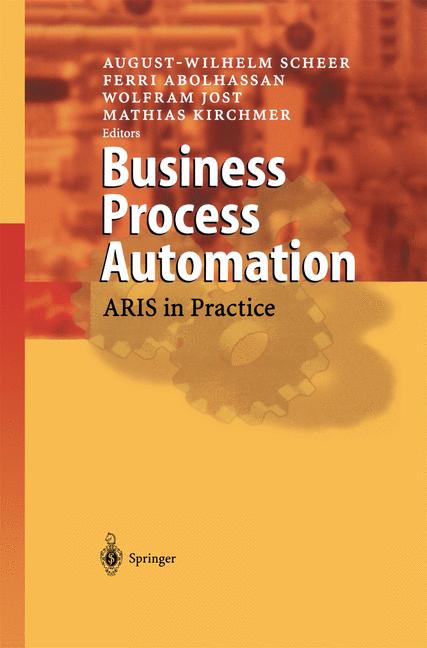
    Business Process Automation

    Automation used to be reserved for big corporations with massive budgets and dedicated IT departments. Now, a single person running a side hustle or a small agency can use software to handle everything from customer support to data entry. This guide focuses on the practical tools you can use right now to reclaim your calendar.

    Where automation actually makes a difference

    Before we look at specific software, let’s be clear about what we are trying to fix. Automation isn’t about replacing your brain; it is about replacing your hands. If a task follows a predictable pattern, it can likely be automated. This includes:

    • Moving data between different software platforms.
    • Responding to frequently asked customer questions.
    • Summarizing long meetings or email threads.
    • Sorting and tagging incoming leads or invoices.
    • Scheduling appointments without the back-and-forth.

    If you find yourself performing the same click-heavy sequence every Tuesday morning, you are a prime candidate for an AI tool comparison to find a better way.

    The heavy hitters for workflow automation

    If you want to connect different apps so they talk to each other, you need a “glue” tool. These are the engines that drive most automated businesses.

    Zapier: The industry standard

    Zapier is the most famous player in this space. It works by using “Triggers” and “Actions.” For example, a Trigger could be “New Email in Gmail,” and the Action could be “Create Task in Trello.” It supports over 5,000 different apps, making it incredibly versatile.

    Pricing starts with a free tier for simple tasks, while their Professional plan starts around $20/month for more complex, multi-step workflows. If you are looking for a free trial to test your specific workflow, Zapier offers a limited free version that is great for testing single-step automations.

    Make (formerly Integromat): For the logic lovers

    While Zapier is easy to use, Make is much more powerful for complex logic. If you need to use filters, iterators, or complex branching (if this, then that, but only if X is true), Make is the way to go. It uses a visual canvas where you can see your data flowing through different modules.

    Make is often more cost-effective for high-volume users. Their pricing is based on the number of operations you run, making it a great choice for people who need to move large amounts of data without breaking the bank.

    Comparison: Zapier vs Make

    Deciding between these two depends on your technical comfort level. Here is a quick breakdown:

    서
    Feature Zapier Make
    Ease of Use Very High (Drag & Drop) Moderate (Visual Mapping)
    App Integrations 5,000+ 1,000+
    Complexity Best for simple tasks Best for complex logic
    Cost Higher per task Lower per operation

    Automating communication and customer support

    Customer service can quickly become a bottleneck. If you are manually answering “What are your hours?” or “Where is my order?” fifty times a week, you are wasting time.

    Intercom and Fin AI

    Intercom has moved far beyond simple live chat. Their new AI agent, Fin, uses your existing help center articles to answer customer queries instantly. It doesn’t just guess; it reads your documentation and provides accurate, human-sounding responses. This significantly reduces the number of tickets that actually reach a human inbox.

    Jasper: Content and email automation

    Writing marketing emails, social media captions, and blog intros is a massive time sink. Jasper is built specifically for business owners who need to maintain a consistent brand voice. Unlike a generic chatbot, you can train Jasper on your specific brand guidelines so the output doesn’t feel robotic. It is particularly useful for automating the first drafts of repetitive communications.

    Handling the data and documentation grind

    Document processing is perhaps the most tedious manual task in any office. Extracting information from invoices, receipts, or contracts is a perfect use case for AI.

    Rossum: Intelligent Document Processing

    Rossum uses AI to “read” documents like a human would. It can look at an unstructured invoice, identify the total amount, the tax, and the vendor name, and then export that data directly into your accounting software. This eliminates the need for manual data entry and reduces human error significantly.

    Otter.ai: Meeting and transcription automation

    Stop trying to take notes while participating in a Zoom call. Otter.ai joins your meetings, records the audio, and provides a real-time transcript. More importantly, it generates a summary of action items. You can search through past meetings for specific keywords, which is a lifesaver when you can’t remember who agreed to what during a discussion three weeks ago.

    How to start without getting overwhelmed

    The biggest mistake people make is trying to automate everything at once. You will end up with a broken web of “zaps” and “scenarios” that you don’t know how to fix. Instead, follow this simple three-step approach:

    1. Audit your week: For five days, write down every task you do that feels repetitive or boring.
    2. Identify the “Low Hanging Fruit”: Pick one task that happens daily and requires no creative thinking. This is your first target.
    3. Test and Iterate: Start with a simple tool like Zapier or Otter.ai. Once that workflow is stable, move on to the next one.

    Automation is a marathon, not a sprint. The goal is to build a system that works for you, not a system that requires you to manage it full-time. If you find yourself spending more time fixing your automations than they are saving you, step back and simplify the logic.

    Ready to reclaim your time? Pick one task from your audit list today and see if there is a tool that can handle it for you. Your future, less-stressed self will thank you.

    Our Top Picks

    Products we recommend:

    1. Hyper-Automation AI And Business Processes

    Hyper-Automation AI And Business Processes

    Hyper-Automation AI And Business Processes

    by Routledge

    $152.00

    Check Price →

    2. Untangling AI Driving Business Success Through Enterprise Automation and AI Agents

    Untangling AI Driving Business Success Through Enterprise Automation and AI Agents

    Untangling AI Driving Business Success Through Enterprise Automation and AI Agents

    by Knetbooks.com

    $39.76

    Check Price →

    3. Hyper-Automation AI and Business Processes – 1st Edition (eBook)

    Hyper-Automation  AI and Business Processes - 1st Edition (eBook)

    Hyper-Automation AI and Business Processes – 1st Edition (eBook)

    by VitalSource

    $1178.24

    Check Price →

  • Best Free Ai Tools For Small Businesses In 2026

    Best Free Ai Tools For Small Businesses In 2026

    Running a small business often feels like you are trying to win a marathon while carrying a heavy backpack of administrative tasks. You need to handle marketing, customer support, bookkeeping, and inventory, all while keeping an eye on your bottom line. By 2026, the landscape has changed. You no longer need a massive department to handle these tasks; you just need the right set of digital assistants. The good news is that many of the best AI tools available right now offer incredibly generous free tiers that can handle the heavy lifting without draining your bank account.

    Free Money for Small Businesses and Entrepreneurs

    I have spent a lot of time testing these platforms to see which ones actually save time and which ones are just flashy distractions. If you are looking to scale without increasing your headcount, these are the tools I recommend keeping in your toolkit.

    Smart Assistants for Content and Strategy

    Content creation is usually the first place where small business owners feel the burn. Writing blog posts, social media captions, and email newsletters takes hours. Modern LLMs (Large Language Models) have moved past simple text generation and can now act as genuine brainstorming partners.

    ChatGPT (OpenAI)

    ChatGPT remains the most versatile tool for general tasks. While the paid version offers more advanced reasoning, the free version in 2026 is incredibly capable for drafting emails or summarizing long meeting transcripts. It is great for brainstorming product names or creating a basic monthly content calendar.

    Claude (Anthropic)

    If you need something that sounds a bit more human and less robotic, Claude is my go-to. It excels at nuance and following complex instructions. Many users prefer Claude vs ChatGPT when it comes to writing long-form articles because the tone feels less repetitive and more natural.

    Copy.ai

    This tool is specifically built for marketing workflows. Instead of just a blank chat box, it provides templates for specific needs like Instagram captions or product descriptions. The free tier is limited by the number of “runs” you perform, but it is perfect for small batches of social media posts.

    Visuals and Branding Without a Designer

    You don’t need to be a graphic designer to have professional-looking social media posts or website banners. AI image generators have reached a point where even a novice can produce high-quality visuals.

    • Canva Magic Studio: Canva has integrated AI into almost every corner of its platform. You can use “Magic Edit” to swap objects in a photo or “Magic Design” to generate a full presentation from a single text prompt. The free version is quite generous for basic layouts.
    • Adobe Express: This is a fantastic alternative for those who want more control over typography and professional templates. It uses Firefly AI to generate images that are safer for commercial use.
    • Microsoft Designer: A completely free option that is surprisingly capable. It uses DALL-E technology to create social media posts from scratch based on your descriptions.

    Streamlining Operations and Customer Support

    Customer service is where you can truly save time. If you are answering the same five questions every day via email or DM, you are wasting energy that should be spent on growth.

    AI Chatbots for Automation

    Tools like Tidio or Chatbase allow you to build a simple chatbot that “reads” your website and answers customer questions automatically. While the advanced versions have a higher pricing structure, the free tiers allow you to handle basic queries 24/7. This ensures your customers get an immediate response even while you are sleeping.

    Meeting Summarization

    Otter.ai and Fireflies.ai are lifesavers during client calls. They join your video meetings, record the audio, and provide a written summary with action items. You can stop worrying about taking frantic notes and instead focus on the conversation. The free tiers usually offer a set number of transcription minutes per month, which is plenty for a small team.

    Comparison of Top Free AI Tiers

    To help you decide where to spend your time, I have put together a quick comparison of the most popular tools mentioned above.

    Tool Name Primary Use Case Best Free Feature Limitation of Free Tier
    ChatGPT General Writing/Logic Text Generation Limited access to newest models
    Canva Graphic Design Template Library Limited premium elements
    Claude Nuanced Writing Natural Tone Lower daily message limits
    Otter.ai Meeting Notes Live Transcription Monthly minute cap

    How to Implement These Tools Without Overwhelming Yourself

    The biggest mistake I see small business owners make is trying to adopt ten new tools in a single week. This leads to “tool fatigue” and actually decreases your productivity. Instead, follow this simple three-step approach:

    1. Identify your biggest bottleneck. Is it social media? Is it answering emails? Pick one problem first.
    2. Test one tool for two weeks. Don’t look at anything else. See if it actually saves you time or if it just adds another login to manage.
    3. Integrate into your existing workflow. If you use Google Docs, use an AI tool that can export directly there. The goal is to reduce friction, not create it.

    Implementing AI is not about replacing your human touch; it is about removing the repetitive, boring parts of your job so you can focus on the parts that actually require your unique expertise. Start small, stay consistent, and let the technology handle the grunt work.

    Are you ready to reclaim your time? Pick one task from your to-do list today and try using one of these free tools to assist you. You might be surprised at how much breathing room you can create for your business.

    Our Top Picks

    Products we recommend:

    1. Free Money for Small Businesses and Entrepreneurs

    Free Money for Small Businesses and Entrepreneurs

    Free Money for Small Businesses and Entrepreneurs

    by Knetbooks.com

    $42.70

    Check Price →

    2. Technopreneurship in Small Businesses for Sustainability (eBook)

    Technopreneurship in Small Businesses for Sustainability (eBook)

    Technopreneurship in Small Businesses for Sustainability (eBook)

    by VitalSource

    $290.00

    Check Price →

    3. Decision-making for Development in Small Businesses

    Decision-making for Development in Small Businesses

    Decision-making for Development in Small Businesses

    by Routledge

    $56.99

    Check Price →