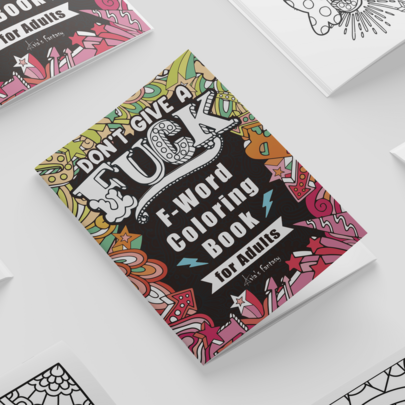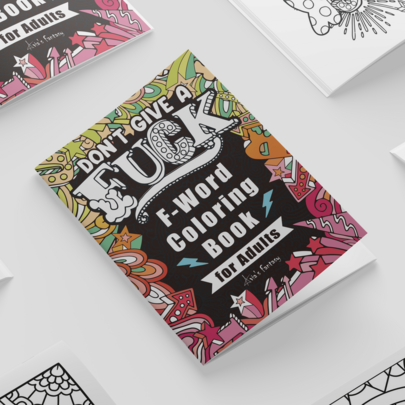
Tag: Amazon KDP

  • How To Use Ai To Create Coloring Books For Kdp

    How To Use Ai To Create Coloring Books For Kdp

    You’ve probably seen those “passive income” videos on YouTube promising thousands of dollars a month from Amazon KDP. While the reality is a bit more work-intensive than those creators suggest, there is a genuine opportunity sitting right in front of you. The barrier to entry for making high-quality coloring books used to be high—you needed serious drawing skills or a budget for illustrators. Now, AI tools have changed the math. You can go from a blank screen to a finished, publishable manuscript much faster than before, provided you know how to direct the technology.

    Coloring Books

    Creating a coloring book isn’t just about generating random images and dumping them into a PDF. It requires a strategy for themes, a consistent art style, and a deep understanding of what customers actually want to buy. This guide will walk you through the practical steps of using AI to build a coloring book business from scratch.

    Finding a Profitable Niche

    Before you ever touch an AI generator, you need to know what you are making. If you try to create a “generic coloring book for kids,” you will get buried under millions of existing titles. Success on KDP comes from finding specific, underserved niches.

    • Adult Mandalas: Highly competitive, but high demand.
    • Educational Coloring: Books that teach the alphabet, dinosaurs, or anatomy.
    • Themed Stress Relief: “Cottagecore” aesthetics, “Dark Academia,” or “Spooky Cute” patterns.
    • Niche Hobbies: Gardening, vintage motorcycles, or specific dog breeds.

    Use the Amazon search bar to see what people are looking for. Type in a keyword and see what the auto-complete suggests. Those suggestions are real searches. If you see a specific sub-niche with low competition but decent-looking books, you’ve found your starting point.

    Generating High-Quality Line Art with AI

    Midjourney is currently the gold standard for this type of work, though DALL-E 3 is a strong runner-up for ease of use. The secret to getting usable coloring pages lies entirely in your prompting strategy. You aren’t just asking for a “dog”; you are asking for a specific type of technical illustration.

    Mastering the Prompt for Line Art

    To get images that are actually colorable, you need to tell the AI to avoid shading, gradients, and complex textures. If the AI adds too much gray, the image becomes a mess of “muddy” tones that are impossible to color with markers or pencils.

    Try including these specific terms in your prompts:

    • “Black and white line art”
    • “Clean white background”
    • “Thick outlines”
    • “Vector style”
    • “Low detail” (if making books for toddlers)
    • “Intricate detail” (if making books for adults)
    • “No shading, no gradients”

    An example of a working prompt might look like: “Simple coloring page for kids, a cute baby dragon sitting on a cloud, thick black outlines, white background, high contrast, black and white line art, no shading –ar 2:3”.

    Maintaining Style Consistency

    One mistake beginners make is having page one look like a cartoon and page two look like a realistic pencil sketch. This ruins the professional feel of your book. In Midjourney, you can use the Style Reference (–sref) feature. Once you generate one image you love, you can use its URL as a reference for all subsequent prompts to ensure the lines and weight remain identical throughout the book.

    Refining and Cleaning Your Images

    AI-generated images are rarely “print-ready” straight out of the generator. They often have artifacts, blurry edges, or slight gray tones. You need to process them to ensure they look crisp on paper.

    First, you should upscale your images. AI generators usually output images at a relatively low resolution. Use a tool like Gigapixel AI or free online upscalers to bring your images up to at least 300 DPI. This prevents your printed book from looking blurry or pixelated.

    Second, you need to “vectorize” or clean the lines. Using software like Adobe Illustrator or free alternatives like Inkscape, you can trace your images to turn them into vectors. This makes the lines infinitely scalable and much sharper. If you aren’t tech-savvy, even a simple way to increase contrast in Canva can help remove unwanted gray shadows.

    Assembling the Book in Canva or InDesign

    Now that you have your cleaned-up images, it is time to build the actual manuscript. Canva is the most user-friendly option for most KDP creators. You simply create a document with the standard KDP size (usually 8.5 x 11 inches) and drop your images onto the pages.

    Keep these layout tips in mind:

    1. Single-sided printing: Always leave the back of each coloring page blank. This prevents “bleed-through” if the user uses markers, and it makes your book feel more premium.
    2. Margin Safety: Ensure your art isn’t too close to the “gutter” (the middle spine). If it is, people won’t be able to color the inner part of the page easily.
    3. Page Numbering: While not strictly necessary for coloring books, a clean layout helps with organization.

    Creating a High-Converting Cover

    Your cover is your most important marketing tool. It is the only reason someone will click on your listing. While the inside of your book is black and white, the cover should be vibrant, colorful, and professional. It needs to show exactly what is inside the book.

    A great strategy is to take one of your best AI-generated images, color it digitally (or use a tool to apply a color filter), and use that as the centerpiece. Make sure your title is large, legible, and uses a font that matches the theme of the book. If it’s a spooky book, use a creepy font; if it’s for toddlers, use something bubbly and fun.

    Final Checklist Before Uploading to KDP

    Before you hit publish, run through this final quality check to avoid getting rejected by Amazon or receiving bad reviews:

    • Check for “ghost” lines or stray pixels in the white spaces.
    • Verify that all images are at 300 DPI.
    • Ensure your spine width is calculated correctly based on your page count.
    • Check that your cover text is not cut off by the bleed lines.

    Building a KDP business is a marathon, not a sprint. Don’t expect to upload one book and retire. The real success comes from building a library of high-quality, niche-specific books that consistently show up in search results.

    Ready to start your publishing journey? Pick one niche today, generate five sample images, and see how the process feels. The tools are ready—all you have to do is start prompting.

    Our Top Picks

    Products we recommend:

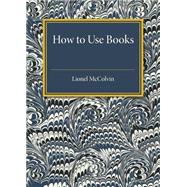
    1. How to Use Books

    How to Use Books

    How to Use Books

    by BiggerBooks.com

    $19.57

    Check Price →

    2. How to Use Books

    How to Use Books

    How to Use Books

    by eCampus.com

    $17.99

    Check Price →

    3. How to Use Books

    How to Use Books

    How to Use Books

    by Knetbooks.com

    $17.81

    Check Price →

  • Kdp Low Content Book Ideas That Sell

    Kdp Low Content Book Ideas That Sell

    You’ve probably seen the screenshots on YouTube or TikTok: people claiming they make thousands of dollars a month from their bedrooms just by uploading simple notebooks to Amazon. While it sounds like a dream, the reality of Kindle Direct Publishing (KDP) is a bit more nuanced. You won’t get rich overnight, but if you find the right niche, it can become a steady stream of passive income that complements a traditional job or even replaces it over time.

    The secret isn”t just uploading anything; it’s about finding specific problems to solve. Low-content books—books with little to no text, like journals or planners—work because they serve a specific purpose for a specific person. If you try to sell a “generic notebook,” you’ll be buried under millions of competitors. But if you create a “Daily Gratitude Journal for New Pet Owners,” you’ve suddenly found a corner of the market you can actually own.

    What exactly is low-content publishing?

    Low-content publishing refers to books where the interior is repetitive or minimal. Think of things like logs, trackers, and journals. Unlike writing a 300-page novel, which takes months of intense labor, a low-content book can be designed in a few hours. This makes it a beginner friendly way to enter the world of e-commerce without needing a degree in literature or a massive budget.

    When we talk about the economics of this side hustle, the startup costs are incredibly low. You don’t need to hold inventory or pay for shipping. Your main expenses will be software subscriptions and perhaps some research tools. If you use free tools like Canva, your initial cost is essentially zero. If you want to scale, you might spend $20-$50 a month on keyword research tools.

    Profitable niches you can start today

    Success on KDP depends on specificity. Instead of looking for broad categories, look for “micro-niches.” Here are a few areas that consistently show promise.

    Niche 1: Specialized Logbooks

    People love tracking progress. Whether it’s a hobby or a health journey, logbooks provide the structure people crave. Consider these specific ideas:

    • Blood pressure and glucose trackers for seniors.
    • Fishing logs for enthusiasts to track weather, bait, and catch size.
    • Plant care journals for indoor gardeners.
    • Mileage logs for delivery drivers or small business owners.

    Niche 2: Hobby-Specific Planners

    A standard planner is hard to sell because of the competition from big brands. However, a planner designed specifically for a hobbyist is a different story. You could design a “Crochet Project Planner” that includes sections for yarn type, hook size, and pattern notes. This targets a passionate group of buyers who are already looking for tools to help them enjoy their hobby.

    Niche-specific ROI and Time Investment

    Let’s talk numbers. If you spend 5 hours creating a high-quality, well-researched logbook, and it earns you $50 in royalties per month, your ROI (Return on Investment) is massive because your ongoing cost is zero. A realistic monthly income for a beginner with 20-50 well-targeted books is anywhere from $50 to $500. Experienced publishers with hundreds of books can see much higher figures, but that requires significant time and testing.

    Tools to help you succeed

    You don’t need to be a graphic designer to do this, but you do need the right toolkit. Relying on your intuition alone is a recipe for failure; you need data.

    1. Canva: This is the gold standard for beginners. It’s intuitive and has plenty of templates for interiors and covers.
    2. way to find high-volume, low-competition keywords.

    3. Amazon Search Bar: One of the best free tools. Type a keyword and see what Amazon’s auto-complete suggests. These suggestions are based on what real customers are actually typing.
    4. Creative Fabrica: A great place to find fonts and pre-made graphics that are licensed for commercial use, so you don’t run into copyright issues.

    Common pitfalls to avoid

    Many people quit KDP within the first month because they make the same mistakes. The biggest mistake is “keyword stuffing” or using trademarked terms. Never use names like “Disney,” “Harry Potter,” or even “Disney Princess” in your titles or keywords. Amazon’s bots are incredibly efficient at spotting this, and they will ban your account without warning.

    Another mistake is ignoring the cover. While the interior is what the customer uses, the cover is what makes them click. If your cover looks amateurish or uses blurry images, no one will ever see your interior. Treat your cover design with as much respect as the content itself.

    The importance of keyword research

    Think of keywords as the bridge between your book and the customer. If you use the wrong bridge, no one will ever find your product. You want to find “long-tail keywords.” Instead of just “Journal,” try “Manifestation Journal for Women with Affirmations.” It has less competition and much higher intent.

    How to scale your publishing business

    Once you have a few books that are making even a small amount of money, don’t just stop. Look at what worked. If your “Pet Logbook” sold well, can you create a “Dog Training Logbook” or a “Puppy Milestone Journal”? This is how you build a library of assets that work for you 24/7.

    Scaling requires moving from “guessing” to “testing.” Start tracking which keywords bring in traffic and which books have the highest conversion rates. As you grow, you might eventually reinvest your profits into more advanced tools or even hiring a virtual assistant to handle the uploading process.

    If you’re ready to stop scrolling and start building, pick one niche today. Don’t aim for perfection; aim for completion. The most important step is getting your first book live on the Amazon marketplace.

    Our Top Picks

    Products we recommend:

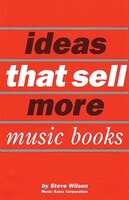
    1. Ideas That Sell More Music Books

    Ideas That Sell More Music Books

    Ideas That Sell More Music Books

    by Indigo Books & Music

    $6.50

    Check Price →

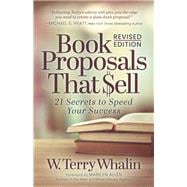
    2. Book Proposals That Sell

    Book Proposals That Sell

    Book Proposals That Sell

    by Knetbooks.com

    $19.86

    Check Price →

    3. Book Proposals That Sell

    Book Proposals That Sell

    Book Proposals That Sell

    by BiggerBooks.com

    $19.56

    Check Price →

  • How To Create And Sell Puzzle Books On Amazon

    How To Create And Sell Puzzle Books On Amazon

    Ever scrolled through Amazon looking for a way to kill time, only to realize you could be the one selling the books instead of just buying them? It sounds like a dream, but the reality is a very practical, low-overhead business model known as Print on Demand (POD). You don’t need to print thousands of copies or rent a warehouse. You just design the puzzles, upload them to Amazon Kindle Direct Publishing (KDP), and let Amazon handle the printing, shipping, and customer service.

    Puzzle Books

    If you are sitting there wondering how much can you earn from this, the honest answer is: it depends entirely on your niche and your volume. I have seen creators making an extra $200 a month on the side, while others running large catalogs pull in $3,000 to $5,000 monthly. It isn’t a way to get rich overnight, but it is a solid way to build a passive income stream if you are willing to put in the work.

    The low-cost reality of starting a puzzle business

    One of the best parts about this side hustle is that the startup costs are incredibly low. You don’t need a degree in graphic design or a massive budget for advertising. To get started, you really only need a computer, an internet connection, and a few specific software subscriptions.

    Here is a breakdown of what you might spend upfront:

    • Software: You can use Canva (Free or Pro) for layout, or specialized puzzle generators like Puzzle Wiz or Book Bolt for the actual logic. Budget around $12-$35 per month.
    • Research Tools: Tools like Helium 10 or Publisher Rocket help you find what people are actually searching for. These can cost $50-$100 per month, but you can start without them by using Amazon’s search bar manually.
    • Design Assets: If you aren’t an artist, you might buy clip art from Creative Fabrica. A small budget of $20 can get you a lot of high-quality graphics.

    If you are careful, you can launch your first book for less than $50. The ROI (Return on Investment) here is high because your only real “cost” is your time.

    Finding a profitable niche

    The biggest mistake beginners make is creating a “Generic Word Search Book.” If you search that on Amazon, you will see millions of results. You will be buried on page 500, and nobody will ever find you. To succeed, you need to find a specific corner of the market.

    Micro-niche strategy

    Instead of a general puzzle book, think about specific interests or demographics. Instead of “Sudoku for Adults,” try “Sudoku for Seniors with Large Print” or “Word Search for 1s and 2s (Vintage Car Enthusiasts).” The more specific you are, the less competition you face.

    Look for these types of opportunities:

    • Age-specific: Toddlers, teens, or seniors with vision impairments.
    • Interest-based: Gardening, true crime, 80s nostalgia, or even specific dog breeds.
    • Holiday-themed: Christmas, Halloween, or Easter-themed activity books.

    Using Amazon’s search bar for research

    You don’t need expensive software to start. Go to the Amazon search bar and start typing “Puzzle book for…” and see what the auto-fill suggests. Those suggestions are real terms that customers are typing. This is a beginner friendly way to validate if an idea has any legs before you spend hours designing it.

    The step-by-step creation process

    Creating the actual book is a bit of a marathon, not a sprint. You can’t just throw random words into a document and call it a day. There is a workflow that ensures your book looks professional and actually works.

    1. Generate the puzzles: Use a tool like Book Bolt or even specialized Excel templates to create the logic. Ensure your puzzles are difficult enough to be engaging but not impossible.
    2. Create the interior layout: This is where you arrange the puzzles on the pages. You need to ensure there is enough margin so that when the book is printed and bound, the puzzles don’t get lost in the “gutter” (the middle crease).
    3. Design a “thumb-stopping” cover: People do judge books by their covers. Your cover needs to look professional, clearly communicate what kind of puzzles are inside, and look great even as a tiny thumbnail on a phone screen.
    4. Format for KDP: You will need to export your work as a high-quality PDF. Amazon has very strict requirements regarding bleed and margins.

    Time investment expectations

    Don’t expect to finish a high-quality book in an hour. For a standard 100-page puzzle book, expect to spend anywhere from 5 to 15 hours. This includes the research, the generation, the formatting, and the cover design. If you are doing it for the first time, it might take even longer as you learn the software.

    Uploading and optimizing for Amazon KDP

    Once your PDF is ready, you head over to the KDP dashboard. This is where the “selling” part happens. Your title, subtitle, and description are your primary sales tools. If your description is boring, no one will click “Buy Now.”

    Focus on your keywords. Don’t just repeat the title. Use the description to tell the reader exactly what they get: “Contains 100 large-print word searches, easy-to-read font, themed around tropical vacations, perfect for relaxing on a plane or at the beach.”

    A final tip: Always check your 7 backend keywords in the KDP dashboard. These are hidden tags that help Amazon’s algorithm categorize your book. Use phrases that aren’t already in your title to maximize your reach.

    Common pitfalls to avoid

    I have seen many people quit after their first book fails to sell. Usually, it’s because of one of three things. First, they didn’t do enough research and entered a saturated market. Second, their cover looked amateurish. Third, they gave up too soon.

    Treat this like a library, not a single shot. One book is a hobby; ten books is a business. You won’t know which niche works until you have tested a few different ideas. Also, never use copyrighted characters or trademarks. Don’t make a “Disney Word Search.” Amazon will ban your account faster than you can say “copyright infringement.”

    If you are ready to start, pick one niche today, spend an hour researching it, and just see what you find. The hardest part is simply starting.

    Our Top Picks

    Products we recommend:

    1. Amazon Self Publisher: How to Sell More Books on Amazon

    Amazon Self Publisher: How to Sell More Books on Amazon

    Amazon Self Publisher: How to Sell More Books on Amazon

    by Audiobooks.com

    $24.99

    Check Price →

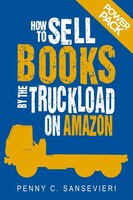
    2. How to Sell Books by the Truckload on Amazon: Power Pack!: Sell More Books on Amazon – Get More Reviews on Amazon

    How to Sell Books by the Truckload on Amazon: Power Pack!: Sell More Books on Amazon - Get More Reviews on Amazon

    How to Sell Books by the Truckload on Amazon: Power Pack!: Sell More Books on Amazon – Get More Reviews on Amazon

    by Indigo Books & Music

    $9.58

    Check Price →

    3. iPhone Millionaire: How to Create and Sell Cuttin

    iPhone Millionaire:  How to Create and Sell Cuttin

    iPhone Millionaire: How to Create and Sell Cuttin

    by eCampus.com

    $19.80

    Check Price →

  • How To Create And Sell Puzzle Books On Amazon

    How To Create And Sell Puzzle Books On Amazon


    I remember the first time I realized that a simple collection of Sudoku grids could actually generate passive income. I wasn’t looking to build an empire; I just wanted a way to make an extra few hundred dollars a month without committing to a second shift at my office. That realization led me down the rabbit hole of Amazon KDP (Kindle Direct Publishing), and honestly, it changed how I think about side hustles.

    Puzzle Books

    Creating puzzle books is a unique niche because you aren’t writing a novel. You aren’t staring at a blank page trying to figure out character arcs or plot twists. Instead, you are building a product. If you can master the logic of a good word search or a challenging cross-word, you have a product that people will buy over and over again. It is a much more predictable process than traditional creative writing.

    The Reality of the Business Model

    Before we get into the “how-to,” let’s talk numbers. When people ask me how much can you earn from puzzle books, the honest answer is that it varies wildly. Some creators make $50 a month, while others manage a portfolio that brings in $5,000 monthly. It is not a “get rich quick” scheme, but it does offer a much higher potential for scaling than a traditional hourly wage.

    When comparing this vs traditional job structures, the biggest difference is the upfront effort. You do most of the heavy lifting at the start. Once a book is live on Amazon, it stays there. It can sell while you are sleeping, traveling, or working your day job. However, you should expect a modest ROI in the first few months as you learn which niches actually have hungry customers.

    Here is a quick breakdown of what to expect:

    • Startup Costs: $0 to $100. If you use free tools, you can start for nothing. If you buy premium software like Canva Pro or specialized puzzle generators, you might spend around $50-$100.
    • Time Investment: 5 to 15 hours per book. This includes research, creation, formatting, and uploading.
    • Profit Margins: Usually $2 to $4 per book sold after Amazon takes their printing and distribution cut.

    Step 1: Finding a Profitable Niche

    The biggest mistake beginners make is creating a “General Puzzle Book.” If you launch a book titled “Word Search for Adults,” you will be buried under 50,000 other books. To succeed, you need to go deep into a sub-niche.

    Think about specific demographics or interests. Instead of just “Sudoku,” think about “Sudoku for Seniors with Large Print” or “Cryptograms for Star Wars Fans.” You are looking for a gap in the market—a group of people who want puzzles but can’t find exactly what they need.

    Use Amazon’s search bar to see what people are typing. If you type “Word Search for…” and the auto-fill suggests “Word Search for Toddlers” or “Word Search for Nurses,” those are hints that people are actively searching for those specific items. This is your roadmap for what to create next.

    Tools for Market Research

    You don’t need expensive software to start, but a few tools can help you see the data behind the searches:

    • Amazon Search Bar: Your best free tool for finding long-tail keywords.
    • modeling

    • Publisher Rocket: A paid tool that gives you specific insight into how much revenue certain keywords are generating.
    • Google Trends: Great for seeing if certain themes (like Christmas or Halloween) are trending upward.

    Step 2: Creating the Content

    You do not need to be a mathematician to create puzzles. There is plenty of software designed to do the heavy lifting for you. The goal is to produce high-quality, error-free grids. A single mistake in a puzzle can lead to a 1-star review, which is hard to recover from.

    For word searches, you can use tools like PuzzleWiz or even simple online generators. For more complex puzzles like Sudoku or Crosswords, software like PuzzleMaker or specialized KDP interior generators are much more reliable. If you are feeling creative, you can use Canva to design the actual layout and aesthetic of the pages.

    Once you have your puzzles, you need to compile them into a single PDF. This PDF will be your “interior.” It needs to be formatted correctly for the paper size you choose (usually 8.5 x 11 inches is the standard for puzzle books).

    Step 3: Designing a Cover That Sells

    Your cover is your only salesperson. If the cover looks amateurish, nobody will ever click on your book, no matter how great the puzzles are inside. You want a design that clearly communicates what the book is about at a glance.

    If you are making a “Large Print” book, the words “LARGE PRINT” should be easy to read even in a tiny thumbnail image. Use bright, high-contrast colors and clear fonts. Canva is the gold standard here for beginners. It provides templates that make it easy to align your text and images without being a professional graphic designer.

    Avoid clutter. A clean, bold cover almost always outperforms a messy, over-designed one. Remember, most people will see your cover on a smartphone screen, so it needs to look good when it is small.

    Step 4: Uploading to Amazon KDP

    Amazon KDP is the platform that handles the printing, shipping, and customer service. When you upload your book, you will need to provide metadata. This includes your title, subtitle, description, and seven keywords.

    Your title and subtitle are crucial for SEO. Don’t just name it “The Puzzle Book.” Name it “Word Search for Seniors: 100 Large Print Puzzles Featuring Nature and Animals.” This tells both the customer and the Amazon algorithm exactly what is inside.

    During the upload process, you will also select your categories. Choose categories that are specific. Instead of just “Games,” try to find “Activity Books” or “Puzzles.” This helps you rank higher in smaller, more targeted groups.

    Common Pitfalls to Avoid

    Don’t get discouraged by a slow start. Many people quit after their first book fails to sell. The secret is to treat your first few books as learning experiences. You are building a library, not just a single product.

    Another trap is copyright infringement. Never use trademarked characters or names. You cannot make a “Disney Word Search” or a “Marvel Sudoku.” Amazon is very strict about this, and they will ban your account permanently if you violate intellectual property rights. Stick to generic themes like animals, gardening, or history.

    Finally, pay attention to your margins. If your puzzle grids are too close to the edge of the page, they might get cut off during the printing process. Always use the “print bleed” settings correctly in your PDF export.

    Wrapping It All Up

    Building a puzzle book business is about persistence and iteration. It is a game of finding the right niche, creating a clean product, and uploading it with the right keywords. It might take a few months to see your first consistent sales, but the ability to build a library of assets that work for you 24/7 is incredibly rewarding.

    If you are ready to stop trading hours for dollars and start building something of your own, pick a niche today and start researching. The tools are all there—you just have to start.

    Ready to start your journey? Grab a notebook, open Amazon, and start searching for those underserved niches right now!

    Our Top Picks

    Products we recommend:

    1. Amazon Self Publisher: How to Sell More Books on Amazon

    Amazon Self Publisher: How to Sell More Books on Amazon

    Amazon Self Publisher: How to Sell More Books on Amazon

    by Audiobooks.com

    $24.99

    Check Price →

    2. How to Sell Books by the Truckload on Amazon!

    How to Sell Books by the Truckload on Amazon!

    How to Sell Books by the Truckload on Amazon!

    by BiggerBooks.com

    $9.26

    Check Price →

    3. How to Sell Books by the Truckload on Amazon: Power Pack!: Sell More Books on Amazon – Get More Reviews on Amazon

    How to Sell Books by the Truckload on Amazon: Power Pack!: Sell More Books on Amazon - Get More Reviews on Amazon

    How to Sell Books by the Truckload on Amazon: Power Pack!: Sell More Books on Amazon – Get More Reviews on Amazon

    by Indigo Books & Music

    $9.58

    Check Price →