Ever spent three hours copying data from a PDF into an Excel spreadsheet, only to realize you missed a row halfway through? We have all been there. That specific type of soul-crushing, repetitive work is exactly what eats up your productivity and prevents you from focusing on actual strategy. The good news is that you don’t need to hire a massive team to fix this. You just need to stop doing the grunt work yourself.
Automation used to be reserved for big corporations with massive budgets and dedicated IT departments. Now, a single person running a side hustle or a small agency can use software to handle everything from customer support to data entry. This guide focuses on the practical tools you can use right now to reclaim your calendar.
Where automation actually makes a difference
Before we look at specific software, let’s be clear about what we are trying to fix. Automation isn’t about replacing your brain; it is about replacing your hands. If a task follows a predictable pattern, it can likely be automated. This includes:
- Moving data between different software platforms.
- Responding to frequently asked customer questions.
- Summarizing long meetings or email threads.
- Sorting and tagging incoming leads or invoices.
- Scheduling appointments without the back-and-forth.
If you find yourself performing the same click-heavy sequence every Tuesday morning, you are a prime candidate for an AI tool comparison to find a better way.
The heavy hitters for workflow automation
If you want to connect different apps so they talk to each other, you need a “glue” tool. These are the engines that drive most automated businesses.
Zapier: The industry standard
Zapier is the most famous player in this space. It works by using “Triggers” and “Actions.” For example, a Trigger could be “New Email in Gmail,” and the Action could be “Create Task in Trello.” It supports over 5,000 different apps, making it incredibly versatile.
Pricing starts with a free tier for simple tasks, while their Professional plan starts around $20/month for more complex, multi-step workflows. If you are looking for a free trial to test your specific workflow, Zapier offers a limited free version that is great for testing single-step automations.
Make (formerly Integromat): For the logic lovers
While Zapier is easy to use, Make is much more powerful for complex logic. If you need to use filters, iterators, or complex branching (if this, then that, but only if X is true), Make is the way to go. It uses a visual canvas where you can see your data flowing through different modules.
Make is often more cost-effective for high-volume users. Their pricing is based on the number of operations you run, making it a great choice for people who need to move large amounts of data without breaking the bank.
Comparison: Zapier vs Make
Deciding between these two depends on your technical comfort level. Here is a quick breakdown:
| Feature | Zapier | Make |
|---|---|---|
| Ease of Use | Very High (Drag & Drop) | Moderate (Visual Mapping) |
| App Integrations | 5,000+ | 1,000+ |
| Complexity | Best for simple tasks | Best for complex logic |
| Cost | Higher per task | Lower per operation |
Automating communication and customer support
Customer service can quickly become a bottleneck. If you are manually answering “What are your hours?” or “Where is my order?” fifty times a week, you are wasting time.
Intercom and Fin AI
Intercom has moved far beyond simple live chat. Their new AI agent, Fin, uses your existing help center articles to answer customer queries instantly. It doesn’t just guess; it reads your documentation and provides accurate, human-sounding responses. This significantly reduces the number of tickets that actually reach a human inbox.
Jasper: Content and email automation
Writing marketing emails, social media captions, and blog intros is a massive time sink. Jasper is built specifically for business owners who need to maintain a consistent brand voice. Unlike a generic chatbot, you can train Jasper on your specific brand guidelines so the output doesn’t feel robotic. It is particularly useful for automating the first drafts of repetitive communications.
Handling the data and documentation grind
Document processing is perhaps the most tedious manual task in any office. Extracting information from invoices, receipts, or contracts is a perfect use case for AI.
Rossum: Intelligent Document Processing
Rossum uses AI to “read” documents like a human would. It can look at an unstructured invoice, identify the total amount, the tax, and the vendor name, and then export that data directly into your accounting software. This eliminates the need for manual data entry and reduces human error significantly.
Otter.ai: Meeting and transcription automation
Stop trying to take notes while participating in a Zoom call. Otter.ai joins your meetings, records the audio, and provides a real-time transcript. More importantly, it generates a summary of action items. You can search through past meetings for specific keywords, which is a lifesaver when you can’t remember who agreed to what during a discussion three weeks ago.
How to start without getting overwhelmed
The biggest mistake people make is trying to automate everything at once. You will end up with a broken web of “zaps” and “scenarios” that you don’t know how to fix. Instead, follow this simple three-step approach:
- Audit your week: For five days, write down every task you do that feels repetitive or boring.
- Identify the “Low Hanging Fruit”: Pick one task that happens daily and requires no creative thinking. This is your first target.
- Test and Iterate: Start with a simple tool like Zapier or Otter.ai. Once that workflow is stable, move on to the next one.
Automation is a marathon, not a sprint. The goal is to build a system that works for you, not a system that requires you to manage it full-time. If you find yourself spending more time fixing your automations than they are saving you, step back and simplify the logic.
Ready to reclaim your time? Pick one task from your audit list today and see if there is a tool that can handle it for you. Your future, less-stressed self will thank you.
Our Top Picks
Products we recommend:
1. Hyper-Automation AI And Business Processes

2. Untangling AI Driving Business Success Through Enterprise Automation and AI Agents
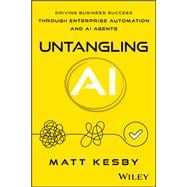
Untangling AI Driving Business Success Through Enterprise Automation and AI Agents
by Knetbooks.com
$39.76
3. Hyper-Automation AI and Business Processes – 1st Edition (eBook)
Hyper-Automation AI and Business Processes – 1st Edition (eBook)
by VitalSource
$1178.24