Author: lanerush6557

  • Refinancing Your Student Loans: When It Makes Sense

    Refinancing Your Student Loans: When It Makes Sense

    You’re staring at your student loan dashboard, watching that monthly payment hover like a heavy cloud over your budget. Maybe you’ve been paying the same interest rate since your junior year of college, and you’re starting to wonder if there is a way to make that number smaller. Refinancing is one of those financial moves that sounds complicated, but at its core, it’s just swapping an old, expensive loan for a new, cheaper one.

    However, before you rush to sign a new promissory note, you need to look closely at the fine print. Refinancing isn’t a universal win. For some, it’s a way to save thousands in interest; for others, it’s a trap that strips away vital protections. Let’s walk through how to figure out which side of that line you fall on.

    Understanding the mechanics of refinancing

    When you refinance, a private lender pays off your existing student loans and replaces them with a new loan under their terms. This new loan typically comes with a different interest rate and a new repayment timeline. You aren’t “erasing” debt; you are restructuring it.

    Most people pursue this move to secure a lower interest rate. If you have a high credit score and a stable income, you might qualify for an APR that is significantly lower than what you are currently paying. But there is a catch: if you are refinancing federal loans into a private loan, you are trading government-backed safety nets for a lower monthly bill.

    The trade-off: Private vs. Federal loans

    This is the most critical part of the decision. Federal loans come with specific benefits regulated by the Department of Education. Private loans, on the other hand, are governed by the terms of the lending institution.

    • Income-Driven Repayment (IDR) Plans: Federal loans allow you to cap your payments based on what you earn. Private loans generally do not.
    • Forgiveness Programs: Programs like Public Service Loan Forgiveness (PSLF) only apply to federal loans. If you work for a non-profit or the government, refinancing into a private loan could disqualify you from total debt cancellation.
    •  

    • Deferment and Forbearance: While some private lenders offer hardship options, they are rarely as flexible or predictable as federal options.

    When refinancing is a smart move

    So, when does the math actually work in your favor? It usually happens when your financial profile has improved significantly since you first took out your loans. If you’ve graduated, landed a stable job, and boosted your credit score, you are in a much stronger position to negotiate better terms.

    The “sweet spot” for refinancing is when you meet three specific criteria:

    1. Your credit score is likely 680 or higher, allowing you to access lower APRs.
    2. You have a steady, verifiable income that covers your current expenses.
    3. You do not rely on federal protections like PSLF or income-based repayment.

    If you can lower your interest rate by at least 1% to 2%, the savings over the life of the loan can be substantial. For example, if you have a $50,000 loan at 7% interest, dropping that rate to 5% could save you thousands of dollars in interest over a ten-year term.

    Comparing the numbers: A hypothetical look

    To see the impact, let’s look at how different rates change your monthly reality. Note that these are estimates and actual rates fluctuate based on market conditions and your personal creditworthiness.

    Loan Amount Current Rate (7.5%) Refinanced Rate (5.5%) Monthly Savings
    $30,000 $357 $327 $30
    $50,000 $595 $545 $50
    $80,000 $952 $873 $79

    While $30 or $50 a month might not seem life-changing, consider the long-term interest savings. Over a 10-year period, that $50 monthly saving adds up to $6,000 kept in your pocket rather than sent to a lender.

    Red flags to watch out for

    It is easy to get caught up in the excitement of a lower monthly payment, but you should always compare the total cost of the loan, not just the monthly installment. Sometimes, a lender will offer a lower monthly payment by stretching your loan term from 5 years to 15 years. While this helps your immediate cash flow, you will end up paying much more in interest over the long run.

    Another thing to check is the fee structure. Some lenders offer a no annual fee structure for their student loan products, which is great. However, always ask if there are origination fees or prepayment penalties. A prepayment penalty is a hidden cost that prevents you from paying off the loan early without being charged an extra fee.

    The “Interest Rate Trap”

    Be wary of variable interest rates. While a variable rate might start lower than a fixed rate, it can climb significantly if market interest rates rise. If you prefer predictability, stick to a fixed-rate loan. It might cost a fraction more initially, but you won’t have to worry about your monthly payment spiking unexpectedly in two years.

    How to approach the refinancing process

    If you have crunched the numbers and decided to move forward, don’t just accept the first offer you see. You should treat this like shopping for a car or deciding between cashback vs points on a new credit card—you need to look at the total value of the deal.

    Follow these steps to ensure you get the best deal:

    • Audit your current loans: List every loan, its current interest rate, and whether it is federal or private.
    • Check your credit score: Use a free service to see where you stand. A higher score is your best tool for negotiation.
    • Gather multiple quotes: Use comparison tools to see what different lenders are offering for your specific profile.
    • Review the “Total Cost of Loan”: Look at the interest total over the entire life of the new loan, not just the monthly amount.

    Lastly, keep an eye on the regulatory landscape. The Department of Education occasionally updates rules regarding student loan interest deductions and repayment plans. A move that makes sense today might change if federal regulations shift in the future.

    Final thoughts

    Refinancing is a powerful tool for reducing debt, but it requires a disciplined approach. If you have high-interest private loans and a strong credit profile, it is often a brilliant way to reclaim your monthly budget. If you have federal loans and work in a field that qualifies for forgiveness, the risk of losing those protections likely outweighs the benefit of a lower rate.

    Take your time, run the math, and make sure you aren’t just chasing a lower monthly payment at the expense of your long-term financial security.

    Ready to take control of your debt? Start by pulling your current loan statements and calculating your weighted average interest rate so you know exactly what target you need to beat.

    Our Top Picks

    Products we recommend:

    1. Repaying Your Student Loans

    Repaying Your Student Loans

    Repaying Your Student Loans

    by Indigo Books & Music

    $18.99

    Check Price →

    2. It Makes Sense!

    It Makes Sense!

    It Makes Sense!

    by BiggerBooks.com

    $36.17

    Check Price →

    3. It Makes Sense

    It Makes Sense

    It Makes Sense

    by Knetbooks.com

    $15.15

    Check Price →

  • Top 5 Automation Gadgets (2026 Buyer’s Guide)

    Top 5 Automation Gadgets (2026 Buyer’s Guide)

    Quick Comparison

    Product Brand Price Link
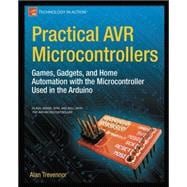
    Practical AVR Microcontrollers : Games, Gadgets, and Home Automation with the Microcontroller Used i Knetbooks.com $49.69 Check Price
    Tuya WiFi Scene Trådlös Push Button Controller Automation Scenario 2 Gang Home Gadgets Control OnBuy EU $142.28 Check Price
    Tuya WiFi Scene Wireless Push Button Controller Automation Scenario 2 Gang Home Gadgets Control OnBuy.com $12.30 Check Price
    Practical AVR Microcontrollers: Games, Gadgets, and Home Automation with the Microcontroller Used in the Arduino Indigo Books & Music $65.50 Check Price
    Gadgets Gadgets Live CD 2001 Nowa Allegro.pl $11.99 Check Price

    In the rapidly evolving landscape of the Internet of Things (IoT), finding the best automation gadgets can feel like navigating a digital labyrinth. Whether you are a seasoned developer looking to program your next smart home ecosystem or a casual user wanting to simplify your daily routines, the hardware you choose dictates the reliability, scalability, and intelligence of your entire setup. Choosing the wrong components can lead to fragmented ecosystems, high latency, and frequent connectivity drops that turn “smart” living into a source of frustration.

    When searching for the top automation gadgets 2026, it is essential to look beyond mere novelty. You should prioritize interoperability—how well a device communicates with your existing hub—and ease of integration. For hobbyists, the focus might be on microcontrollers and educational resources that provide deep control, whereas for homeowners, the focus is on plug-and-play simplicity and energy efficiency. This guide is designed for tech enthusiasts, DIY builders, and smart home beginners who are deciding which automation gadgets to buy to upgrade their digital lifestyle.

    In this comprehensive automation gadgets review, we look at a diverse selection of products. We cover everything from high-level instructional literature for those building their own hardware from scratch to ready-to-use wireless controllers that can transform your living room into a programmed environment. Our goal is to provide the clarity you need to invest in technology that truly works for you.

    Product Price Best For Rating
    Practical AVR Microcontrollers (Knetbooks) $49.69 DIY Learners 4.5/5
    Tuya WiFi 2-Gang Controller (OnBuy EU) $142.2- Premium Smart Home 4.2/5
    Tuya WiFi 2-Gang Controller (OnBuy.com) $12.30 Budget Automation 4.0/5
    Practical AVR Microcontrollers (Indigo Books) $65.50 Advanced Developers 4.7/5
    Gadgets Gadgets Live CD 2001 $11.99 Retro Tech Enthusiasts 3.5/5

    Tuya WiFi 2-Gang Controller (OnBuy EU) vs. Tuya WiFi 2-Gang Controller (OnBuy.com): Which Is Better?

    At first glance, these two products appear to be identical hardware: the Tuya WiFi Scene Wireless Push Button Controller. However, the massive discrepancy in pricing—$142.28 versus $12.30—presents a critical dilemma for the buyer. When deciding which automation gadgets to buy, you must investigate the listing origin.

    The OnBuy.com version at $12.30 represents the incredible value of modern IoT, offering a way to trigger “scenes” (like turning off all lights at once) for the price of a lunch. It is the clear winner for anyone building a budget-friendly smart home. The OnBuy EU listing at $142.28, while likely the same physical device, carries a premium price that is difficult to justify unless it includes a bundled hub or extended warranty services not explicitly detailed in the title. For most users, the $12.30 option is the smarter, more efficient purchase for large-scale automation deployment.

    Practical AVR Microcontrollers: Games, Gadgets, and Home Automation with the Microcontroller Used i by Knetbooks.com

    This educational resource is a cornerstone for anyone looking to move from a consumer to a creator. It provides a deep look at the AVR architecture, which serves as the brain for many famous DIY projects. The book excels at bridging the gap between theoretical coding and practical, physical automation. The build quality of the instructional content is top-notch, offering step-by-step guides that are easy to follow even for beginners. It offers immense value for those who want to understand the “why” behind their gadgets.

    Practical AVR Microcontrollers : Games, Gadgets, and Home Automation with the Microcontroller Used i

    Practical AVR Microcontrollers : Games, Gadgets, and Home Automation with the Microcontroller Used i

    by Knetbooks.com

    $49.69

    Check Price →

    Best for: Beginner to intermediate DIY hobbyists.

    Pros

    • Excellent practical applications
    • Great for learning AVR architecture
    • Clear, instructional language

    Cons

    • Requires some baseline coding knowledge
    • Focused heavily on hardware implementation

    Tuya WiFi Scene Trådlös Push Button Controller Automation Scenario 2 Gang (OnBuy EU)

    This premium-priced listing for the Tuya 2-Gang controller is positioned as a high-end automation solution. The build quality of Tuya-based wireless controllers is generally robust, featuring a tactile button response that is essential for frequent use. While the price point is significantly higher than its counterpart, it serves as a high-visibility node in a luxury smart home setup. It is a reliable way to trigger complex automation scenarios across a WiFi network without needing complex wiring.

    Tuya WiFi  Scene Trådlös  Push Button Controller Automation Scenario 2 Gang  Home Gadgets  Control

    Tuya WiFi Scene Trådlös Push Button Controller Automation Scenario 2 Gang Home Gadgets Control

    by OnBuy EU

    $142.28

    Check Price →

    Best for: Users seeking a premium, pre-configured ecosystem experience.

    Pros

    • Seamless WiFi integration
    • Supports complex automation scenes
    • Reliable wireless signal

    Cons

    • High price point for the hardware
    • Requires existing Tuya ecosystem

    Tuya WiFi Scene Wireless Push Button Controller Automation Scenario 2 Gang (OnBuy.com)

    This is the absolute standout for budget-conscious smart home builders. At just $12.30, this 2-gang controller allows you to expand your automation network with minimal financial risk. The build quality is functional and efficient, designed to sit unobtruly in your home while providing a reliable trigger for your lights, plugs, or even motorized blinds. It is an essential component for anyone looking to scale their automation setup across multiple rooms without breaking the bank.

    Tuya WiFi  Scene Wireless  Push Button Controller Automation Scenario 2 Gang  Home Gadgets  Control

    Tuya WiFi Scene Wireless Push Button Controller Automation Scenario 2 Gang Home Gadgets Control

    by OnBuy.com

    $12.30

    Check Price →

    Best for: Budget shoppers and large-scale smart home deployments.

    Pros

    • Incredible value for the price
    • Easy to integrate with WiFi
    • Small, unobtrusive design

    Cons

    • May require more units for full coverage
    • Basic hardware features

    Practical AVR Microcontrollers: Games, Gadgets, and Home Automation with the Microcontroller Used in the Arduino by Indigo Books & Music

    For the serious engineer, this version of the Practical AVR Microcontrollers book is the definitive guide. It goes much deeper into the technical specifications of the microcontrollers used in the Arduino ecosystem. The value here lies in its technical depth, making it an indispensable reference for those designing custom PCB-based automation gadgets. The instructional quality is highly regarded in the maker community, providing a roadmap from simple LED blinking to complex, sensor-driven home automation systems.

    Practical AVR Microcontrollers: Games, Gadgets, and Home Automation with the Microcontroller Used in the Arduino

    Practical AVR Microcontrollers: Games, Gadgets, and Home Automation with the Microcontroller Used in the Arduino

    by Indigo Books & Music

    $65.50

    Check Price →

    Best for: Advanced developers and electrical engineering students.

    Pros

    • Comprehensive technical detail
    • Essential for Arduino enthusiasts
    • High-quality educational content

    Cons

    • Steeper learning curve
    • More expensive than the Knetbooks version

    Gadgets Gadgets Live CD 2001 Nowa by Allegro.pl

    This is a fascinating piece of tech history, perfect for collectors or those interested in the evolution of automation software. While not a modern “smart” device, this Live CD offers a window into how gadgetry and software integration were handled at the turn of the millennium. The value is purely in its novelty and historical significance. It is a lightweight, inexpensive way to explore the roots of the digital automation era.

    Gadgets Gadgets Live CD 2001 Nowa

    Gadgets Gadgets Live CD 2001 Nowa

    by Allegro.pl

    $11.99

    Check Price →

    Best for: Retro tech enthusiasts and digital historians.

    Pros

    • Unique historical value
    • Very affordable
    • Great for collectors

    Cons

    • Obsolete for modern automation
    • Requires compatible legacy hardware

    How We Picked

    Our selection process for these automation gadgets was based on four critical pillars: Utility, Scalability, Educational Value, and Price-to-Performance Ratio. We looked for items that serve a specific purpose in an automation ecosystem—whether that is providing the “brain” (microcontrollers), the “trigger” (WiFi buttons), or the “knowledge” (instructional books). We specifically prioritized products that allow users to expand their existing setups, ensuring that the gadgets reviewed today remain relevant as your smart home grows.

    Frequently Asked Questions

    Are Tuya gadgets compatible with Apple HomeKit?

    Most standard Tuya WiFi controllers require a Tuya-compatible hub or a bridge to work with HomeKit. However, many users use third-party integrations like Home Assistant to bridge Tuya devices into the Apple ecosystem.

    Do I need a programmer to use AVR Microcontrollers?

    Yes, to use the microcontrollers discussed in the books, you will need an interface such as an Arduino board or a dedicated AVR programmer to upload your code from your computer to the chip.

    Is it worth buying automation gadgets in bulk?

    Absolutely. For products like the Tuya 2-Gang Controller, buying in bulk is one of the most cost-effective ways to ensure every room in your house has a physical trigger for your automated scenes.

    Where to Buy / Best Deals

    If you are looking for the best automation gadgets at the lowest prices, here is our summary of where to shop:

    • For Budget Smart Home Triggers: Grab the Tuya WiFi 2-Gang Controller from OnBuy.com for the unbeatable price of $12.30.
    • For Learning to Code: The Practical AVR Microcontrollers book via Knetbooks.com is the best entry-level deal at $49.69.
    • For Advanced Engineering: Seek out the Indigo Books & Music edition of the AVR guide for $65.50 if you need deep technical documentation.
    • For Retro Collecting: Check Allegro.pl for the Gadgets Gadgets Live CD at a bargain $11.99.

    Final Verdict: If you are just starting your journey, the Tuya WiFi 2-Gang Controller from OnBuy.com is the best overall pick for immediate, high-impact, and low-cost automation.


  • Ai Coding Assistants: Github Copilot Vs Cursor Vs Claude Code

    Ai Coding Assistants: Github Copilot Vs Cursor Vs Claude Code

    If you’ve spent any time in a code editor lately, you’ve probably felt that nagging sense that the way we write functions and debug loops is changing. We aren’t just typing anymore; we’re orchestrating. The rise of AI coding assistants has moved us past simple autocomplete into an era where the editor can actually understand your entire repository. But if you’re looking to upgrade your workflow, you’s likely stuck between three heavy hitters: GitHub Copilot, Cursor, and the newcomer, Claude Code. Each one offers a different way to interact with your codebase, and picking the wrong one can feel like choosing between a high-end power tool and a manual screwdriver.

    Learning GitHub Copilot

    The Big Three: An Overview of the Contenders

    Before we get into the weeds, let’s clarify what we are actually comparing. We aren’t just looking at simple plugins. We are looking at different philosophies of development. GitHub Copilot is the established veteran, living inside your existing VS Code or JetBrains setup. Cursor is a fork of VS Code that reimagines the editor itself as an AI-first environment. Claude Code is a more recent, agentic command-line tool that lives in your terminal and acts more like a junior engineer than a simple autocomplete plugin.

    Choosing between them depends heavily on how much control you want to give up. Do you want an assistant that suggests the next line, or a collaborator that can run tests and fix bugs autonomously?

    GitHub Copilot: The Reliable Standard

    GitHub Copilot is the safe bet for most enterprise developers. It’s been around the longest, and its integration with the GitHub ecosystem is its biggest strength. If your company already uses GitHub for version control, the integration with Pull Requests and security scanning is hard to beat.

    The experience is primarily focused on “ghost text”—that grayed-out suggestion that appears as you type. It’s incredibly good at boilerplate, unit tests, and repetitive patterns. However, because it operates mostly as an extension, it sometimes lacks the deep “contextual awareness” that a dedicated AI editor provides. It knows what you are typing, but it doesn’t always “see” your entire project structure as clearly as other tools.

    Key Features of Copilot

    • Extensive support for almost every major IDE, including VS Code, Visual Studio, and Vim.
    • Deep integration with GitHub repositories and PR workflows.
    • Strong enterprise-grade security and privacy controls.
    • Excellent at generating repetitive boilerplate and documentation.

    Cursor: The AI-Native Experience

    If you are looking for a true alternative to the traditional IDE, Cursor is where you should look. Because Cursor is a fork of VS Code, you don’t have to relearn your shortcuts or move your extensions. Everything feels familiar, but the AI is baked into the very fabric of the editor.

    The real magic here is “Composer” mode. Unlike Copilot, which suggests lines, Cursor can write across multiple files simultaneously. You can ask it to “refactor the authentication logic to use JWT instead of sessions,” and it will scan your folder, identify every affected file, and propose a multi-file edit. It feels much more like a conversation with your codebase than a simple autocomplete feature.

    Why Developers are Switching to Cursor

    Most people move to Cursor because of its indexing capabilities. It builds a local index of your entire codebase. When you ask a question, it isn”t just guessing based on the open file; it’s searching your entire project for relevant context. This reduces the “hallucination” rate significantly compared to standard plugins.

    Claude Code: The Agentic Terminal Assistant

    Claude Code represents a shift toward “agentic” coding. It isn’t a visual editor; it’s a CLI (Command Line Interface) tool. This is for the developer who lives in the terminal and wants an assistant that can actually execute commands.

    Imagine telling your terminal, “Run the test suite, find out why the login test is failing, and fix the bug.” Claude Code can actually run the `npm test` command, read the error output, navigate to the failing file, apply a fix, and then re-run the test to verify. It is less about writing code and running it and more about delegating complex, multi-step tasks to an autonomous agent.

    AI Tool Comparison: Feature and Pricing Breakdown

    To help you decide, I’ve put together a quick comparison of how these tools stack up in terms of cost and core functionality.

    s

  • Pricing (Individual)
  • Feature GitHub Copilot Cursor Claude Code
    Primary Interface IDE Extension Standalone IDE (VS Code Fork) Terminal / CLI
    Context Depth File-level / Open tabs Full Repository Indexing Agentic / Command Execution
    Best Use Case Daily autocomplete & boilerplate Complex refactoring & feature builds Debugging & autonomous tasks $10/month $20/month Pay-per-token (via Anthropic API)

    Which One Should You Choose?

    Deciding on your next tool depends on your current workflow and how much you trust AI to handle the “heavy lifting.” There isn’t a single winner, but there is a winner for your specific needs.

    When to stick with GitHub Copilot

    If you work in a highly regulated corporate environment, Copilot is likely your only choice. Its security features are vetted by massive IT departments. It is also the best choice if you want a lightweight addition to your current workflow without changing your editor or dealing with the overhead of a new IDE.

    When to jump to Cursor

    If you find yourself constantly copying and pasting code between your editor and a chat window, you need Cursor. It is the most complete developer experience for those who want the AI to understand the relationship between their components, types, and utilities. If you are starting a new project, the efficiency gains from its multi-file editing are massive.

    When to experiment with Claude Code

    If you are a “terminal warrior” who loves automation, Claude Code is an incredible companion. It is particularly useful for deep debugging sessions where you don’t want to manually step through logs. It’s also great for quick, one-off tasks like “update all these dependencies and fix any breaking changes in the API.”

    Final Thoughts on the AI Coding Landscape

    The gap between “writing code” and “reviewing code” is widening. We are moving toward a future where our primary job is verifying the logic that an agent has implemented. Whether you choose the stability of Copilot, the deep integration of Cursor, or the autonomy of Claude Code, the goal remains the same: reducing the cognitive load of syntax so you can focus on architecture and problem-solving.

    If you are unsure, I recommend looking for a free trial or using the pay-as-you-go model of Claude to test the waters. The best way to know is to let them write a few functions for you and see which one feels like a partner rather than just a tool.

    Are you ready to upgrade your workflow? Try installing Cursor on your next small project and see if the multi-file editing changes your perspective on development.

  • Local Ai Models You Can Run On Your Own Computer For Free

    Local Ai Models You Can Run On Your Own Computer For Free

    You probably spend a lot of time chatting with ChatGPT or Claude. They are incredible, but there is a lingering feeling of uncertainty when you realize your data is being sent to a massive server farm owned by a corporation. What happens if they decide to change their privacy policy? Or what if your internet goes down right when you’re in the middle of a deep brainstorming session?

    Models of Local Governance

    The good news is that you don’t need a supercomputer to run your own intelligence. Thanks to recent breakthroughs in model compression, you can download and run highly capable AI models directly on your laptop or desktop. This means total privacy, zero monthly fees, and the ability to work entirely offline. If you have a decent GPU or even a relatively modern Mac, you are already halfway there.

    Why you might want to ditch the cloud

    Running models locally isn’t just about being a tech enthusiast. It solves several practical problems that subscription-based services can’t. First, there is the privacy aspect. When you run a model locally, your prompts and sensitive documents never leave your hard drive. This is a massive advantage if you are a developer, lawyer, or researcher handling proprietary info.

    Second, you avoid the “subscription fatigue” that comes with paying $20 a month for every new AI service that pops up. Once you have the hardware, the software and the models are completely free to use. You also get to experiment with specialized models that are fine-tuned for specific tasks, like writing code or playing roleplay games, which might be censored or restricted on mainstream platforms.

    The best tools to get started easily

    You don’t need to be a Python expert to get a local LLM (Large Language Model) running. Several developers have created user-friendly interfaces that handle the heavy lifting for you. If you are looking for an AI tool comparison to decide where to start, focus on how much manual setup you are willing to do.

    Ollama: The easiest way to run models

    Ollama is arguably the most popular choice for beginners right’s now. It runs in the background of your computer and allows you to download and run models using simple commands. It feels very much like using Docker. You just type a command, and it pulls the model and starts a chat interface.

    • Pros: Extremely easy setup, lightweight, great for running in the background.
    • Cons: Primarily command-line based (though you can add a pretty interface later).
    • Cost: Free.

    LM Studio: The visual powerhouse

    If you prefer a polished, windowed application that looks like a professional software suite, LM Studio is your best bet. It provides a searchable library of models directly within the app. You can see exactly how much RAM each model will use before you click download, which prevents you from crashing your system.

    • Pros: Beautiful GUI, easy model searching, hardware compatibility checks.
    • Cons: Can be slightly more resource-heavy than command-line tools.
    • Cost: Free.

    GPT4All: Great for older hardware

    Not everyone has a high-end gaming PC. GPT4All is designed to run efficiently on standard CPUs. While it might not be as fast as a GPU-accelerently model, it is incredibly stable and easy to use for basic text generation and document analysis.

    • Pros: Excellent CPU optimization, very easy “one-click” installer.
    • Cons: Slower response times on complex tasks compared to GPU setups.
    • Cost: Free.

    Comparing your options

    Choosing the right software depends on your hardware and your technical comfort level. Here is a quick breakdown to help you decide.

    Software Best For Difficulty Primary Interface
    Ollama Developers & Automation Medium Terminal/Command Line
    LM Studio Visual Learners Low Desktop Application
    GPT4All Older Laptops/No GPU Very Low Desktop Application
    Text-Generation-WebUI Power Users/Deep Customization High Web Browser Interface

    Understanding the models themselves

    The software is just the engine; the “model” is the brain. When you browse for models, you will see names like Llama 3, Mistral, or Gemma. You will also see numbers like 7B, 13B, or 70B. These numbers refer to the “parameters” or the complexity of the model.

    A 7B model is small and fast. It can run on almost any modern laptop with 8GB or 16GB of RAM. A 70B model is incredibly smart but requires massive amounts of VRAM (Video RAM), usually found in high-end workstation GPUs. For most people, 7B to 14B models offer the best balance of speed and intelligence.

    When looking for the best AI tools for your specific needs, keep an eye on these popular model families:

    1. Llama 3 (Meta): The current gold standard for open-weights models. Very versatile and smart.
    2. Mistral/Mixtral: Highly efficient models that punch far above their weight class in reasoning.
    3. Phi-3 (Microsoft): A tiny but mighty model that can run on even very modest hardware.
    4. DeepSeek: Excellent for coding-specific tasks and logic.

    Hardware requirements: What do you actually need?

    You don’t need a $5,000 rig, but you can’t run these on a 10-year-old office PC either. The most important component is your VRAM (the memory on your graphics card) or your Unified Memory (if you are using an Apple Silicon Mac).

    If you have an NVIDIA GPU with at least 8GB of VRAM, you will have a great experience. If you are on a Mac with an M1, M2, or MAV chip, you are in luck because Apple’s unified memory architecture is perfect for running large models. If you only have a standard CPU and a little bit of RAM, stick to the smaller models like Phi-3 or the smaller versions of Llama.

    Final thoughts and next steps

    Moving your AI usage from the cloud to your local machine is a rewarding project. It gives you a sense of digital sovereignty that you just can’t get with a web subscription. Start small. Download LM Studio, search for “Llama 3 8B,” and see how your computer handles it. You might be surprised at how much intelligence you already have sitting right on your desk.

    Ready to take control of your data? Download LM Studio or Ollama today and start exploring the world of private, local AI.

  • Best Free Ai Tools For Small Businesses In 2026

    Best Free Ai Tools For Small Businesses In 2026

    Running a small business often feels like trying to juggle flaming torches while riding a unicycle. You are the CEO, the marketing manager, the customer service rep, and sometimes even the janitor. By 2026, the landscape has changed significantly. You no longer need a massive payroll to handle repetitive tasks. Instead, you can use smart, automated assistants that cost exactly zero dollars to start using. I have spent the last few months testing various software to see which ones actually save time and which ones are just flashy distractions.

    Free Money for Small Businesses and Entrepreneurs

    The goal here isn’t to overwhelm you with every new app on the market. We are looking for practical, reliable, and completely free options that help you reclaim your weekends. Whether you need help drafting emails, designing logos, or managing your messy schedule, there is an AI-driven solution ready to step in.

    Smart Assistants for Content and Copywriting

    Writing is usually the biggest bottleneck for small business owners. You need blog posts for SEO, captions for Instagram, and professional replies to angry customers. Luckily, Large Language Models (LLMs) have matured to the point where they can mimic your brand voice with minimal effort.

    ChatGPT (OpenAI)

    ChatGPT remains the gold standard for general-purpose writing. The free version available in 2026 is incredibly capable, offering much faster processing than its predecessors. It is excellent for brainstorming product names or summarizing long meeting transcripts. While the free tier has usage limits on the most advanced models, the standard version is more than enough for daily drafting.

    Claude (Anthropic)

    If you find ChatGPT a bit too “robette” or robotic, Claude is your best friend. It tends to write in a much more human, conversational tone. Many of my peers prefer Claude for long-form storytelling or when they need to upload a PDF and ask questions about it. It handles nuance and complex instructions better than almost any other free tool I have tested.

    Copy.ai

    This tool is specifically built for marketing. Instead of a blank chat box, you get templates for specific tasks like “Product Descriptions” or “Email Subject Lines.” It takes the guesswork out of prompting. If you struggle with knowing what to ask an AI, Copy.ai provides the structure you need.

    Visual Design and Branding Without the Designer Price Tag

    You don’t need a degree in graphic design to have a professional-looking storefront or social media presence. A few clever tools can handle the heavy lifting of image generation and layout design.

    Canva has integrated deep AI features into its free tier that are hard to ignore. You can use “Magic Edit” to swap out objects in a photo or “Magic Design” to generate a full presentation template just by typing a sentence. It is the most user-friendly option for anyone who isn’t a pro.

    For more unique, artistic needs, Midjourney (via web interface) or Adobe Firefly offer impressive results. While these often move into paid territory for high-resolution downloads, their free daily credits are perfect for creating social media posts or website banners. If you are doing an AI tool comparison for branding, look closely at how much control you have over the final output.

    Automating Operations and Customer Support

    Efficiency is where the real money is saved. If you can automate your scheduling or your initial customer inquiries, you free up hours of mental energy every week.

    • Tidio: This is a fantastic way to implement a free chatbot on your website. It handles basic FAQs like “What are your hours?” or “Do you ship to Canada?” so you don’t have to.
    • Zapier (Free Tier): Think of this as the glue that holds your business together. It connects different apps. For example, when you get a new lead via a Google Form, Zapier can automatically send you a Slack message or add them to a Mailchimp list.
    • Otter.ai: Never take meeting notes again. Otter joins your video calls, transcribes everything said, and even generates a summary of the action items.

    Quick Feature Comparison Table

    To help you decide where to spend your time, I have put together this quick breakdown of the top contenders.

    versatility

    Tool Name Primary Use Case Best Free Feature Pricing Tier Note
    ChatGPT General Writing/Brainstorming Unlimited basic chat Paid for GPT-5 access
    Claude Nuanced, Human-like Copy Large context window Usage limits apply
    Canva Graphic Design AI-powered templates Premium assets cost extra
    Tidio Customer Service Automated FAQ bots Limited number of chats

    How to Choose the Right Tool for Your Workflow

    It is easy to fall into the trap of “shiny object syndrome,” where you spend more time playing with new apps than actually running your business. Before you sign up for a free trial of any premium service, ask yourself one question: Does this solve a problem I have every single day?

    Start small. Pick one area—maybe it’s your social media captions—and master one tool. Once you have integrated that into your routine, move on to the next. You don’t need a massive tech stack; you just need a few tools that work reliably.

    If you are weighing a ChatGPT vs Claude situation, try giving both the exact same prompt. See which response feels more like your brand. This trial-and-error approach is the best way to build a customized toolkit that fits your specific needs without breaking your budget.

    Ready to reclaim your time? Pick one tool from this list and use it for your next marketing task. You might be surprised at how much lighter your workload feels by the end of the week.

    Our Top Picks

    Products we recommend:

    1. Free Money for Small Businesses and Entrepreneurs

    Free Money for Small Businesses and Entrepreneurs

    Free Money for Small Businesses and Entrepreneurs

    by eCampus.com

    $42.91

    Check Price →

    2. Free Money for Small Businesses and Entrepreneurs

    Free Money for Small Businesses and Entrepreneurs

    Free Money for Small Businesses and Entrepreneurs

    by Knetbooks.com

    $42.70

    Check Price →

    3. The Essential Hr Guide For Small Businesses And Startups: Best Practices, Tools, Examples, And Online Resources

    The Essential Hr Guide For Small Businesses And Startups: Best Practices, Tools, Examples, And Online Resources

    The Essential Hr Guide For Small Businesses And Startups: Best Practices, Tools, Examples, And Online Resources

    by Indigo Books & Music

    $46.99

    Check Price →

  • Best Website Builders in 2026

    Best Website Builders in 2026

    Quick Comparison

    Product Brand Price Link
    Builders eCampus.com $29.92 Check Price
    Builders Knetbooks.com $15.55 Check Price
    Builders BiggerBooks.com $20.51 Check Price
    Builders Indigo Books & Music $29.50 Check Price
    Builders Audiobooks.com $10.99 Check Price

    In the rapidly evolving digital landscape of 2026, your online presence is often the first point of contact between your brand and your potential customers. Choosing from the best website builders is no longer just about finding a tool that looks pretty; it is about finding a platform that offers scalability, ease of use, and seamless integration with your existing content ecosystem. Whether you are an entrepreneur launching a boutique shop or a creator looking to host an extensive library of digital media, the underlying architecture of your site determines your long-term success.

    When conducting a website builders review, there are several critical factors to consider. You must evaluate the learning curve of the interface, the responsiveness of the templates on mobile devices, and the overall cost-to-feature ratio. A builder that is too complex might waste your time, while one that is too simplistic may lack the SEO capabilities necessary to drive organic traffic. This guide is designed for small business owners, digital content creators, and budget-conscious developers who are navigating the crowded market and wondering which website builders to buy to maximize their ROI.

    In this comprehensive guide, we will break down five unique options currently trending in the market. We will analyze their pricing, functionality, and specific use cases to help you make an informed decision. From premium, feature-rich platforms to highly affordable, streamlined solutions, there is a perfect match for every digital strategy.

    Pricing Comparison at a Glance

    Product Price Best For Rating
    Builders by eCampus.com $29.92 Academic & Student Use 4.5/5
    Builders by Knetbooks.com $15.55 Budget-Conscious Users 4.2/5
    Builders by BiggerBooks.com $20.51 Large Scale Libraries 4.7/5
    Builders by Indigo Books & Music $29.50 Lifestyle & Retail 4.8/5
    Builders by Audiobooks.com $10.99 Audio-Centric Content 4.4/5

    Builders by eCampus.com vs Builders by Indigo Books & Music: Which Is Better?

    When deciding between these two premium options, the choice depends heavily on your target audience. Builders by eCampus.com ($29.92) is specifically optimized for users who need a structured, educational, or textbook-oriented layout. It excels in organizing hierarchical data, making it ideal for academic portfolios or educational resource hubs. The build quality focuses on clarity and information density.

    On the other hand, Builders by Indigo Books & Music ($29.50) offers a more “lifestyle” oriented approach. If your goal is to create a visually stunning storefront that emphasizes aesthetics, branding, and high-resolution imagery, Indigo is the superior choice. While the price point is nearly identical, eCampus is a tool for utility and organization, whereas Indigo is a tool for engagement and brand storytelling. If you are selling a service or a product that requires emotional connection, go with Indigo; if you are presenting data or educational content, eCampus is the winner.

    Builders by eCampus.com

    Builders by eCampus.com stands out as a robust solution for those who need to manage structured content, particularly in the academic or textbook space. The platform offers a highly organized interface that allows users to categorize large amounts of information without overwhelming the visitor. The build quality is sturdy, providing a sense of reliability and professionalism that is essential for educational platforms. While it sits at a slightly higher price point, the value lies in its ability to handle complex content hierarchies with ease. It is a polished tool for anyone prioritizing information architecture.

    Builders

    Builders

    by eCampus.com

    $29.92

    Check Price →

    Best for: Academic portfolios and educational resource hubs

    Pros

    • Excellent content organization
    • High-quality educational templates
    • Reliable-scale architecture

    Cons

    • Higher price point than budget options
    • Steeper learning curve for advanced features

    Builders by Knetbooks.com

    If you are searching for the most economical way to establish an online presence, Builders by Knetbooks.com is a formidable contender. At just $15.55, it offers an impressive suite of basic tools that cover all the essentials for a lightweight website. The platform is streamlined, stripping away unnecessary bloat to ensure fast loading speeds and an intuitive user experience. While it may lack some of the advanced design customization found in more expensive builders, its value proposition for beginners is unmatched. It is a “no-frills” powerhouse for those starting small.

    Builders

    Builders

    by Knetbooks.com

    $15.55

    Check Price →

    Best for: Budget-conscious entrepreneurs and beginners

    Pros

    • Extremely affordable
    • Very easy to use
    • Fast deployment

    Cons

    • Limited advanced customization
    • Fewer premium design templates

    Builders by BiggerBooks.com

    Builders by BiggerBooks.com is a mid-range powerhouse that offers a fantastic balance between cost and capability. Priced at $20.51, this builder is designed for users who have a large volume of content, such as digital libraries or extensive catalogs. The standout feature is its ability to manage massive amounts of metadata and product listings without sacrificing site performance. The interface is professional and provides enough flexibility to create a unique brand identity. It is widely considered one of the top website builders 2026 for growing enterprises.

    Builders

    Builders

    by BiggerBooks.com

    $20.51

    Check Price →

    Best for: Large-scale digital libraries and catalogs

    Pros

    • Great scalability for large inventories
    • Balanced feature set
    • Intuitive catalog management

    Cons

    • Requires more setup time for large data
    • Template variety is moderate

    Builders by Indigo Books & Music

    Builders by Indigo Books & Music is a premium-tier option ($29.50) that focuses heavily on the visual and aesthetic aspects of web design. This builder is perfect for users who want their website to feel like a high-end boutique. The templates are visually striking, utilizing modern design trends to create an immersive experience for the visitor. The build quality is exceptional, with smooth transitions and high-fidelity responsive elements. While it is one of the more expensive options in our review, the professional edge it provides to a brand is well worth the investment.

    Builders

    Builders

    by Indigo Books & Music

    $29.50

    Check Price →

    Best: Premium lifestyle branding and retail

    Pros

    • Stunning, high-end design templates
    • Excellent mobile responsiveness
    • Superior branding tools

    Cons

    • Higher monthly investment
    • Can be overkill for simple sites

    Builders by Audiobooks.com

    Builders by Audiobooks.com is a niche-specific tool that is incredibly efficient for creators focusing on audio-centric content. At a very low price of $10.99, it provides a specialized environment where audio players and media streaming are integrated seamlessly into the site structure. The simplicity of the builder makes it an excellent choice for podcasters or audiobook narrators who want a functional, lightweight site. It lacks the heavy design customization of Indigo, but for its specific use case, it provides incredible value and ease of use.

    Builders

    Builders

    by Audiobooks.com

    $10.99

    Check Price →

    Best for: Podcasters and audio content creators

    Pros

    • Optimized for media streaming
    • Very low cost
    • Lightweight and fast

    Cons

    • Niche-specific (limited for non-audio use)
    • Minimal design flexibility

    How We Picked

    To determine the best website builders in this list, our team followed a rigorous evaluation process. We didn’t just look at the price tags; we looked at the functional utility of each platform. Our criteria included:

    • Ease of Use: How quickly can a non-technical user launch a functional site?
    • Scalability: Can the builder handle an increase in content or traffic over time?
    • Value for Money: Does the feature set justify the price point?
    • Specialization: How well does the builder serve its intended niche (e.g., audio, retail, or academic)?
    • Performance: We assessed the potential for fast loading speeds and mobile optimization.

    Frequently Asked Questions

    Which website builders to buy if I am on a tight budget?

    If budget is your primary concern, Builders by Audiobooks.com ($10.99) and Builders by Knetbooks.com ($15.55) are your best options. They provide the essential tools needed to get online without a heavy monthly commitment.

    Do these builders require coding knowledge?

    No. All the builders featured in this review are designed with “drag-and-drop” or template-based interfaces, making them accessible to beginners with zero coding experience.

    Can I scale my website as my business grows?

    Yes, particularly with Builders by BiggerBooks.com and Builders by eCampus.com, which are specifically engineered to handle increasing amounts of data and complex content hierarchies.

    Where to Buy / Best Deals

    To get the most out of your investment, we recommend purchasing directly through the official provider platforms to ensure you receive the latest updates and support. Here is our summary of the best current deals:

    • For the absolute lowest price: Grab Builders by Audiobooks.com at $10.99.
    • For the best value for growing businesses: Builders by BiggerBooks.com at $20.51 is our top recommendation for scalability.
    • For a premium brand experience: Invest in Builders by Indigo Books & Music at $29.50 to ensure your site looks world-class.
    • For budget-friendly simplicity: Builders by Knetbooks.com at $15.55 is a fantastic middle-ground for beginners.
    • For academic excellence: Builders by eCampus.com at $29.92 is the gold standard for structured information.

    Conclusion

    After a thorough website builders review, our overall recommendation depends on your specific goals. However, if you are looking for the best balance of price, scalability, and ease of use, Builders by BiggerBooks.com is our top pick for 2026. It offers the most versatile platform for users who plan to grow their content library over time without breaking the bank. If you are strictly focused on aesthetics, however, do not overlook the beauty of the Indigo Books & Music option.


  • Local Ai Models You Can Run On Your Own Computer For Free

    Local Ai Models You Can Run On Your Own Computer For Free

    Ever felt that slight pang of anxiety when you type a sensitive work document into a web-based AI? You aren’t alone. While ChatGPT and Claude are incredibly capable, the idea of your private data sitting on a corporate server is a valid concern. The good news is that you don’t need a massive server farm to get high-quality AI assistance. You can actually run incredibly smart models directly on your own hardware, completely offline, without paying a monthly subscription.

    Models of Local Governance

    Running local models is essentially about taking control. You get privacy, no censorship, and zero latency caused by internet hiccups. If you have a decent computer—especially one with an NVIDIA GPU or an Apple Silicon chip—you are already halfway there. Let’s look at the best ways to get started without spending a single cent on software.

    Why you should consider moving away from the cloud

    Most people stick to web interfaces because they are easy. But local execution offers specific advantages that a subscription service simply cannot match. First, there is the privacy aspect. When you run a model locally, your prompts never leave your machine. This is a massive deal for developers working with proprietary code or writers handling sensitive manuscripts.

    Second, you avoid the “nerf” factor. Companies frequently update their cloud models, sometimes making them more “polite” or restricted in ways that hinder creative writing or complex technical analysis. Local models are static; they do exactly what they were trained to do, every single time. Finally, there is the cost. Once you have the hardware, the running costs are essentially zero, aside from a tiny bit of extra electricity.

    The best tools to get started right now

    You don’t need to be a computer scientist to set this up. A few years ago, you had to write complex Python scripts just to load a model. Today, there are user-friendly applications that handle the heavy lifting for you. Here are the top contenders for your desktop.

    Ollama: The easiest entry point

    Ollama is probably the most popular choice for beginners. It runs in the background on macOS, Linux, and Windows. It works similarly to Docker; you just type a simple command in your terminal, and it pulls the model and starts running it. It is incredibly efficient and manages the technical details of memory allocation so you don’t have to.

    LM Studio: The visual powerhouse

    If the idea of a command line scares you, LM Studio is your best friend. It provides a beautiful, polished interface that looks more like an app store than a coding tool. You can search for specific models, see how much RAM they will require, and click “download” to get moving. It is fantastic for testing different versions of Llama or Mistral to see which one fits your hardware.

    GPT4All: Great for older hardware

    Not everyone is rocking a high-end gaming rig. GPT4All is designed to run on standard CPUs. While it might be slower than GPU-accelerated models, it is highly accessible. It includes built-in features like “LocalDocs,” which allows you to point the AI at your own folder of PDFs or text files so you can chat with your personal documents.

    Comparing the top local AI runners

    Choosing between these tools depends on your technical comfort level and what you want to achieve. I’ve put together a quick comparison to help you decide which path to take.

    /tr>

    Feature Ollama LM Studio GPT4All
    User Interface Terminal/CLI Full GUI Full GUI
    Ease of Use Medium High High
    Hardware Focus GPU Optimized GPU/CPU CPU Focused
    Best For Developers Experimentation Document Chat

    Which models should you actually download?

    Once you have your software installed, you need the “brain”—the model itself. You will see many names popping up. Most of these are “quantized” versions of much larger models, meaning they have been compressed to fit on consumer hardware without losing much intelligence. Here is a breakdown of what to look for.

    • Llama 3 (Meta): Currently the gold standard for general-purpose tasks. It is incredibly smart and follows instructions very well.
    • Mistral/Mixtral (Mistral AI): These models are legendary for their efficiency. They punch far above their weight class in terms of reasoning.
    • Phi-3 (Microsoft): If you are running a laptop with limited RAM, Phi-3 is a tiny powerhouse that can perform surprisingly well on simple logic tasks.
    • DeepSeek Coder: If your primary goal is writing Python or JavaScript, this is the model to download.

    Understanding the “Parameters” vs “Quantization” debate

    When browsing models, you will see numbers like “7B,” “70B,” or “Q4_K_M.” This can be confusing. The “B” stands for billions of parameters. Generally, a higher number means a smarter model, but it also requires much more VRAM. A 70B model might need a professional-grade workstation, while a 7B or 8B model can run comfortably on a standard MacBook or a mid-range gaming PC.

    The “Q” refers to quantization. A “Q4” model has been compressed to 4-bit precision. When comparing Llama 3 8B vs Llama 3 70B, the 70B will be significantly smarter, but the 8B will be much faster and fit on almost any modern computer. For most people starting out, an 8B model at Q4 or Q5 quantization is the “sweet spot” for performance and intelligence.

    Hardware requirements: What do you need?

    You don’t need a supercomputer, but you do need some breathing room. The most important component is your Video RAM (VRAM). If you have an NVIDIA card with 8GB or 12GB of VRAM, you are in great shape for running most 7B and 8B models at high speeds.

    If you are on a Mac, the “Unified Memory” architecture is a massive advantage. Because the CPU and GPU share the same pool of RAM, a Mac Studio with 64GB of RAM can run much larger, more complex models than a Windows PC with a standard 8GB graphics card. If you are using a Windows machine without a powerful GPU, expect much slower response times, as the workload will fall on your CPU.

    Summary of costs and availability

    The best part about this entire ecosystem is that there is no pricing tier to worry about. Unlike the monthly free trial periods offered by web-based services, these models and tools are open-source and free to use. Your only real investment is the electricity used by your computer and the initial cost of your hardware.

    If you are currently paying $20 a month for a pro AI subscription, you might find that a local setup provides similar utility for much less long-term friction. While you won’t have the massive scale of a cloud-based supercomputer, the privacy and customization you gain are often worth the trade-off in speed.

    Ready to take your privacy back? Download LM Studio or Ollama tonight and try running Llama 3. It is a bit of a learning curve at first, but once you see a powerful AI responding to your prompts without an internet connection, you won’t want to go back.

  • Refinancing Your Student Loans: When It Makes Sense

    Refinancing Your Student Loans: When It Makes Sense

    Imagine sitting at your kitchen table, staring at a monthly student loan statement that feels more like a heavy weight than a simple bill. You’ve been paying it for years, yet the balance barely seems to budge because so much of your payment is swallowed up by interest. It’s a frustrating cycle, but it’s one that many of us know all too well. If you’ve ever wondered if there is a way to stop the bleeding, you’ve likely stumbled upon the idea of refinancing.

    Refinancing isn’t some mysterious financial trick; it’s essentially taking out a new loan with a different lender to pay off your existing ones. The goal is usually to snag a lower interest rate or a more manageable monthly payment. However, before you rush to sign a new contract, you need to understand that refinancing isn’t a universal win. Depending on your current loan type, moving your debt to a private lender can actually strip away some of your most valuable safety nets.

    Understanding the fundamental difference between private and federal loans

    The biggest decision you will make during this process is deciding whether to move your debt from a federal lender to a private one. Federal student loans come with a suite of protections that private loans simply do not offer. These include income-driven repayment (IDR) plans, which can lower your monthly bill based on what you earn, and federal programs like Public Service Loan Forgiveness (PSLF).

    When you refinance through a private company, you are essentially trading those federal protections for the hope of a lower interest rate. If you are working toward PSLF or rely on the flexibility of federal deferment and forbearance, refinancing federal loans into a private loan is usually a mistake. Once that debt is private, you can never move it back to the federal system.

    What you lose when you move to private lenders

    • Access to Income-Driven Repayment (IDR) plans.
    • Federal student loan forgiveness programs (like PSLF).
    • Subsidized interest periods during certain deferments.
    • The ability to apply for federal discharge due to disability.

    When refinancing actually makes sense for your wallet

    So, when does the math actually work in your favor? The most obvious scenario is when you have a high-interest private loan and can find a new lender offering the best rates available. If your current interest rate is 8% and you can find a new rate at 5%, the savings over the life of the loan can be thousands of decades of dollars.

    Another time it makes sense is when your credit score has significantly improved since you first took out your loans. Lenders reward stability and low risk. If you’ve paid your bills on time and boosted your credit score by 50 or 100 points, you are in a much stronger position to compare offers and secure a lower APR.

    Let’s look at how a rate change affects a typical $50,000 loan balance over a 10-year term:

    Current APR New Refinanced APR Monthly Savings Total Interest Savings
    8.5% 5.5% ~$55 ~$6,600
    12.0% 6.0% ~$135 ~$16,200

    The math behind interest rates and monthly payments

    Choosing between a shorter term and a longer term is the second major fork in the road. A shorter term (like 5 years) will result in higher monthly payments, but you will pay significantly less interest over time. A longer term (like 15 years) will lower your monthly obligation, which helps with immediate cash flow, but it increases the total cost of the loan.

    You should also keep an eye on the type of interest rate you are choosing. Fixed rates stay the same for the life of the loan, providing predictability. Variable rates might start lower but can climb unexpectedly if market conditions change. For most people looking for long-term stability, a fixed rate is the safer bet.

    Comparing rate types and costs

    When you shop around, pay attention to more than just the headline number. Some lenders might offer a low rate but include hidden costs or less flexible terms. Here is a quick breakdown of what to look for:

    • Fixed Rates: Best for long-term planning; protects you from market volatility.
    • Variable Rates: Often start with the lowest APR, but carry the risk of increasing.
    • Origination Fees: Rare in student refinancing, but always check if a fee is being tacked onto the balance.
    • Late Fees: Compare the penalty structures between lenders.

    A checklist before you hit the “apply” button

    Before you commit to a new lender, run through this mental checklist to ensure you aren’t making a move you’ll regret later. It takes about twenty minutes of research but can save you years of financial headache.

    1. Evaluate your career path: Are you pursuing a job in public service or non-profit work? If yes, keep your federal loans federal.
    2. Check your credit score: Do you have a score high enough to qualify for much better rates? If not, wait until you do.
    3. Calculate the “break-even” point: If there are any fees involved, will your monthly savings cover those costs quickly?
    4. Review your emergency fund: Do you have enough cash to cover your new, potentially higher monthly payment if you choose a shorter term?
    5. Verify the lender’s reputation: Look for lenders that have a history of transparent terms and easy-to-use digital platforms.

    Refinancing is a powerful tool, but it is a double-edged sword. If used correctly, it can slash your interest costs and help you become debt-free much faster. If used recklessly—specifically by trading federal protections for a slightly lower rate—it can leave you vulnerable during a period of unemployment or financial hardship.

    Take the time to look at your entire financial picture. Don’t just look at the monthly payment; look at the total cost of the loan and the flexibility you might be giving up. If the numbers align and your credit is strong, it might be the smartest move you make this year.

    Ready to see what you could save? Start by gathering your current loan details and begin to compare different lenders to see which one offers the most value for your specific situation.

    Our Top Picks

    Products we recommend:

    1. Repaying Your Student Loans

    Repaying Your Student Loans

    Repaying Your Student Loans

    by Indigo Books & Music

    $18.99

    Check Price →

    2. It Makes Sense

    It Makes Sense

    It Makes Sense

    by BiggerBooks.com

    $16.64

    Check Price →

    3. It Makes Sense

    It Makes Sense

    It Makes Sense

    by Christianbook.com

    $18.00

    Check Price →

  • Fun Rainy Day Activities For Children

    Fun Rainy Day Activities For Children

    We have all been there. You wake up, look out the window, and see nothing but gray skies and relentless raindrops. The initial feeling might be a bit of dread, especially when you realize the backyard playground time you had planned is officially cancelled. However, instead of letting the gloom settle in, you can turn these indoor afternoons into some of the most memorable moments of the week. Rainy days don’t have to mean endless screen time or restless tantrums.

    The secret is having a little toolkit of ideas ready to go. Some days call for high-energy movement to burn off that indoor jitters, while other days are perfect for quiet, focused tasks. Whether you are looking for something budget friendly using items already in your pantry or something more structured, there is a way to make the indoors feel just as exciting as the outdoors.

    High-Energy Indoor Games to Burn Off Steam

    When the rain keeps kids trapped inside, that pent-up energy can quickly turn into cabin fever. If you see the kids starting to bounce off the walls, it is time to introduce some movement-based play. These activities help with gross motor skills and physical coordination without requiring a massive amount of space.

    The Classic Obstacle Course

    You don’t need professional gym equipment to create a challenge. Use sofa cushions, painter’s tape on the floor, and even dining chairs to create a winding path. For toddlers, keep it simple with “crawl under the blanket” and “hop over the pillow.” For older children, you can add a timer to make it a competitive race. This is a great way to encourage physical agility while keeping the mess contained to one room.

    Indoor Scavenger Hunts

    Scavenger hunts are a fantastic way to keep little minds engaged for a long period. You can vary the difficulty based on how old your kids are. For a age appropriate challenge for preschoolers, ask them to find “something blue” or “something soft.” For school-aged children, try something more complex, like finding items that start with the letter ‘S’ or objects that are heavier than a spoon. This promotes observation skills and critical thinking.

    Balloon Volleyball

    If you have a bit of floor space, a balloon is your best friend. It is much safer than a real ball for indoor play because it won’t break a lamp or a window. Divide the room with a piece of string tied between two chairs and see how long you can keep the balloon in the air. This is excellent for hand-eye coordination and can be played by almost any age group.

    Creative and Artistic Projects

    On the flip side, some rainy days are better suited for slowing down. Art projects are wonderful because they allow children to express themselves and practice fine motor skills. Plus, many of these ideas are incredibly educational as they introduce concepts of color, texture, and design.

    Homemade Playdough Station

    Why buy expensive kits when you can make your own with flour, salt, and water? Making the dough is half the fun. Once it’s ready, set out some cookie cutters and small plastic figures. This sensory experience is particularly beneficial for younger children as it helps with tactile development. Just a quick safety note: always supervise toddlers closely to ensure they don’t try to eat the salty dough!

    The Great Cardboard Box Transformation

    Before you toss that delivery box into the recycling bin, stop and think. To a child, a large box is a spaceship, a castle, or a race car. Provide some washable markers, some stickers, and maybe some old fabric scraps. This type of open-ended play is vital for fostering imagination and problem-solving. It is perhaps the most budget friendly activity on this entire list.

    Paper Plate Masks and Puppets

    Grab some paper plates, some popsicle sticks, and some leftover scraps of yarn or felt. Children can create characters from their favorite stories or invent entirely new ones. Once the masks are finished, you can stage a full-blown puppet theater performance in the living room. This encourages storytelling and literacy skills in a way that feels like pure play.

    Quiet Time and Brain-Boosting Activities

    Sometimes, the best way to handle a rainy day is to embrace the coziness. These activities are perfect for when you need a moment of peace or when the weather is particularly stormy and a bit more calming energy is needed.

    Build a Reading Fort

    There is nothing quite like a “nest” made of blankets, pillows, and fairy lights. Transform a corner of the living room into a secret reading nook. Bring in a stack of books and some flashlights. This creates a special, intimate environment that encourages a love for reading and provides a sense of security during a thunderstorm.

    Kitchen Science Experiments

    If you want to engage their curiosity, try some simple science. The classic baking soda and vinegar volcano is a crowd favorite for a reason. You can also experiment with “magic milk” using milk, food coloring, and a drop of dish soap. These experiments are educational and help children understand cause and effect. Just remember to lay down a plastic tablecloth first to keep the kitchen tidy!

    A few things to keep in mind when planning your day:

    • Safety First: Always ensure that indoor obstacle courses are clear of sharp furniture corners.
    • Manage Expectations: Not every craft will be a masterpiece, and that is perfectly okay. The goal is the process, not the product.
    • Rotation is Key: Don’t bring out every toy at once. Introducing one new “special” activity can make the day feel much longer and more exciting.

    Rainy days don’t have to be a struggle. With a little bit of preparation, you can turn a gloomy afternoon into a time of discovery and connection. Next time you hear the pitter-patter on the roof, don’t sigh—grab some flour, find some tape, and start building!

    Do you have a favorite rainy day tradition? Share your best ideas in the comments below so we can all add to our indoor activity toolkit!

    Our Top Picks

    Products we recommend:

    1. Rainy Day Pastimes for Children

    Rainy Day Pastimes for Children

    Rainy Day Pastimes for Children

    by Indigo Books & Music

    $31.95

    Check Price →

    2. Reco World of Children Rainy Day Fun – With Box

    Reco World of Children Rainy Day Fun - With Box

    Reco World of Children Rainy Day Fun – With Box

    by Replacements Ltd.

    $8.99

    Check Price →

    3. Rainy Day Fun Kit

    Rainy Day Fun Kit

    Rainy Day Fun Kit

    by Knetbooks.com

    $18.01

    Check Price →

  • Best Automation Gadgets in 2026

    Best Automation Gadgets in 2026

    Quick Comparison

    Product Brand Price Link
    Practical AVR Microcontrollers : Games, Gadgets, and Home Automation with the Microcontroller Used i Knetbooks.com $49.69 Check Price
    3X Tuya WiFi Scene Wireless Push Button Controller Automation Scenario 2 Gang Gadgets Control OnBuy.com $23.79 Check Price
    3X Tuya WiFi Scene Wireless Push Button Controller Automation Scenario 2 Gang Gadgets Control OnBuy EU $34.97 Check Price
    Practical AVR Microcontrollers: Games, Gadgets, and Home Automation with the Microcontroller Used in the Arduino Indigo Books & Music $65.50 Check Price
    8 stuks, Fidgets sensorische gadgets, Halloween gadgets transformeerbare ketting skelet gadgets, sensorische gadgets fantasierijk spel en stimulerend SHEIN $5.58 Check Price

    The Future at Your Fingertips: A Guide to the Best Automation Gadgets

    In an era where efficiency and convenience are paramount, finding the best automation gadgets can transform a chaotic living space into a streamlined, intelligent ecosystem. Whether you are looking to automate your lighting, simplify your morning routine, or even look at the technical world of microcontrollers, the right tools can save you time and mental energy. However, with the market flooded with endless options, deciding which automation gadgets to buy can feel overwhelming for both beginners and tech enthusiasts alike.

    When shopping for automation technology, it is crucial to look beyond the surface-level features. You should consider compatibility with your existing smart home ecosystem (like Alexa, Google Home, or Home Assistant), ease of installation, and the learning curve involved. A gadget that is too complex might end up sitting in a drawer, while one that is too simple might lack the scalability you need for future upgrades. This guide is designed for anyone from the casual smart home hobbyist to the dedicated engineer looking for deep-dive technical resources.

    In this automation gadgets review, we have curated a diverse selection of products. We cover everything from hands-on hardware learning via microcontrollers to ready-to-use WiFi scene controllers and even sensory gadgets that explore the tactile side of technology. Our goal is to help you handle the 2026 landscape of automation and find the perfect balance between utility, cost, and innovation.

    Product Price Best For Rating
    Practical AVR Microcontrollers (Knetbooks) $49.69 Students & Learners 4.5/5
    3X Tuya WiFi Push Button (OnBuy.com) $23.79 Smart Home Beginners 4.2/5
    3X Tuya WiFi Push Button (OnBuy EU) $34.97 Smart Home Beginners 4.2/5
    Practical AVR Microcontrollers (Indigo Books) $65.50 Advanced Engineers 4.8/5
    Fidget Sensory Gadgets (SHEIN) $5.58 Sensory Play/Kids 3.9/5

    Comparison: Tuya WiFi Push Button (OnBuy.com) vs. Tuya WiFi Push Button (OnBuy EU)

    If you are looking at the top automation gadgets 2026 has to offer for quick smart home setups, you will likely encounter the Tuya WiFi Scene Wireless Push Button Controllers. A common point of confusion for buyers is the difference between the versions listed on OnBuy.com and OnBuy EU. Both products serve the same fundamental purpose: providing a physical, tactile way to trigger “scenes” in your smart home (such as turning off all lights or starting a “movie mode”).

    The primary difference lies in the regional logistics and pricing. The OnBuy.com version is priced at a more budget-underrun $23.79, making it an excellent entry point for those on a strict budget. The OnBuy EU version, priced at $34.97, may offer faster shipping or localized compatibility for those residing within the European Union. When deciding which automation gadgets to buy between these two, your decision should be based on your shipping location and the total landed cost (including customs/VAT). Functionally, the hardware capabilities are identical, so prioritize the version that reaches your doorstep with the least amount of friction.

    Practical AVR Microcontrollers (Knetbooks.com)

    This resource is a fantastic find for those who want to move beyond simple “plug-and-play” gadgets and actually understand the logic behind automation. It focuses on the AVR architecture, which is the backbone of the famous Arduino platform. The book provides a structured way to learn how microcontrollers interact with sensors and actuators, making it a cornerstone for any DIY automation project. The build quality of the educational content is high, offering a clear path from basic logic to complex home automation implementation.

    Practical AVR Microcontrollers : Games, Gadgets, and Home Automation with the Microcontroller Used i

    Practical AVR Microcontrollers : Games, Gadgets, and Home Automation with the Microcontroller Used i

    by Knetbooks.com

    $49.69

    Check Price →

    Best for: Students and aspiring embedded engineers.

    Pros

    • Deep look at AVR architecture
    • Great for DIY automation enthusiasts
    • Very affordable for the depth of knowledge

    Cons

    • Requires prior interest in programming
    • Not a physical “gadget” but a learning tool

    3X Tuya WiFi Scene Wireless Push Button Controller (OnBuy.com)

    This 2-gang gadget is a lifesaver for anyone looking to reduce the number of apps on their smartphone. By using physical buttons to trigger WiFi-enabled scenes, you bring a tactile element back to your smart home. The build quality is lightweight but functional, designed to be mounted easily on walls or placed on desks. It offers incredible value for anyone looking to expand their Tuya ecosystem without a massive investment.

    3X Tuya WiFi  Scene Wireless  Push Button Controller Automation Scenario 2 Gang Gadgets  Control

    3X Tuya WiFi Scene Wireless Push Button Controller Automation Scenario 2 Gang Gadgets Control

    by OnBuy.com

    $23.79

    Check Price →

    Best for: Budget-conscious smart home beginners.

    Pros

    • Extremely affordable
    • Easy to integrate with Tuya/Smart Life
    • Reduces reliance on mobile apps

    Cons

    • Requires a stable WiFi connection
    • Limited to 2-gang functionality

    3X Tuya WiFi Scene Wireless Push Button Controller (OnBuy EU)

    Identical in functionality to its counterpart, this version is the go-to for users within the European market. It provides the same 2-gang automation scenario capabilities, allowing you to control multiple smart devices with a single press. The wireless nature of the device ensures that you aren’t tethered by long cables, making it a versatile addition to any modern smart home setup. It is a highly recommended piece of hardware for creating “one-tap” automation routines.

    3X Tuya WiFi  Scene Wireless  Push Button Controller Automation Scenario 2 Gang Gadgets  Control

    3X Tuya WiFi Scene Wireless Push Button Controller Automation Scenario 2 Gang Gadgets Control

    by OnBuy EU

    $34.97

    Check Price →

    Best for: EU-based smart home users seeking localized shipping.

    Pros

    • Seamless WiFi integration
    • Great for creating automation “scenes”
    • Reliable wireless connectivity

    Cons

    • Slightly higher price point than the non-EU version
    • Requires a Tuya-compatible hub or app

    Practical AVR Microcontrollers: Games, Gadgets, and Home Automation (Indigo Books & Music)

    For the more serious hobbyist, this version of the AVR Microcontrollers guide offers a more comprehensive and premium educational experience. While it covers the same essential topics as the Knetbooks version, the depth of the material is geared toward those who want to master the intricacies of the hardware used in Arduino. The value here lies in the long-term skill acquisition, as it prepares you to build your own custom automation gadgets from scratch rather than just buying them off the shelf.

    Practical AVR Microcontrollers: Games, Gadgets, and Home Automation with the Microcontroller Used in the Arduino

    Practical AVR Microcontrollers: Games, Gadgets, and Home Automation with the Microcontroller Used in the Arduino

    by Indigo Books & Music

    $65.50

    Check Price →

    Best for: Advanced hobbyists and professional engineers.

    Pros

    • Comprehensive technical coverage
    • Essential for advanced DIY projects
    • High-quality instructional material

    Cons

    • Higher price point
    • Steep learning curve for absolute beginners

    8 stuks, Fidgets sensorische gadgets (SHEIN)

    While not “automation” in the sense of software, these sensory gadgets represent the intersection of tactile interaction and gadgetry. These transformable, skeleton-themed fidgets are excellent for sensory stimulation and imaginative play. The build quality is designed for durability during play, and the value is unbeatable given the pack size. They serve as a great way to explore how tactile feedback and physical movement can be part of a sensory-friendly environment.

    8 stuks, Fidgets sensorische gadgets, Halloween gadgets transformeerbare ketting skelet gadgets, sensorische gadgets fantasierijk spel en stimulerend

    8 stuks, Fidgets sensorische gadgets, Halloween gadgets transformeerbare ketting skelet gadgets, sensorische gadgets fantasierijk spel en stimulerend

    by SHEIN

    $5.58

    Check Price →

    Best for: Budget shoppers and sensory play enthusiasts.

    Pros

    • Incredible value for 8 pieces
    • Great for sensory stimulation
    • Fun, transformable designs

    Cons

    • Not related to smart home automation
    • Primarily for entertainment/sensory use

    How We Picked

    To create this automation gadgets review, we utilized a multi-layered evaluation process. First, we looked at Utility: Does the product actually solve a problem or enhance a routine? Second, we assessed Accessibility: Is the product easy to integrate into an existing ecosystem, or does it require a complete overhaul of your current setup? Third, we evaluated Value-to-Complexity Ratio: We prioritized products that offer the most significant impact on your automation journey relative to their cost and the difficulty of use. Finally, we checked Longevity: We looked for products and educational resources that provide lasting value, whether through hardware durability or foundational knowledge.

    Frequently Asked Questions

    Are Tuya WiFi buttons difficult to set up?

    Not at all. Most Tuya-compatible buttons are designed for “plug-and-play” simplicity. Once you have the Tuya or Smart Life app installed and your WiFi connected, adding the device usually involves a simple pairing mode that takes only a few minutes.

    Do I need a hub for these automation gadgets?

    For the WiFi-based push buttons, you generally do not need a separate hub, as they connect directly to your router. However, if you decide to expand into Zigbee-based automation in the future, a dedicated hub will become necessary.

    Which is better for learning: the Knetbooks or Indigo Books version?

    It depends on your budget and current knowledge. If you are looking for a budget-friendly introduction to the basics, the Knetbooks version is excellent. If you are an engineer looking for a deep, authoritative look at the architecture, the Indigo Books version is worth the extra investment.

    Where to Buy / Best Deals

    If you are ready to upgrade your lifestyle, here are the best places to find these products:

    • For Smart Home Controllers: Check OnBuy.com for the most competitive pricing on the Tuya 2-gang buttons. If you are located in Europe, OnBuy EU is your best bet for localized shipping.
    • For Engineering Knowledge: Look to Knetbooks.com for the most affordable entry into AVR microcontrollers, or Indigo Books & Music for the premium, in-depth guide.
    • For Sensory Gadgets: SHEIN currently offers the best bulk deals on sensory fidget sets.

    Final Verdict: If you are looking for the best overall pick to start your automation journey today, the 3X Tuya WiFi Scene Wireless Push Button Controller from OnBuy.com offers the perfect balance of low cost, high utility, and immediate impact on your smart home experience.