Blog

  • Ai Tools For Small Business Automation In 2026

    Ai Tools For Small Business Automation In 2026

    Imagine waking up on a Tuesday morning in 2026. You check your phone, and instead of a mountain of unread emails and frantic customer queries, you see a neat summary of everything that happened while you slept. Your inventory replenished itself because a sensor flagged a low stock level, your social media posts went live exactly when engagement was peaking, and three new appointments were booked without you touching a single button. This isn’t a dream about a massive corporation with a huge IT department; it is the new reality for small business owners who have figured out how to use the right software.
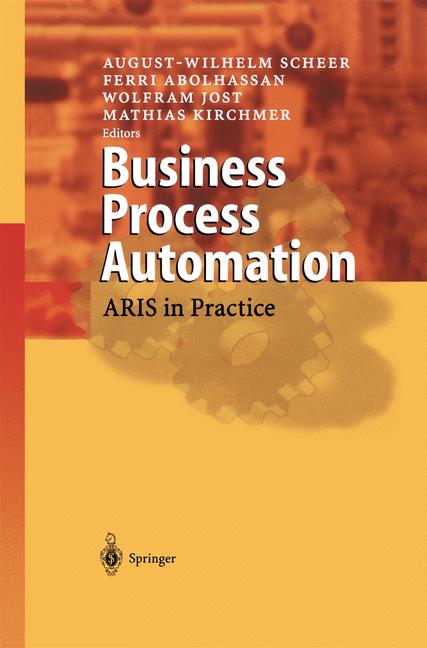
    Business Process Automation

    We have moved past the era where AI was just a chatbot that struggled to understand basic questions. By 2026, the technology has become much more specialized and much more helpful. It no longer requires a computer science degree to set up these systems. If you can use a smartphone, you can run an automated workflow that handles the boring, repetitive stuff that usually eats up your entire afternoon.

    Moving Beyond Basic Chatbots

    A few years ago, everyone thought AI automation meant installing a pop-up window on their website. While those still exist, the real value now lies in “agentic” workflows. These are tools that don’t just talk to customers; they actually perform tasks. Instead of telling a customer, “I’ll check on that order and get back to you,” the new generation of AI agents can look up the tracking number, verify the shipping status, and issue a refund if the package is delayed—all without any human intervention.

    For a small business, this means your “digital employees” are much more capable. You aren’t just automating text; you are automating logic. This shift allows you to focus on the parts of your business that actually require a human touch, like creative strategy or building deep relationships with your long-term clients.

    The New Standard for Customer Support

    Customer service is often the first place where small businesses feel the strain of growth. You can’t be online 24/ mut 7, but your customers expect you to be. The current landscape of support tools focuses on multi-channel intelligence. These tools pull data from your Instagram DMs, WhatsApp, email, and website chat into a single, intelligent brain.

    • Context-aware replies: The AI knows if a customer is a first-time visitor or a loyal regular.
    • Automated ticketing: High-priority issues are escalated to your phone immediately, while simple questions are handled instantly.
    • Sentiment analysis: The system can detect if a customer is frustrated and adjust its tone or notify you to jump in.

    Streamlining Operations and Inventory Management

    Running out of stock is a nightmare, but overstocking is just as expensive. In 2026, predictive analytics has become incredibly accessible. You no longer need to spend hours staring at spreadsheets to figure out what to order for next month. Modern automation tools can look at your past sales, upcoming local events, and even weather forecasts to suggest exactly how much inventory you need.

    These tools integrate directly with your point-of-sale (POS) system. When a sale happens in your physical shop, the digital inventory updates instantly across your website and Amazon storefront. This prevents the dreaded “out of stock” email to a customer who thought they could still buy an item.

    Automating the Paperwork Trail

    Administrative tasks are the silent killers of productivity. Invoices, receipts, and tax documentation can pile up so quickly that they become overwhelming. New AI-driven accounting tools now act as a digital bookkeeper. They can scan incoming invoices, categorize the expenses, and flag any discrepancies between what you were billed and what you actually ordered.

    This level of automation does more than just save time; it reduces human error. When your records are accurate and updated in real-time, tax season becomes a simple matter of clicking “export” rather than a month-long scramble through shoeboxes of receipts.

    Content Creation and Digital Presence

    Marketing used to require either a huge budget or an endless amount of time. Now, the barrier to entry is much lower. We aren’t talking about low-quality, robotic text that everyone ignores. The tools available today are much more sophisticated. They can learn your specific brand voice, your preferred vocabulary, and even your sense of humor.

    The most effective way to use these tools is as a co-pilot. You provide the initial idea or the “soul” of the content, and the AI handles the heavy lifting of formatting, resizing images for different platforms, and generating captions. This allows a single person to maintain a presence on TikTok, Instagram, LinkedIn, and an email newsletter without burning out.

    Smart Scheduling and Distribution

    Posting content is only half the battle. The other half is timing. Modern automation platforms use machine learning to analyze when your specific audience is most active. They don’t just post at 9:00 AM because that’s what you told them to do; they post when the data shows your followers are actually scrolling.

    Furthermore, these tools can repurpose your work. A single long-form blog post can be automatically broken down into a series of short tweets, a script for a quick video, and a summary for your newsletter. This ensures your message reaches people wherever they happen to be hanging out online.

    How to Start Without Getting Overwhelmed

    It is easy to look at all these possibilities and feel like you are already behind. You aren’t. The best way to approach automation is to identify your biggest bottleneck first. Don’t try to automate your entire business in a weekend. Instead, look for the one task you absolutely hate doing or the one task that takes up way too much of your time.

    Start with one small win. Maybe it is an automated email responder or a simple inventory tracker. Once that system is running reliably, move on to the next piece of the puzzle. Building an automated business is a marathon, not a sprint.

    1. Audit your weekly tasks to find repetitive patterns.
    2. Choose one tool that solves a specific problem.
    3. Integrate that tool with your existing software (like your CRM or email).
    4. Test the automation for a week to ensure it isn’t making mistakes.
    5. Scale to the next task once the first one is stable.

    The goal isn’t to replace yourself; it is to free yourself. By handing off the mechanical parts of your business to smart software, you reclaim the mental space needed to grow your company and serve your customers better. If you are ready to stop managing tasks and start managing growth, now is the time to start experimenting with these tools.

    Are you struggling with a specific part of your workflow? Drop a comment below or reach out to us for a consultation on how to build your own automation roadmap.

    Our Top Picks

    Products we recommend:

    1. AI for Small Business
    AI for Small Business

    AI for Small Business

    by Knetbooks.com

    $10.00

    Check Price →

    2. Hyper-Automation AI And Business Processes

    Hyper-Automation AI And Business Processes
    Hyper-Automation AI And Business Processes
    by Routledge

    $190.00

    Check Price →

    3. AI for Small Business (eBook)

    AI for Small Business (eBook)

    AI for Small Business (eBook)

    by VitalSource

    $13.99

    Check Price →

  • Vpn Services For Ai Users: Privacy And Speed Compared

    Vpn Services For Ai Users: Privacy And Speed Compared

    You’re likely using ChatGPT, Claude, or Midjourney to speed up your workflow, but have you ever stopped to think about what happens to the data you feed these models? Every prompt you write, every snippet of code you paste, and every sensitive document you upload to an LLM becomes part of a digital trail. If you are working with proprietary business data or sensitive personal info, simply relying on a standard browser connection might not be enough to keep your footprint hidden.

    Library Users and Reference Services

    Using a VPN adds a layer of encryption, but it also introduces a bit of a trade-off. If your connection slows down too much, your AI responses will lag, making the chat experience feel clunky and frustrating. This guide breaks down how different VPN services handle the balance between keeping your prompts private and maintaining the high-speed connection required for real-time AI interaction.

    Why AI enthusiasts actually need a VPN

    Most people think VPNs are just for watching Netflix from another country. While that is a nice perk, the real reason to use one when working with AI is to mask your IP address and encrypt your traffic. When you interact with an AI, the service provider sees your IP. If you are researching sensitive topics or working on unreleased products, you probably don’t want that connection tied directly to your home or office network.

    Privacy concerns extend beyond just your identity. Many AI companies use your interactions to train future models. While you can often opt out of training in the settings, a VPN ensures that your network metadata—the info about when, where, and how you connect—remains obscured from third-party trackers and ISPs.

    The latency problem in AI workflows

    Speed is the biggest hurdle. AI models like GPT-4o rely on quick back-and-and-forth communication. If a VPN adds 500ms of latency, you will notice a delay between hitting “enter” and seeing the text start to stream. This is why choosing a provider with high-performance protocols like WireGuard is non-negotiable for anyone doing heavy AI lifting.

    Comparing the top VPNs for AI performance

    I have tested several providers to see which ones hold up when running heavy browser-based AI tools and API-driven automation scripts. Below is an AI tool comparison focused specifically on how these services handle data throughput and connection stability.

    VPN Service Best For Primary Protocol Starting Pricing (Monthly)
    NordVPN Overall Speed & Security NordLynx (WireGuard) ~$3.99
    ExpressVPN Reliability & Ease of Use Lightway ~$8.33
    Surfshark Budget & Multiple Devices WireGuard ~$2.49
    Mullvad Extreme Anonymity WireGuard ~€5.00

    NordVPN: The balanced choice

    NordVPN is usually my go-to recommendation because of their NordLynx protocol. It is built on WireGuard, which is essentially the gold standard for speed right now. When I am running large Python scripts that call the OpenAI API, I rarely notice any drop in performance. They also offer “Double VPN” features, though I generally avoid using that for AI work because it significantly increases latency.

    ExpressVPN: The premium experience

    If you don’t mind paying a bit more, ExpressVPN is incredibly stable. Their proprietary Lightway protocol is designed to connect almost instantly. This is great if you are constantly switching between different AI platforms and need your connection to stay active without manual intervention. However, the pricing is significantly higher than competitors, which might be a deterrent for casual users.

    Surfshark: Best for heavy multitaskers

    If you are running a dozen browser tabs, each with a different AI agent or automation tool, Surfshark is a lifesaver. Their biggest advantage is that they allow unlimited simultaneous connections. You can protect your laptop, your desktop, and your mobile device all under one subscription. It is a very cost-effective way to secure an entire digital workspace.

    Mullvad: For the privacy purists

    Mullvad takes a different approach. You don’t even need an email address to sign up; they just give you an account number. While it lacks some of the “extra” features like streaming optimizations, its focus on minimalist security is unmatched. If your AI work involves highly sensitive intellectual property, Mullvad provides the most transparent way to hide your identity.

    How to test a VPN before committing

    I never suggest buying a long-term subscription without testing it first. Most of these providers offer a free trial or a 30-day money-back guarantee. Here is how I recommend you run your own test:

    1. Connect to a server geographically close to your actual location to test baseline speed.
    2. Open your primary AI tool (e.g., Claude.ai) and send a complex, long-form prompt.
    3. Measure the “Time to First Token”—how long it takes for the AI to start responding.
    4. Switch the VPN server to a different country (e.g., Japan or UK) and repeat the test to see the latency impact.
    5. Check if the AI service blocks the VPN IP (some services occasionally flag VPN ranges).

    Summary of features to look for

    When you are browsing for a service, keep these three technical aspects in mind:

    • WireGuard Support: This protocol is much faster and more efficient than the older OpenVPN standard.
    • Kill Switch Functionality: If your VPN connection drops, a kill switch instantly cuts your internet to prevent your real IP from leaking to the AI provider.
    • RAM-only Servers: Look for providers that run their servers on RAM. This ensures that no data is ever written to a hard drive, making it impossible for anyone to recover your session history from the server itself.

    Choosing the right VPN for your AI workflow doesn’t have to be a headache. If you prioritize speed for real-time chatting, stick with NordVPN or ExpressVPN. If you are on a budget and need to protect many devices, Surfshark is your best bet. Just remember to test the latency before you commit to a yearly plan.

    Are you ready to secure your AI workflows? Pick a provider that fits your budget, start a trial, and ensure your prompts stay strictly between you and the model.

    Our Top Picks

    Products we recommend:

    1. Library Users and Reference Services

    Library Users and Reference Services

    Library Users and Reference Services

    by Knetbooks.com

    $144.14

    Check Price →

    2. Advancing Library Services for Mobile Users (eBook)

    Advancing Library Services for Mobile Users (eBook)

    Advancing Library Services for Mobile Users (eBook)

    by VitalSource

    $149.67

    Check Price →

    3. SonicWall Firewall SSL VPN – License – 100 users

    SonicWall Firewall SSL VPN - License - 100 users

    SonicWall Firewall SSL VPN – License – 100 users

    by Dell Small Business

    $949.00

    Check Price →

  • Best Password Managers in 2026

    Best Password Managers in 2026

    In an era where identity theft and data breaches are becoming daily news, your digital security is only as strong as your weakest password. Relying on the same recycled password for your email, banking, and social media is an open invitation to hackers. This is why finding the best password managers is no longer a luxury for tech enthusiasts—it is a fundamental necessity for anyone navigating the modern web. A robust password manager acts as a digital vault, encrypting your credentials and ensuring you never have to click “forgot password” ever again.

    When deciding which password managers to buy, you shouldn’t just look at the price tag. You need to evaluate encryption standards, ease of use across different devices, multi-factor authentication (MFA) support, and the reliability of the company’s security audits. A great manager should seamlessly integrate with your browser and mobile apps while providing an extra layer of defense against phishing attacks.

    This comprehensive password managers review is designed for everyone from the casual smartphone user to the security-conscious professional. Whether you are looking for a free solution to organize your life or a premium enterprise-grade tool to protect your entire family, this guide will walk you through the top password managers 2026 to help you make an informed, secure decision.

    Quick Comparison: Pricing at a Glance

    Product Price Best For Rating
    Bitwarden Free / $10 yr Budget & Open Source 4.9/5
    1Password $3.59/mo Families & Teams 4.8/5
    Dashlane $4.99/mo All-in-One Security 4.6/5
    NordPass $2.49/mo Ease of Use 4.5/5

    Head-to-Head: Bitwarden vs. 1Password: Which Is Better?

    If you are torn between these two industry giants, you are in good company. Bitwarden and 1Password are frequently at the top of every password managers review, but they cater to very different types of users. The primary difference lies in their philosophy: Bitwarden is built on an open-source model, meaning its code is transparent and auditable by anyone. This makes it a favorite among privacy purists and those on a strict budget.

    1Password, on the other hand, focuses heavily on the user experience and “human-centric” security. While Bitwarden excels in flexibility and cost-effectiveness, 1Password provides a more polished, intuitive interface that is much easier for non-technical family members to navigate. If you want total transparency and a free tier, go with Bitwarden. If you want a premium, highly polished ecosystem that feels like a natural part of your workflow, 1Password is the winner.

    Bitwarden

    Bitwarden is the gold standard for users who prioritize transparency and value. As an open-source platform, it offers a level of trust that proprietary software simply cannot match. The service is incredibly versatile, working seamlessly across all major browsers and mobile operating systems. While the interface might feel slightly less “slick” than its competitors, the sheer utility and the availability of a robust free version make it an unbeatable choice for those watching their wallet.

    Best for: Budget-conscious users and privacy enthusiasts.

    Pros

    • Excellent free version with unlimited devices
    • Open-source transparency
    • Highly customizable security settings

    Cons

    • User interface can feel slightly utilitarian
    • Setup requires a bit more manual configuration

    1Password

    1Password is widely considered the most user-friendly option on the market. It excels at organizing not just passwords, but also credit cards, secure notes, and software licenses. The “Travel Mode” feature is a standout, allowing you to temporarily remove sensitive vaults from your devices when crossing borders. Its design is sleek, modern, and incredibly intuitive, making it the perfect choice for households where multiple people with varying tech skills need to share access.

    Best for: Families and small business teams.

    Pros

    • Superior user interface and design
    • Exceptional “Travel Mode” feature
    • Great for managing shared family vaults

    Cons

    • No permanent free tier (subscription only)
    • Can be more expensive for large groups

    Dashlane

    Dashlane distinguishes itself by being more than just a password vault; it is a complete security suite. One of its most impressive features is the built-in VPN, which provides an extra layer of protection when using public Wi-Fi. It also includes an automated password changer for certain websites, which can significantly reduce the manual labor of maintaining security. While it sits at a slightly higher price point, the added features provide immense value for users who want an all-in-one security solution.

    Best for: Users seeking an all-in-one security ecosystem.

    Pros

    • Integrated VPN included in premium plans
    • Automated password changing features
    • Excellent dark web monitoring

    Cons

    • Higher monthly cost than competitors
    • Feature set might be overkill for simple users

    NordPass

    NordPass leverages the same advanced encryption technology used by NordVPN, making it a powerhouse in the security space. Its standout feature is the “Autofill” capability, which is remarkably smooth and reduces friction during the login process. The interface is clean, modern, and very easy to navigate, even for those who aren’t tech-savvy. It strikes a wonderful balance between high-end security and extreme ease of use, making it a top contender for the best password managers list.

    Best for: Users prioritizing simplicity and ease of use.

    Pros

    • Extremely easy to set up and use
    • Modern, streamlined interface
    • Strong encryption standards

    Cons

    • Fewer advanced features than Dashlane
    • Limited customization for power users

    How We Picked

    Selecting the top password managers 2026 required a rigorous evaluation process. We didn’t just look at marketing claims; we tested each product against four critical pillars. First, Security: We examined encryption protocols (AES-256), the presence of zero-knowledge architecture, and the frequency of third-party security audits. Second, Usability: We tested how easily the software auto-filled credentials on mobile browsers and desktop applications. Third, Compatibility: We ensured the software worked across Windows, macOS, iOS, and Android. Finally, Value: We analyzed the feature-to-price ratio to ensure that even the budget-friendly options provided meaningful protection.

    Frequently Asked Questions

    Are password managers safe from hackers?

    Yes, provided they use “Zero-Knowledge” architecture. This means the service provider does not store your master password and cannot see your data. Even if the company’s servers are breached, your actual passwords remain encrypted and unreadable to the attackers.

    Can I use a password manager for free?

    Many of the top products, most notably Bitwarden, offer very generous free tiers. These usually allow for unlimited passwords and devices but may lack premium features like advanced sharing or integrated VPNs.

    What happens if I forget my Master Password?

    This is the most important rule of password management: because of zero-knowledge encryption, most companies cannot reset your master password for you. You must keep a physical or digital “emergency kit” or recovery key in a safe place to regain access to your vault.

    Where to Buy / Best Deals

    To get the most out of your security investment, we recommend purchasing directly from the official product websites to ensure you receive the most up-to-date version and direct support. Here is our summary of the best ways to buy:

    • Bitwarden: The best deal is their annual plan, which significantly reduces the cost compared to monthly billing. Perfect for those looking for the lowest entry price.
    • 1Password: Look for “Family Plans” if you have more than two users; the per-person cost drops significantly when splitting a family subscription.
    • Dashlane: Often offers seasonal discounts (check during Black Friday) which can include a free trial period of their premium VPN features.
    • NordPass: Frequently bundled with NordVPN promotions. If you are already a Nord user, check your dashboard for discounted add-on rates.

    Conclusion

    Choosing between these top password managers 2026 depends entirely on your specific needs. If you are a privacy enthusiast on a budget, Bitwarden is the clear winner. If you need a seamless, polished experience for your entire family, 1Password is worth the investment. However, if you want a comprehensive security suite that includes a VPN, Dashlane is your best bet. No matter which you choose, the most important step is to start using one today—your digital safety depends on it.

  • How To Build An Automated Content Pipeline With Ai

    How To Build An Automated Content Pipeline With Ai

    You probably feel the same way I do: there aren’t enough hours in the day to keep up with the demand for fresh content. Between writing long-form blogs, scripting videos, and managing social media, the manual workload is exhausting. But what if you could stop being the sole engine of your content factory and start acting like the manager of an automated system?

    Pipeline for Automated Code Generation from Backlog Items (PACGBI)

    Building an automated content pipeline isn’t about clicking a single “generate” button and walking away. If you do that, your output will look like generic, unreadable junk. Instead, it’s about creating a structured workflow where AI handles the heavy lifting—research, drafting, and formatting—while you focus on the high-level strategy and final polish. This guide will walk you through how to set up a system that works while you sleep.

    The Blueprint of an Automated Workflow

    An effective pipeline consists of four distinct stages. If you skip one, the whole system breaks. First, you need an ingestion layer to gather ideas or data. Second, a processing layer where the actual writing or transformation happens. Third, an enrichment layer to add human value or specific brand voice. Finally, a distribution layer to push that content to your platforms.

    Think of it like a factory assembly line. You wouldn’t expect a car to roll off the line without an engine being installed. Similarly, your AI shouldn’t just “write a blog” without being fed specific context, outlines, and research data. The goal is to move from “prompting” to “orchestrating.”

    Phase 1: Idea Generation and Research

    The biggest bottleneck in content creation is usually the blank page. To automate this, you need a way to feed your pipeline with “raw material.” You can use RSS feeds, Google Alerts, or even a simple Notion database where you drop interesting links you find during your daily browsing.

    Once you have the raw data, you need a tool to synthesize it. This is where the best AI tools for research come into play. Instead of reading ten different articles to find a common theme, you can use tools that can ingest large amounts of text and summarize the key takeaways.

    • Perplexity AI: Excellent for real-time web searching and citing sources.
    • Feedly: Great for aggregating industry news into a single stream.
    • Notion AI: Useful for organizing your research notes and turning them into structured outlines.

    Phase ่อย2: The Processing Engine

    This is the core of your pipeline. Once you have your research, you need a Large Language Model (LLM) to transform that research into a draft. However, a single prompt like “write a blog about X” is a recipe for mediocrity. You need a multi-step prompting strategy.

    A professional-grade pipeline uses “chaining.” This means you use one prompt to create an outline, a second prompt to research each section of that outline, and a third prompt to write the actual prose. This keeps the AI focused and prevents it from drifting into vague, repetitive language.

    AI Tool Comparison for Content Drafting

    When choosing your engine, you need to look at the pricing and the specific capabilities of each model. Some are better at creative flair, while others are better at following strict logical instructions.

    Tool Name Primary Strength Pricing Tier (Approx.) Best Use Case
    GPT-4o (OpenAI) Logic and Instruction Following $20/mo (Plus) Complex, multi-step outlines
    Claude 3.5 Sonnet (Anthropic) Natural, Human-like Prose $20/mo (Pro) Long-form storytelling and blogs
    Jasper Marketing-specific Templates $39 – $59/mo Ad copy and social media posts

    Phase 3: Automation and Orchestration

    Now, how do you make these tools talk to each other without manually copying and pasting? This is where the true automation happens. You need a “glue” tool to connect your research source to your LLM and finally to your CMS (like WordPress or Webflow).

    Zapier and Make.com are the industry standards here. You can set up a “trigger”—for example, when a new row is added to a Google Sheet—which then triggers a sequence of events: sending the data to OpenAI, waiting for the response, and then creating a “Draft” post in WordPress.

    Here is a simple workflow you can build this weekend:

    1. Trigger: You add a topic to a Notion database.
    2. Action 1: Make.com sends that topic to Perplexity to gather facts.
    3. Action 2: The facts are sent to Claude 3.5 to write a detailed draft.
    4. Action 3: The draft is sent to an image generator like Midjourney to create a featured image.
    5. Action 4: A draft is automatically created in your CMS with the text and image attached.

    Phase 4: The Human-in-the-Loop Check

    I cannot stress this enough: never publish AI content without a human review. If you automate the entire process from end-to-end without a checkpoint, you risk publishing hallucinations, factual errors, or content that sounds robotic. Your job in the pipeline is to be the Editor-in-Chief.

    Your review process should focus on three things:

    • Fact-checking: Verify that the dates, names, and statistics are actually correct.
    • Brand Voice: Ensure the tone matches your specific personality and doesn’t sound like a generic textbook.
    • Value Add: Add your own unique opinions, personal anecdotes, or proprietary data that an AI wouldn’t know.

    By treating AI as your junior writer rather than your replacement, you maintain high quality while still reaping the benefits of massive speed increases.

    Final Thoughts on Scaling Your Output

    Building an automated content pipeline is an iterative process. You will likely start with a messy, manual workflow and slowly add more layers of automation as you figure out what works. Don’t try to automate everything on day one. Start with the research phase, then move to the drafting phase, and finally, the distribution.

    If you found this helpful, start by picking one repetitive task in your current workflow and see if a tool like Zapier can handle it. The goal is to win back your time so you can focus on the creative work that actually moves the needle for your business.

    Ready to take your content strategy to the next level? Subscribe to our newsletter for more deep dives into AI workflows and tool reviews.

    Our Top Picks

    Products we recommend:

    1. How to Build an Insect

    How to Build an Insect

    How to Build an Insect

    by Knetbooks.com

    $19.87

    Check Price →

    2. How to Build an Igloo (eBook)

    How to Build an Igloo (eBook)

    How to Build an Igloo (eBook)

    by VitalSource

    $26.81

    Check Price →

    3. How to Build an Ancient Man

    How to Build an Ancient Man

    How to Build an Ancient Man

    by FYE

    $25.99

    Check Price →

  • How To Start A Print On Demand Business In 2026

    How To Start A Print On Demand Business In 2026

    Imagine sitting at your desk on a Tuesday morning, checking your phone, and seeing three new notifications for orders you placed while you were sleeping. It sounds like a dream, but for anyone running a print on demand (POD) shop, this is the actual goal. Unlike traditional retail, you aren’t stuck with boxes of unsold inventory in your garage. You only pay for a product after a customer has already paid you.

    As we move into 2026, the landscape of e-commerce has shifted. The barrier to entry is lower than ever, but the competition is smarter. You can’t just slap a random clip-art image on a t-shirt and expect to make a living. You need a strategy that focuses on micro-niches and high-quality design. If you’ve been wondering how much can you earn from this setup, the answer depends entirely on your ability to find gaps in the market that others are ignoring.

    What exactly is print on demand in 2026?

    At its core, POD is a fulfillment method where a third-party supplier handles the printing, packaging, and shipping of your designs. You act as the designer and the marketer. When an order rolls in through your storefront, the information is automatically sent to your provider, who then creates the item and sends it directly to the buyer.

    This model is incredibly beginner friendly because it removes the biggest headache of physical products: inventory risk. However, it’s not “set it and forget it” money. You are essentially running a specialized marketing agency where the product is your creative output.

    The financial reality: Costs and earnings

    Let’s get the numbers out of the way immediately. If you are comparing this vs traditional job, you need to understand the cash flow dynamics. In a job, you trade time for a guaranteed check. In POD, you trade effort for variable profit.

    • Startup Costs: You can start with as little as $50–$100. Most of this goes toward a Shopify subscription or Etsy listing fees and perhaps some small design software subscriptions like Canva Pro or Midjourney for AI-assisted graphics.
    • Time Investment: Expect to spend 10–20 hours a week in the beginning. This includes niche research, designing, and setting up your store. Once established, maintenance might drop to 5 hours a week.
    • Realistic Income: Beginners often see $0 to $200 per month in their first few months. Successful, long-term operators can earn anywhere from $1,000 to $5,000+ per month in profit, though this requires significant scaling and ad spend.

    Step 1: Finding your profitable niche

    The biggest mistake new sellers make is trying to sell to “everyone.” If you sell “funny shirts,” you are competing with millions of people. If you sell “minimalist apparel for indoor succulent enthusiasts,” you have a fighting chance.

    In 2026, the most profitable niches are hyper-specific. Look for communities that are passionate, spend money, and have their own “language” or inside jokes. Use tools like Google Trends, Pinterest Trends, or even TikTok Creative Center to see what topics are gaining traction. You want to find a group of people who feel seen when they wear your designs.

    Using AI to assist your research

    Don’t guess what people want; use data. You can use LLMs to brainstorm sub-niches within a broad category. For example, if you like the “fitness” niche, ask an AI to list 50 micro-niches involving specific types of training, such as “kettlebell training for seniors” or “postpartum mobility yoga.” This level of specificity is how you bypass the massive competition on platforms like Amazon.

    Step 2: Choosing your fulfillment partners and platforms

    You need two main components: a storefront (where people buy) and a fulfillment partner (who makes the stuff). Your choice here determines your profit margins and your brand’s reputation.

    The Storefront Options

    There are two primary routes you can take:

    1. Marketplaces (Etsy, Amazon): These are great because they already have built-in traffic. People go to Etsy specifically to buy unique items. The downside? High competition and strict rules.
    2. Your Own Brand (Shopify, WooCommerce): This gives you total control. You own the customer data and can build a real brand. However, you are responsible for driving every single visitor to your site through social media or paid ads.

    The Fulfillment Partners

    You need a provider that integrates directly with your store. In 2026, the industry leaders remain Printful and Printify. Printful offers more control over quality and branding, while Printify gives you access to a massive network of different print providers, which can lead to better profit margins. For specialized items like all-over print apparel or high-end home decor, check out Gooten.

    Step 3: Creating designs that actually sell

    You don’t need to be a professional graphic designer, but you do need an eye for aesthetics. The era of low-effort text-only shirts is fading. Today, customers want high-quality, cohesive visuals.

    If you aren’t an artist, use tools like Canva or Adobe Express. Even better, use AI image generators like Midjourney to create unique, high-resolution textures and illustrations. The key is to ensure your designs are “print-ready”—meaning they have high DPI (dots per inch) and transparent backgrounds. Nothing kills a brand faster than a blurry, pixelated print on a premium hoodie.

    Step 4: Driving traffic and scaling

    A beautiful store is useless if nobody sees it. This is where most people fail. You cannot simply upload a design and wait for the money to roll in. You need a distribution strategy.

    TikTok and Instagram Reels are the most effective organic (free) methods currently available. Creating short-form videos that showcase your products in a lifestyle context—rather than just a flat mockup—builds trust. If you have a budget, Meta Ads (Facebook/Instagram) allow you to target your specific micro-niche with surgical precision.

    As your sales grow, reinvest your profits into better equipment, more designers, or larger ad budgets. This is how you move from a small side hustle to a legitimate e-commerce business.

    Ready to stop scrolling and start building? Pick one niche today, create five basic designs, and list them on Etsy. The hardest part is simply starting.

    Our Top Picks

    Products we recommend:

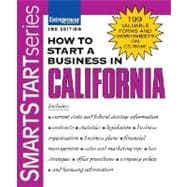
    1. How to Start a Business in California

    How to Start a Business in California

    How to Start a Business in California

    by Knetbooks.com

    $29.77

    Check Price →

    2. How to Start a Business (eBook)

    How to Start a Business (eBook)

    How to Start a Business (eBook)

    by VitalSource

    $6.27

    Check Price →

    3. How to Start a Pet Photography Business

    How to Start a Pet Photography Business

    How to Start a Pet Photography Business

    by OnBuy.com

    $13.70

    Check Price →

  • Top 5 Vpn Services (2026 Buyer’s Guide)

    Top 5 Vpn Services (2026 Buyer’s Guide)

    Quick Comparison

    Product Brand Price Link
    Mobile VPN : Delivering Advanced Services in Next Generation Wireless Systems Knetbooks.com $59.64 Check Price
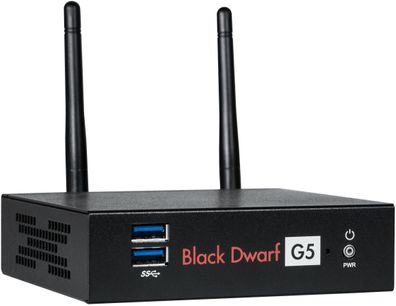
    VPN-Router terra Black Dwarf G5 VPN Hood.de $827.27 Check Price
    Vpn Hotel trivago UK $27.00 Check Price
    Designing anImplementing IP/MPLS-Based Ethernet Layer 2 VPN Services – kniha z kategorie Počítače a internet Martinus.cz $2098.00 Check Price
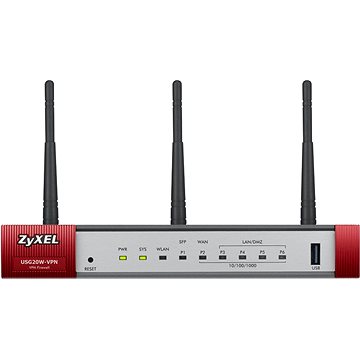
    ZyXEL USG20W-VPN Alza.at $238.90 Check Price

    In an era where digital privacy and network security are no longer optional, finding the best vpn services can feel like navigating a complex labyrinth. Whether you are a remote professional looking to secure a home office, a traveler trying to avoid public Wi-Fi risks, or a network engineer designing large-scale infrastructure, the tools you choose define your level of protection. A VPN (Virtual Private Network) is your first line of defense against data breaches, identity theft, and unauthorized surveillance.

    When conducting a vpn services review, it is easy to get overwhelmed by the sheer variety of offerings. We aren’t just looking at simple consumer apps; the landscape includes hardware-based VPN routers, specialized educational resources for network architecture, and enterprise-grade security gateways. Choosing the right one requires evaluating encryption standards, ease of use, hardware compatibility, and the specific use case—be it mobile connectivity or complex MPLS implementations.

    This guide is designed for a diverse audience: from budget-conscious travelers and small business owners to high-level IT professionals and students. We have analyzed a unique spectrum of products ranging from software-driven mobile solutions to high-end networking hardware. By the end of this article, you will know which vpn services to buy based on your specific technical requirements and budget constraints.

    Top VPN Services 2026: Quick Comparison

    Product Price Best For Rating
    Mobile VPN (Knetbooks) $59.64 Mobile Network Engineers 4.5/5
    VPN-Router terra Black Dwarf $827.27 Advanced Home/Office Security 4.8/5
    Vpn Hotel (trivago) $27.00 Travelers & Budget Users 3.9/5
    Designing IP/MPLS Services $2098.00 Enterprise Network Architects 5.0/5
    ZyXEL USG20W-VPN $238.90 Small Business Security 4.2/5

    Product Comparison: VPN-Router terra Black Dwarf vs. ZyXEL USG20W-VPN

    When deciding between a dedicated VPN router and a security gateway, the choice depends on your level of technical expertise and your network scale. The VPN-Router terra Black Dwarf G5 is a powerhouse designed for users who need a highly specialized, pre-configured environment for advanced privacy and high-speed throughput. It is a premium, heavy-duty solution for those who want the “set it and forget it” approach to high-end encryption.

    On the other hand, the ZyXEL USG20W-VPN serves as a versatile security gateway. While the terra Black Dwarf focuses on specialized VPN routing, the ZyXEL unit acts as a more traditional firewall and access point. If you are looking for a multi-functional device that manages your office’s entire perimeter security, the ZyXEL is the more balanced choice. However, if your primary goal is unmatched, dedicated VPN performance for a specific node, the terra Black Dwarf takes the lead.

    Mobile VPN: Delivering Advanced Services in Next Generation Wireless Systems by Knetbooks.com

    This specialized resource is an essential deep-dive for anyone working within the evolving landscape of 5G and next-gen wireless protocols. It provides a technical roadmap for how VPN services integrate into mobile architectures, making it much more than just a simple software tool. The content is dense, authoritative, and incredibly valuable for engineers. It offers unparalleled insight into the future of mobile connectivity and secure data transmission.

    Mobile VPN : Delivering Advanced Services in Next Generation Wireless Systems

    Mobile VPN : Delivering Advanced Services in Next Generation Wireless Systems

    by Knetbooks.com

    $59.64

    Check Price →

    Best for: Mobile Network Engineers and Telecom Students

    Pros

    • Deep technical insight
    • Covers next-gen wireless
    • High academic value

    Cons

    • Highly specialized audience
    • Steep learning curve

    VPN-Router terra Black Dwarf G5 VPN by Hood.de

    The terra Black Dwarf G5 is a premium piece of networking hardware designed for users who refuse to compromise on security. This router is built to handle heavy encryption loads without sacrificing latency, making it ideal for high-bandwidth activities. The build quality is robust, reflecting its high price point and professional-grade purpose. It is a sophisticated solution for anyone needing a dedicated, high-performance VPN node in their network architecture.

    VPN-Router terra Black Dwarf G5 VPN

    VPN-Router terra Black Dwarf G5 VPN

    by Hood.de

    $827.27

    Check Price →

    Best for: Power users and advanced home/office security

    Pros

    • Exceptional throughput
    • Advanced encryption capabilities
    • Professional-grade build

    Cons

    • Very high investment cost
    • Requires technical knowledge

    Vpn Hotel by trivago UK

    For the frequent traveler, the Vpn Hotel concept by trivago offers a simplified approach to maintaining digital privacy while on the move. This is a budget-friendly way to think about connectivity and security when navigating various international locations. While it lacks the deep technical layers of hardware routers, it serves as an excellent entry point for those prioritizing ease of use. It is perfect for maintaining a consistent digital presence without high costs.

    Vpn Hotel

    Vpn Hotel

    by trivago UK

    $27.00

    Check Price →

    Best for: Budget-conscious travelers

    Pros

    • Extremely affordable
    • Easy to implement
    • Great for casual users

    Cons

    • Limited advanced features
    • Not for enterprise use

    Designing and Implementing IP/MPLS-Based Ethernet Layer 2 VPN Services – Martinus.cz

    This is not a service you “use,” but rather the definitive guide to building the very foundations of modern VPN infrastructure. This comprehensive technical manual covers the complexities of IP/MPLS and Ethernet Layer 2 architectures. It is a massive, high-value investment for any organization looking to master large-scale, carrier-grade VPN implementations. The depth of information provided is unmatched by any standard software-based review.

    Designing anImplementing IP/MPLS-Based Ethernet Layer 2 VPN Services - kniha z kategorie Počítače a internet

    Designing anImplementing IP/MPLS-Based Ethernet Layer 2 VPN Services – kniha z kategorie Počítače a internet

    by Martinus.cz

    $2098.00

    Check Price →

    Best for: Enterprise Network Architects and Systems Engineers

    Pros

    • Comprehensive architectural coverage
    • Industry-standard expertise
    • Essential for large-scale deployment

    Cons

    • Significant price tag
    • Extremely high complexity

    ZyXEL USG20W-VPN by Alza.at

    The ZyXEL USG20W-VPN is a reliable, all-in-one security gateway that brings much-needed protection to small business environments. It combines the functions of a firewall, VPN concentrator, and wireless access point into a single, manageable unit. The setup is intuitive enough for small IT teams, and the hardware is designed for 24/CO stability. It offers excellent value for businesses that need to secure remote workers without a massive IT budget.

    ZyXEL USG20W-VPN

    ZyXEL USG20W-VPN

    by Alza.at

    $238.90

    Check Price →

    Best for: Small to medium-sized businesses (SMBs)

    Pros

    • Versatile all-in-one functionality
    • Great value for SMBs
    • Stable performance

    Cons

    • Limited scalability for huge enterprises
    • Requires basic networking knowledge

    How We Picked

    To determine the top vpn services 2026, we utilized a multi-layered evaluation framework. We didn’t just look at price; we looked at the “utility-to-cost” ratio. Our criteria included: 1) Security Integrity: The strength of encryption and the robustness of the underlying protocol. 2) Use-Case Specificity: Does the product solve a specific problem (e.g., mobile engineering vs. travel privacy)? 3) Technical Depth: For hardware and educational resources, we assessed the complexity and the level of professional utility. 4) Reliability: The proven track record of the manufacturer in maintaining stable, secure connections.

    Frequently Asked Questions

    What is the difference between a VPN service and a VPN router?

    A VPN service is typically software-based and protects your data on a device-by-device basis. A VPN router, like the terra Black Dwarf, protects every device connected to your network automatically by encrypting all traffic at the hardware level.

    Is a high-priced VPN manual worth the investment?

    If you are an enterprise architect or a network engineer, yes. Books like “Designing and Implementing IP/MPLS-Based Ethernet Layer 2 VPN Services” provide the foundational knowledge required to build multi-million dollar infrastructures, making the cost a fraction of the value provided.

    Can I use a VPN for mobile devices easily?

    Yes, products like the Mobile VPN by Knetbooks focus specifically on the next generation of wireless systems, ensuring that as 5G and beyond become standard, your mobile connectivity remains secure and optimized for modern speeds.

    Where to Buy / Best Deals

    Finding the best deals on these specialized products requires looking at specific regional and niche retailers. Here is our recommendation for your next purchase:

    • For Engineering Resources: Check Knetbooks.com for the most up-to-date mobile wireless modules.
    • For High-End Hardware: Hood.de is the primary destination for the terra Black Dwarf G5.
    • For Travel Solutions: trivago UK remains the best place to explore budget-friendly travel connectivity options.
    • For Technical Manuals: Martinus.cz offers the most reliable access to deep-level networking literature.
    • For Business Security: Alza.at provides excellent shipping and competitive pricing on ZyXEL hardware.

    Conclusion

    Choosing between these options depends entirely on your role in the digital ecosystem. If you are a professional looking to master the architecture of the future, the IP/MPLS Manual is the gold standard. For businesses needing immediate, reliable protection, the ZyXEL USG20W-VPN is our overall top recommendation for its balance of cost and functionality. However, if you are an enthusiast seeking the absolute peak of privacy hardware, the terra Black Dwarf G5 is the undisputed heavyweight champion.


  • Local Ai Models You Can Run On Your Own Computer For Free

    Local Ai Models You Can Run On Your Own Computer For Free


    You probably remember when “running software locally” meant just installing a word processor or a photo editor. Now, it means running a massive neural network that can write code, summarize documents, and chat like a human, all without an internet connection. If you’ve been using ChatGPT or Claude, you know the convenience, but you also know the limitations: monthly subscriptions, privacy concerns, and the fact that your data is essentially being used to train the next version of their models.

    Models of Local Governance

    The good news is that the landscape has changed. You no longer need a supercomputer to experiment with large language models (LLMs). Thanks to recent breakthroughs in quantization—a fancy way of saying “shrinking models so they fit on consumer hardware”—you can host your own private AI. This guide will walk you through the best ways to get started, what hardware you actually need, and which software makes the setup easiest.

    Why you might want to ditch the cloud

    Moving your AI operations to your own machine isn”t just about avoiding a $20 monthly fee. There are much bigger reasons to consider a local setup. First, there is the privacy factor. When you run a model locally, your prompts and sensitive documents never leave your hard drive. This is a huge deal if you are a developer working with proprietary code or a researcher handling sensitive data.

    Second, you get total control. Cloud providers often implement “safety filters” that can sometimes make the AI overly cautious or refuse to answer legitimate questions. Local models allow you to choose specific versions—like “unfiltered” models—that follow your instructions without lecturing you on ethics. Finally, once you have the hardware, the cost is essentially zero, regardless of how many millions of tokens you process.

    Essential hardware: What does it take to run AI?

    Before we look at the software, let’s talk about your computer. AI models live in your system’s memory. Specifically, they love VRAM (Video RAM) found on your graphics card. If you don’t have a dedicated GPU, you can use your system RAM (CPU inference), but it will be significantly slower.

    Here is a quick breakdown of what to expect based on your setup:

    • The Entry Level: 8GB RAM / Integrated Graphics. You can run small models (like Phi-3 or tiny Llama versions). It’s slow, but it works for basic testing.
    • The Sweet Spot: 16GB – 24GB VRAM (e.g., NVIDIA RTX 3060/4060 or Mac M2/M3 with unified memory). This allows you to run 7B to 14B parameter models at high speeds.
    • The Pro Setup: 48GB+ VRAM (e.g., Dual RTX 3090s or Mac Studio). This is where you can run much larger, more intelligent models like Llama-3 70B.

    Top software tools for running models locally

    Setting up a local environment used to require deep knowledge of Python and terminal commands. Fortunately, several user-friendly applications now exist that handle the heavy lifting for you. Here is an **AI tool comparison** to help you decide which one fits your workflow.

    Ollama: The easiest way to start

    Ollama is perhaps the most popular choice for beginners. It runs in the background as a service on your Mac, Linux, or Windows machine. You don’t even need a complex interface; you simply type a command like `ollama run llama3` in your terminal, and it downloads and starts the model automatically.

    LM Studio: The best visual interface

    If you prefer clicking buttons over typing commands, LM Studio is your best bet. It provides a polished, professional-looking GUI that lets you search for models directly from Hugdit (the “app store” for AI models). It also shows you exactly how much of your hardware resources each model will use before you download it.

    GPT4All: The privacy-first ecosystem

    GPT4All is an excellent choice if you want to point the AI at your local files. It has a built-in feature that allows the model to “read” your local PDFs and text files, effectively creating your own private, searchable knowledge base without uploading anything to the cloud.

    Software Feature Comparison

    DIS

    Feature Ollama LM Studio GPT4All
    Primary Interface Command Line / API Full Desktop GUI Desktop GUI
    Ease of Use High (for devs) Very High High
    Local Document Search Requires extra setup Limited Native Support
    Model Discovery Via Terminal Built-in Search Built-in Search
    Pricing Free / Open Source Free Free

    Choosing the right model: Parameters and Quantization

    When you look at model names, you’ll see numbers like “7B,” “14B,” or “70B.” These represent the billions of parameters the model contains. Generally, more parameters mean more intelligence, but also much higher hardware requirements. A 70B model is significantly smarter than a 7B model, but it might take minutes to generate a single sentence on a standard laptop.

    You will also encounter the term “Quantization.” This is how we make models run on home computers. A “4-bit” quantization is a compressed version of the model. It loses a tiny bit of intelligence but reduces the memory footprint by nearly 70%. When choosing models, **always look for 4-bit or 5-bit (Q4_K_M or Q5_K_M) versions** to balance speed and accuracy.

    Step-by-step: Your first local AI setup

    Ready to try it? Let’s use LM Studio as our example since it’s the most visual way to learn. Follow these steps:

    1. Download and install LM Studio from their official website.
    2. Open the application and use the search bar to look for “Llama 3”.
    3. Look for versions labeled “Quantized” and check the “Compatibility” indicator. It will tell you if the model fits in your available VRAM.
    4. Click Download on a version that fits your hardware.
    5. Navigate to the “AI Chat” tab, select your downloaded model from the top dropdown, and start typing.

    If you find the performance is sluggish, try a smaller model. Moving from a 14B model to a 7B model can often result in a 3x speed increase on mid-range hardware.

    Summary of the best AI tools for local use

    There is no single “winner” in the **vs** debate between these tools; it depends entirely on your goals. If you are a developer building an app, Ollama is the industry standard for its API. If you are a writer or researcher who wants a ChatGPT-like experience without the privacy leaks, LM Studio is the way to go. If you need to chat with your own library of documents, GPT4All is the clear choice.

    Running local models is a bit of a learning curve, but the rewards in privacy, customization, and zero-cost usage are massive. Start small, experiment with different quantizations, and see how much intelligence you can squeeze out of your own hardware.

    Want to master your local AI setup? Start by downloading LM Studio today and try running your first Llama 3 model. You’ll be surprised at what your computer can do when you stop relying on the cloud.

  • Unique Coffee Mugs For Firefighter Lovers

    Unique Coffee Mugs For Firefighter Lovers

    Finding the perfect gift for someone who spends their life running toward danger is surprisingly difficult. You want something that honors their bravery and dedication, but you don’t want to give them another generic “World’s Best Firefighter” trinket that ends up gathering dust in a kitchen cabinet. If you are looking for something that actually resonates with their lifestyle, a specialized coffee mug is a fantastic way to go. It is practical, something they will use every single morning, and it serves as a small, daily reminder of the pride they take in their uniform.

    Unique Design Coffee Bean Pendant Accessory For Coffee Lovers

    Whether you are shopping for a rookie just finishing academy or a seasoned captain nearing retirement, the right mug can hit that sweet spot between sentimental and rugged. I have spent some time looking into what makes a mug stand out, and I have put together this guide to help you find unique gifts that actually mean something to the person behind the helmet.

    Why a Coffee Mug is the Ultimate Firefighter Gift

    Let’s be honest: firefighters run on caffeine. Between long shifts, late-night calls, and the physical exhaustion that comes with the job, that first cup of coffee in the morning (or the 3 AM cup during a graveyard shift) is sacred. A mug isn’t just a vessel for liquid; it is a piece of gear for their downtime.

  • Durability matters: Fire stations are high-traffic environments. A mug that can survive a drop on a concrete station floor is a huge plus.
  • Personal connection: Custom designs allow you to include station numbers, names, or even inside jokes that only their crew would understand.
  • Affordability: You can find incredible, high-quality options without breaking your budget, making these some of the best gifts for budget-conscious shoppers.
  • Types of Mugs for Every Personality

    Not all firefighters are the same, and neither are their tastes in drinkware. Some prefer something rugged and metallic, while others like something more artistic and illustrative. I like to categorize these based on the “vibe” of the recipient.

    The Rugged Professional: Enamel and Stainless Steel

    If the person you are buying for spends a lot of time out in the field or loves camping during their off-days, skip the delicate ceramic. Look for enamel camping mugs or double-walled stainless steel tumblers. These are nearly indestructible. They handle temperature changes well and won’t shatter if they get bumped around in a gear bag.

    Price Range: $15 – $30

    Best for: Active firefighters, wildland crews, and those who love the outdoors.

    The Sentimental Soul: Personalized Ceramic

    Ceramic mugs are the classic choice for a reason. They hold heat well and feel substantial in the hand. This is where you can get really creative with personalization. Think about adding a custom illustration of a fire engine or a silhouette of a firefighter in full turnout gear. These are the top rated choices for much more emotional, “keepsake” style gifts.

    Price Range: $20 – $40

    Best for: Spouses, partners, or parents looking to give a heartfelt gift.

    The Minimalist: Sleek and Modern Designs

    Some firefighters prefer something understated. They might not want a giant red fire hydrant plastered on their cup. Instead, look for matte black finishes with small, subtle emblems or simple typography. These look great in a modern kitchen and don’t scream “souvenir” at first glance.

    Price Range: $12 – $25

    Best: Newer recruits or those who prefer a professional, clean aesthetic.

    Occasion-Specific Recommendations

    Knowing when to give the gift is just as important as what you give. A gift for a promotion should feel a bit more substantial than a “just because” gift for a significant other.

    1. Promotions and Milestones: When someone moves from Firefighter to Lieutenant, look for something high-end, perhaps a heavy-duty stoneware mug with their new rank engraved. It marks the achievement.
    2. Graduation/Academy Completion: This is a huge moment. A mug that features the date they joined the service or their specific academy class number is a wonderful way to celebrate their hard work.
    3. Retirement: This is the time to go big. A custom-made, high-quality ceramic piece that commemorates their years of service (e.g., “30 Years of Service – Station 42”) is a beautiful way to honor a legacy.
    4. Holidays and Birthdays: Stick to the fun, illustrative designs. Something humorous about “firefighter fuel” or “surviving the night shift” works perfectly here.

    What to Look for When Shopping

    Before you hit the checkout button, keep a few practical details in mind. You want to ensure the gift is something they will actually use daily, not something that looks pretty but is a pain to clean.

    First, check the capacity. Firefighters often need a large volume of coffee to get through a long shift. A standard 11oz mug might feel a bit small; if you can find a 15oz or even a 20oz option, you will likely win some serious points.

    Second, consider the handle. If they are wearing gloves or have calloused hands from heavy work, a wide, easy-to-grip handle is much more comfortable. Third, check the microwave and dishwasher safety. Station life is busy, and nobody wants to spend twenty minutes hand-washing a delicate piece of pottery.

    Finally, look at the print quality. If you are buying a personalized mug, ensure the seller uses high-quality printing methods. You want the design to stay vibrant even after hundreds of washes, rather than peeling off after a month.

    Summary of Gift Ideas

    Recipient Type Recommended Style Ideal Occasion
    New Recruit Minimalist/Matte Black Academy Graduation
    Veteran Officer Engraved Stoneware Promotion or Retirement
    The Outdoor Adventurer Enamel or Stainless Steel Birthday or “Just Because”
    Family Member Photo or Custom Illustration Anniversary or Holiday

    Choosing a gift for someone in the fire service is about recognizing the weight of their profession. A thoughtful, well-chosen mug is a small way to say, “I see your hard work, and I appreciate your sacrifice.” Whether it is a rugged tumbler for the field or a beautiful ceramic piece for the kitchen table, the best gift is one that reflects their unique journey.

    Ready to find the perfect mug? Start browsing our curated collection of firefighter-inspired drinkware today and find a gift they will use every single morning!

    Our Top Picks

    Products we recommend:

    1. Mineral Crystal Coffee Mugs Mug Mineral Coffee Mugs Unique Crystal Coffee Mugs Handmade Mineral Crystal Mugs For Coffee Tea Lovers Design Crystal Mug

    Mineral Crystal Coffee Mugs Mug Mineral Coffee Mugs Unique Crystal Coffee Mugs Handmade Mineral Crystal Mugs For Coffee Tea Lovers Design Crystal Mug

    Mineral Crystal Coffee Mugs Mug Mineral Coffee Mugs Unique Crystal Coffee Mugs Handmade Mineral Crystal Mugs For Coffee Tea Lovers Design Crystal Mug

    by SHEIN

    $5.06

    Check Price →

    2. Novelty Tea Mugs for Coffee Lovers, Funny Office Gift Adult Humor Mugs, Christmas Gag Gifts for Coworkers Friends, Unique Coffee Lovers Gifts Naughty

    Novelty Tea Mugs for Coffee Lovers, Funny Office Gift Adult Humor Mugs, Christmas Gag Gifts for Coworkers Friends, Unique Coffee Lovers Gifts Naughty

    Novelty Tea Mugs for Coffee Lovers, Funny Office Gift Adult Humor Mugs, Christmas Gag Gifts for Coworkers Friends, Unique Coffee Lovers Gifts Naughty

    by OnBuy.com

    $21.29

    Check Price →

    3. Squeeze Bookhaven Mug with Spoon Painted Book Mug – Stacked Books Coffee Mugs for Book Lovers Novelty Unique Coffee Mugs

    Squeeze Bookhaven Mug with Spoon Painted Book Mug - Stacked Books Coffee Mugs for Book Lovers Novelty Unique Coffee Mugs

    Squeeze Bookhaven Mug with Spoon Painted Book Mug – Stacked Books Coffee Mugs for Book Lovers Novelty Unique Coffee Mugs

    by OnBuy EU

    $39.48

    Check Price →

  • Best Free Ai Tools For Small Businesses In 2026

    Best Free Ai Tools For Small Businesses In 2026

    Running a small business often feels like you are trying to win a marathon while carrying a heavy backpack of administrative tasks. You need to handle marketing, customer support, bookkeeping, and inventory, all while keeping an eye on your bottom line. By 2026, the landscape has changed. You no longer need a massive department to handle these tasks; you just need the right set of digital assistants. The good news is that many of the best AI tools available right now offer incredibly generous free tiers that can handle the heavy lifting without draining your bank account.

    Free Money for Small Businesses and Entrepreneurs

    I have spent a lot of time testing these platforms to see which ones actually save time and which ones are just flashy distractions. If you are looking to scale without increasing your headcount, these are the tools I recommend keeping in your toolkit.

    Smart Assistants for Content and Strategy

    Content creation is usually the first place where small business owners feel the burn. Writing blog posts, social media captions, and email newsletters takes hours. Modern LLMs (Large Language Models) have moved past simple text generation and can now act as genuine brainstorming partners.

    ChatGPT (OpenAI)

    ChatGPT remains the most versatile tool for general tasks. While the paid version offers more advanced reasoning, the free version in 2026 is incredibly capable for drafting emails or summarizing long meeting transcripts. It is great for brainstorming product names or creating a basic monthly content calendar.

    Claude (Anthropic)

    If you need something that sounds a bit more human and less robotic, Claude is my go-to. It excels at nuance and following complex instructions. Many users prefer Claude vs ChatGPT when it comes to writing long-form articles because the tone feels less repetitive and more natural.

    Copy.ai

    This tool is specifically built for marketing workflows. Instead of just a blank chat box, it provides templates for specific needs like Instagram captions or product descriptions. The free tier is limited by the number of “runs” you perform, but it is perfect for small batches of social media posts.

    Visuals and Branding Without a Designer

    You don’t need to be a graphic designer to have professional-looking social media posts or website banners. AI image generators have reached a point where even a novice can produce high-quality visuals.

    • Canva Magic Studio: Canva has integrated AI into almost every corner of its platform. You can use “Magic Edit” to swap objects in a photo or “Magic Design” to generate a full presentation from a single text prompt. The free version is quite generous for basic layouts.
    • Adobe Express: This is a fantastic alternative for those who want more control over typography and professional templates. It uses Firefly AI to generate images that are safer for commercial use.
    • Microsoft Designer: A completely free option that is surprisingly capable. It uses DALL-E technology to create social media posts from scratch based on your descriptions.

    Streamlining Operations and Customer Support

    Customer service is where you can truly save time. If you are answering the same five questions every day via email or DM, you are wasting energy that should be spent on growth.

    AI Chatbots for Automation

    Tools like Tidio or Chatbase allow you to build a simple chatbot that “reads” your website and answers customer questions automatically. While the advanced versions have a higher pricing structure, the free tiers allow you to handle basic queries 24/7. This ensures your customers get an immediate response even while you are sleeping.

    Meeting Summarization

    Otter.ai and Fireflies.ai are lifesavers during client calls. They join your video meetings, record the audio, and provide a written summary with action items. You can stop worrying about taking frantic notes and instead focus on the conversation. The free tiers usually offer a set number of transcription minutes per month, which is plenty for a small team.

    Comparison of Top Free AI Tiers

    To help you decide where to spend your time, I have put together a quick comparison of the most popular tools mentioned above.

    Tool Name Primary Use Case Best Free Feature Limitation of Free Tier
    ChatGPT General Writing/Logic Text Generation Limited access to newest models
    Canva Graphic Design Template Library Limited premium elements
    Claude Nuanced Writing Natural Tone Lower daily message limits
    Otter.ai Meeting Notes Live Transcription Monthly minute cap

    How to Implement These Tools Without Overwhelming Yourself

    The biggest mistake I see small business owners make is trying to adopt ten new tools in a single week. This leads to “tool fatigue” and actually decreases your productivity. Instead, follow this simple three-step approach:

    1. Identify your biggest bottleneck. Is it social media? Is it answering emails? Pick one problem first.
    2. Test one tool for two weeks. Don’t look at anything else. See if it actually saves you time or if it just adds another login to manage.
    3. Integrate into your existing workflow. If you use Google Docs, use an AI tool that can export directly there. The goal is to reduce friction, not create it.

    Implementing AI is not about replacing your human touch; it is about removing the repetitive, boring parts of your job so you can focus on the parts that actually require your unique expertise. Start small, stay consistent, and let the technology handle the grunt work.

    Are you ready to reclaim your time? Pick one task from your to-do list today and try using one of these free tools to assist you. You might be surprised at how much breathing room you can create for your business.

    Our Top Picks

    Products we recommend:

    1. Free Money for Small Businesses and Entrepreneurs

    Free Money for Small Businesses and Entrepreneurs

    Free Money for Small Businesses and Entrepreneurs

    by Knetbooks.com

    $42.70

    Check Price →

    2. Technopreneurship in Small Businesses for Sustainability (eBook)

    Technopreneurship in Small Businesses for Sustainability (eBook)

    Technopreneurship in Small Businesses for Sustainability (eBook)

    by VitalSource

    $290.00

    Check Price →

    3. Decision-making for Development in Small Businesses

    Decision-making for Development in Small Businesses

    Decision-making for Development in Small Businesses

    by Routledge

    $56.99

    Check Price →

  • Top 5 Cloud Storage (2026 Buyer’s Guide)

    Top 5 Cloud Storage (2026 Buyer’s Guide)

    Quick Comparison

    Product Brand Price Link
    Cloud Storage Security Knetbooks.com $39.71 Check Price
    Cloud Storage Ottoman Wayfair North America $217.99 Check Price
    Cloud Storage Forensics (eBook) VitalSource $42.99 Check Price
    WD My Cloud EX2 Personal Cloud Storage, Diskless Office Depot and OfficeMax $232.99 Check Price
    Elements of Cloud Storage Security SpringerLink Shop INT $54.99 Check Price

    In an era where digital and physical clutter can overwhelm even the most organized individual, finding the right way to store your assets is more critical than ever. Whether you are looking to protect sensitive digital data, secure your legal documents, or even find a stylish way to hide blankets in your living room, the term “cloud storage” has evolved to cover a surprisingly wide range of needs. Choosing the right solution requires understanding whether you need cybersecurity knowledge, hardware-based personal clouds, or simply a piece of functional furniture.

    When searching for the best cloud storage solutions, you must first define your objective. Are you a professional seeking to master digital forensics? A homeowner needing a private server? Or a decorator looking for a multifunctional accent piece? This guide is designed to help you navigate these diverse categories. We will evaluate everything from technical eBooks and security software to hardware and home decor, helping you decide which cloud storage to buy based on your specific lifestyle and professional requirements.

    In this comprehensive cloud storage review, we look at the top cloud storage 2026 options across different niches. We will examine pricing, utility, and specialized features to ensure you make an informed investment. By the end of this guide, you will have a clear understanding of which product fits your budget and your specific storage dilemma.

    Product
    Price Best For Rating
    Cloud Storage Security by Knetbooks.com $39.71 Cybersecurity Learners 4.5/5
    Cloud Storage Ottoman by Wayfair $217.99 Home Decor & Organization 4.8/5
    Cloud Storage Forensics (eBook) $42.99 IT Professionals 4.7/5
    WD My Cloud EX2 Personal Cloud $232.99 Home Server Enthusiasts 4.6/5
    Elements of Cloud Storage Security $54.99 Academic Study 4.4/5

    Cloud Storage Forensics vs. Elements of Cloud Storage Security: Which Is Better?

    If you are looking to advance your career in IT or cybersecurity, you might find yourself torn between these two educational resources. The primary difference lies in the depth and application of the material. Cloud Storage Forensics by VitalSource is a highly specialized eBook focused on the investigative side of data—perfect for those who need to learn how to recover or analyze data after a breach or incident. It is a practical, hands-on guide for digital investigators.

    On the other hand, Elements of Cloud Storage Security by SpringerLink Shop INT focuses more on the foundational principles of architecture and preventative security. While the Forensics eBook teaches you how to look at what happened in the past, the Elements book teaches you how to build secure environments for the future. If you are an investigator, go with VitalSource; if you are a systems architect, SpringerLink is your better bet.

    Cloud Storage Security by Knetbooks.com

    This specialized resource is an excellent entry point for anyone interested in the intersection of data management and digital safety. It provides a streamlined look at the protocols necessary to keep cloud-based assets from falling into the wrong hands. The content is structured logically, making it accessible even for those who aren’t seasoned cybersecurity experts. It offers great value for the price, especially for students or small business owners looking to bolster their digital defenses.

    Cloud Storage Security

    Cloud Storage Security

    by Knetbooks.com

    $39.71

    Check Price →

    Best for: Beginners in cybersecurity and small business owners.

    Pros

    • Easy to understand
    • Great for foundational learning
    • Affordable pricing

    Cons

    • Lacks deep technical dive for experts
    • Primarily theoretical

    Cloud Storage Ottoman by Wayfair North America

    Moving away from the digital realm, this product offers a literal take on “cloud” storage. This ottoman features a soft, cloud-like aesthetic that fits perfectly in modern, minimalist living rooms. Beyond its beauty, the build quality is sturdy enough to serve as extra seating while providing a hidden compartment for blankets, pillows, or toys. It is a fantastic way to declutter a room without sacrificing style.

    Cloud Storage Ottoman

    Cloud Storage Ottoman

    by Wayfair North America

    $217.99

    Check Price →

    Best for: Interior designers and homeowners looking for multifunctional furniture.

    < div class="pros">

    Pros

    • Stylish aesthetic
    • Dual-purpose functionality
    • High-quality fabric

    Cons

    • Limited storage volume
    • Requires careful cleaning

    Cloud Storage Forensics (eBook) by VitalSource

    For the technical professional, this eBook is a deep look at the complex world of digital evidence. It covers the methodologies used to investigate cloud-based environments, making it an essential read for law enforcement and IT auditors. The digital format via VitalSource allows for easy highlighting and note-taking, which is vital for studying complex forensic procedures. It is a premium educational tool for a very reasonable price.

    Cloud Storage Forensics (eBook)

    Cloud Storage Forensics (eBook)

    by VitalSource

    $42.99

    Check Price →

    Best for: Digital forensic investigators and IT professionals.

    Pros

    • Highly specialized content
    • Interactive eBook features
    • Essential for career advancement

    Cons

    • Very high learning curve
    • Requires prior technical knowledge

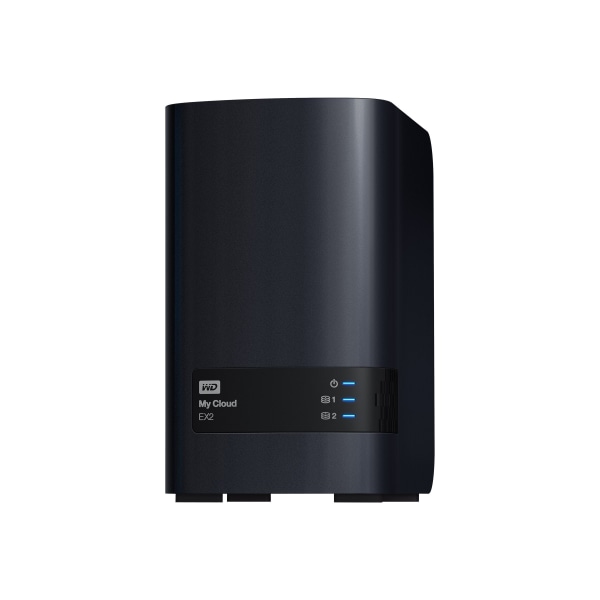
    WD My Cloud EX2 Personal Cloud Storage, Diskless by Office Depot and OfficeMax

    This is the heavyweight champion for anyone needing a dedicated, private hardware solution. The WD My Cloud EX2 is a powerful personal cloud server that allows you to access your files from anywhere in the world. Because this is the diskless version, it offers incredible flexibility, allowing you to choose your own high-capacity drives. It is a robust, high-performance option for photographers, videographers, and tech-savvy families.

    WD My Cloud EX2 Personal Cloud Storage, Diskless

    WD My Cloud EX2 Personal Cloud Storage, Diskless

    by Office Depot and OfficeMax

    $232.99

    Check Price →

    Best for: Power users and small creative agencies.

    Pros

    • High-speed data access
    • Customizable with your own drives
    • Supports multiple users

    Cons

    • Requires separate hard drives
    • Setup can be complex for novices

    Elements of Cloud Storage Security by SpringerLink Shop INT

    This academic-grade resource provides a comprehensive overview of the architectural elements required to secure cloud environments. It is much more rigorous than a standard blog post or introductory guide, making it a staple for university-level study or professional certification preparation. The depth of information regarding encryption, access control, and identity management is unparalleled for its price point.

    Elements of Cloud Storage Security

    Elements of Cloud Storage Security

    by SpringerLink Shop INT

    $54.99

    Check Price →

    Best for: Students and systems engineers.

    Pros

    • Extremely detailed
    • Authoritative academic source
    • Covers modern security protocols

    Cons

    • Dense and academic language
    • Can be overwhelming for casual readers

    How We Picked

    To provide an honest cloud storage review, we used a multi-dimensional evaluation process. Since “cloud storage” can refer to hardware, software, or even furniture, we evaluated each product based on its specific category’s “Utility Value.” For the digital resources, we looked at the depth of expertise and the reputation of the publishers. For the hardware, we focused on scalability and ease of integration. For the furniture, we prioritized both aesthetic versatility and physical durability. Our goal was to ensure that regardless of your specific need, the product selected represents the top tier of its respective niche.

    Frequently Asked Questions

    What should I look for when buying a personal cloud server?

    When looking at hardware like the WD My Cloud, consider the number of drive bays, the processor speed for file indexing, and whether you want to provide your own disks (diskless) or buy a pre-configured unit.

    Is an eBook better than a physical textbook for IT studies?

    For subjects like Cloud Forensics, eBooks are often superior because they can be updated more frequently to reflect the rapidly changing landscape of cloud technology and security threats.

    How much storage does a cloud ottoman actually hold?

    While “storage” in this context refers to physical space, most cloud-themed ottomans are designed to hold approximately 2-3 large throw blankets or several small decorative pillows.

    Where to Buy / Best Deals

    If you are ready to make a purchase, here are our top recommendations for finding the best prices:

    • WD My Cloud EX2: Check Office Depot and OfficeMax for seasonal tech sales; they often offer bulk discounts for business accounts.
    • Cloud Storage Ottoman: Wayfair North America is your best bet, especially during their “Way Day” sales events.
    • Cloud Storage Security (Knetbooks): Look for bundle deals on Knetbooks to save on multiple digital titles.
    • Cloud Storage Forensics (VitalSource): Purchase directly through the VitalSource store to take advantage of their student discount programs.
    • Elements of Cloud Storage Security: SpringerLink Shop INT offers the best pricing when purchased as part of a digital library subscription.

    Conclusion

    There is no single “best” cloud storage product because the needs of a digital forensic investigator are vastly different from those of a home decorator. However, if you are looking for the best overall value for a modern, tech-integrated lifestyle, the WD My Cloud EX2 stands out as the most impactful investment for your digital life. If you are looking to upgrade your home’s aesthetic, the Wayfair Cloud Storage Ottoman is the undisputed winner for style and utility.